
How to Choose Legal Accounting Software for Your Firm
Selecting legal accounting software is one of the most important technology decisions a law firm can make. The right platform improves billing accuracy, simplifies trust accounting, enhances financial visibility, and reduces administrative overhead. The wrong choice can create compliance risks, inefficient workflows, and costly operational challenges.
With dozens of legal accounting solutions available today, firms often struggle to determine which platform best fits their needs.
Written by Knowledge Team, posted on June 11, 2026

The key is to evaluate software based on three priorities:
- Compliance first
- Workflow second
- Price third
The best legal accounting software is not necessarily the least expensive option. It is the solution that helps your firm remain compliant, supports your billing processes, and integrates effectively with the rest of your technology stack.
Why Legal Accounting Software Is Different
Legal accounting differs significantly from general business accounting.
Law firms must manage client trust funds, comply with bar regulations, maintain detailed audit trails, and often support specialized billing requirements. These obligations create accounting needs that traditional accounting software may not adequately address without significant customization.
As a result, firms should evaluate legal accounting software through the lens of both financial management and regulatory compliance.
What to Prioritize When Evaluating Legal Accounting Software
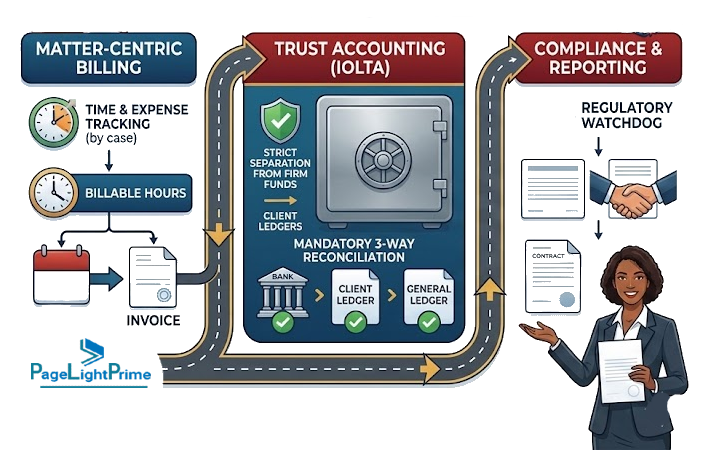
Trust Accounting and Reconciliation
Trust accounting should be the first area you evaluate.
Many state bar associations impose strict requirements governing client trust accounts. Violations can result in penalties, audits, or disciplinary action.
Look for software that provides:
- Three-way trust reconciliation
- Automated trust account balancing
- Client ledger tracking
- Trust deposit and withdrawal management
- Anti-commingling safeguards
- Audit-ready trust accounting reports
If trust accounting is a core part of your practice, selecting software designed specifically for law firms can significantly reduce compliance risk.

Billing Flexibility
Every law firm has unique billing requirements.
The software should support the billing models your firm uses today while providing flexibility as your practice grows.
Key capabilities include:
- Hourly billing
- Flat-fee billing
- Contingency billing
- Split billing arrangements
- Multi rate and multi payor insurance billing
- Expense tracking and reimbursement
- Electronic billing support
Firms that work with insurance carriers, government agencies, or large corporate clients should also confirm support for:
- LEDES billing formats
- UTBMS task codes
- Electronic invoice submission requirements

Reporting and Financial Visibility
Strong reporting capabilities help firm leaders make better business decisions.
Legal accounting software should provide clear visibility into:
- Cash flow
- Accounts receivable
- Collections
- Work in progress (WIP)
- Realization rates
- Trust balances
- Matter profitability
- Attorney productivity
Matter-level profitability reporting is especially valuable because it helps firms understand which clients, practice areas, and matters generate the highest returns.

Integrations
Modern law firms rely on multiple systems.
Accounting software should integrate smoothly with the tools your team already uses.
Common integration categories include:
- Practice management software
- Timekeeping systems
- Payment processors
- Document management platforms
- CRM systems
- Banking platforms
- General ledger accounting systems
Strong integrations reduce duplicate data entry, improve accuracy, and streamline operations across departments.
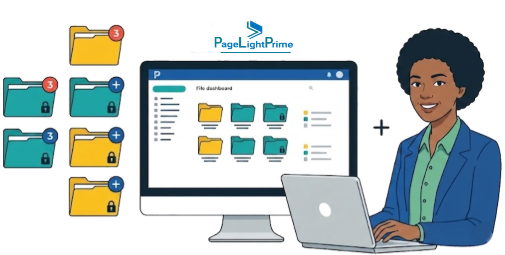
Security and Access Controls
Law firms manage highly sensitive financial and client information.
Security should be a major consideration when selecting software.
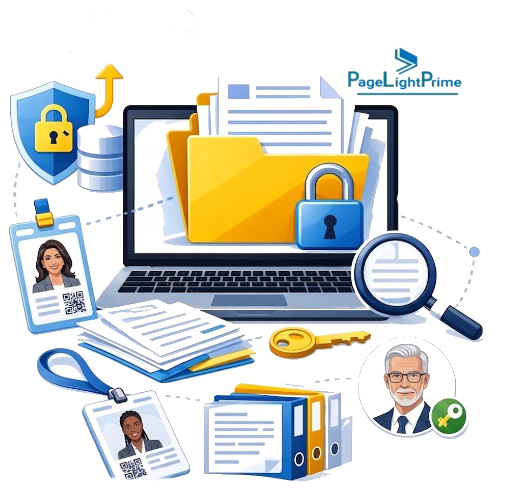
Evaluate features such as:
- Role-based permissions
- User access controls
- Data encryption
- Multi-factor authentication
- Audit logs
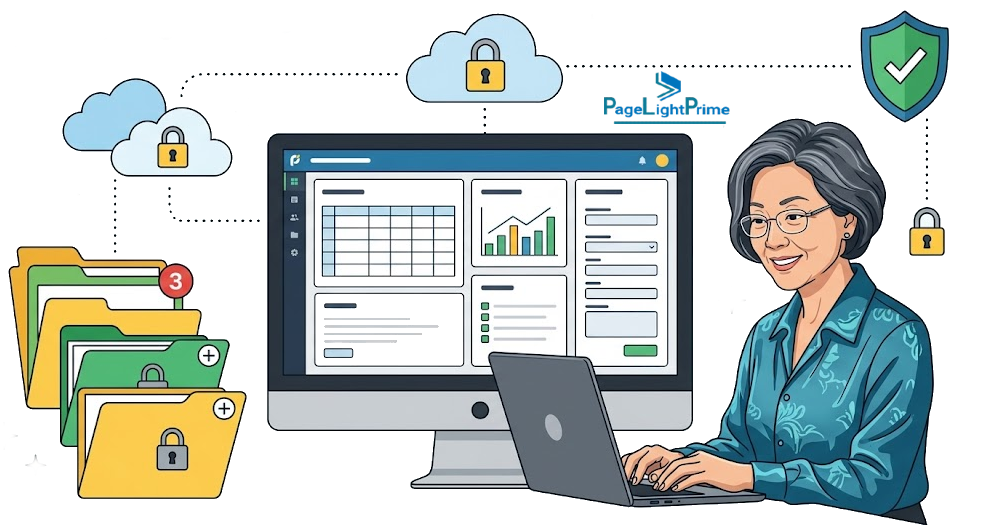
- Secure cloud infrastructure
- Backup and disaster recovery processes
Decide Your Software Model
Most firms choose between two common approaches.
All-in-One Legal Platform
An all-in-one platform combines legal accounting, billing, trust accounting, practice management, document management, and workflow automation in a single system.
Benefits include:
- Reduced duplicate data entry
- Unified workflows
- Easier administration
- Single vendor relationship
- Simplified training and support
This approach is often ideal for firms seeking operational efficiency and fewer disconnected systems.

Legal Billing Layer Plus General Accounting Software
Some firms prefer to combine legal billing software with a separate accounting platform such as QuickBooks.
Benefits include:
- Greater flexibility
- Familiar accounting environment
- Easier transition from existing accounting processes
This model can work well for firms that already have established accounting systems and internal finance expertise.

Questions to Ask Vendors
Before selecting a solution, ask detailed questions about compliance, functionality, implementation, and support.
Can the software perform automatic three-way trust reconciliations?
Trust accounting compliance should not rely on manual processes when automation is available.
Does it support LEDES and UTBMS billing requirements?
This is critical for firms serving insurers, corporate legal departments, and government entities.

How does it handle client and matter-level reporting?
Understanding profitability and performance metrics helps drive informed business decisions.
What integrations are available?
Verify compatibility with your:
- Practice management software
- Payment processors
- Banking tools
- Document management systems
What onboarding, training, and support are included?
Successful implementation depends heavily on user adoption and ongoing support.

How to Evaluate Real-World Fit
Software demonstrations are useful, but they rarely reveal how a system performs in everyday practice.
Instead, evaluate vendors using real workflows from your firm.
Examples include:
Intake-to-Invoice
Track a matter from client intake through time entry, billing, and payment collection.
Trust Deposit-to-Disbursement
Evaluate how easily the software handles trust deposits, transfers, reconciliations, and reporting.
LEDES Invoice Submission
If your firm performs electronic billing, test the complete invoice creation and submission process.
Using real-world scenarios often exposes strengths and weaknesses that product demos may not reveal.
Comparison of Popular Legal Accounting Software
The legal accounting market includes a variety of solutions, each with different strengths. The table below provides a high-level comparison of common options evaluated by law firms.
| Feature | PageLightPrime | Clio | MyCase | PracticePanther | CosmoLex | Centerbase | CARET Legal | TrustBooks | LeanLaw |
|---|---|---|---|---|---|---|---|---|---|
| Legal Accounting | ✓ | Limited | Limited | Limited | ✓ | ✓ | ✓ | Trust Accounting Focus | Via QuickBooks |
| Trust Accounting | ✓ | ✓ | ✓ | ✓ | ✓ | ✓ | ✓ | ✓ | Limited |
| Three-Way Trust Reconciliation | ✓ | ✓ | ✓ | ✓ | ✓ | ✓ | ✓ | ✓ | Limited |
| Legal Billing | ✓ | ✓ | ✓ | ✓ | ✓ | ✓ | ✓ | Limited | ✓ |
| LEDES Billing Support | ✓ | Available | Available | Available | Available | ✓ | Available | No | Limited |
| UTBMS Task Codes | ✓ | Available | Available | Available | Available | ✓ | Available | No | Limited |
| Matter-Centric Accounting | ✓ | Partial | Partial | Partial | ✓ | ✓ | ✓ | Trust Focused | Partial |
| Client & Matter Profitability Reporting | ✓ | Limited | Limited | Limited | Available | ✓ | Available | No | Limited |
| General Ledger Accounting | ✓ | No | No | No | ✓ | ✓ | ✓ | No | Via QuickBooks |
| Accounts Payable Management | ✓ | No | No | No | ✓ | ✓ | Available | No | Via QuickBooks |
| Workflow Automation | ✓ | Available | Available | Available | Available | ✓ | Available | No | No |
| CRM / Client Intake | ✓ | Available | Available | Limited | No | Available | Available | No | No |
| Cloud-Based | ✓ | ✓ | ✓ | ✓ | ✓ | ✓ | ✓ | ✓ | ✓ |
Best Legal Accounting Software by Law Firm Size and Practice Type
| Firm Type | Recommended Approach |
|---|---|
| Solo Attorney | Clio, MyCase, PageLightPrime/td> |
| Small Firm (2-20 users) | PageLightPrime, PracticePanther, CosmoLex |
| Mid-Sized Firm | Centerbase, CARET Legal, PageLightPrime |
| Insurance Defense | PageLightPrime, Centerbase |
| Heavy Trust Accounting | PageLightPrime, CosmoLex, TrustBooks |
Common Legal Accounting Software Options
Several platforms frequently appear in law firm evaluations.
PageLightPrime

PageLightPrime is a unified legal operations platform that combines legal accounting, trust accounting, billing, workflow automation, CRM, legal document management, and reporting within a single system. Firms seeking to reduce duplicate data entry and eliminate disconnected applications often evaluate this approach.
Clio

Clio is widely used by small and midsize firms seeking cloud-based practice management with integrated billing and accounting capabilities.
MyCase

MyCase focuses on ease of use and provides practice management, billing, payments, and client communication tools.
PracticePanther

PracticePanther is known for workflow automation, time tracking, and billing functionality for growing law firms.
CosmoLex

CosmoLex combines legal accounting, billing, and trust accounting in a single platform without requiring separate accounting software.
Centerbase

Centerbase offers advanced legal accounting, reporting, billing, and operational management features, making it popular among growing and midsize firms.
CARET Legal

CARET Legal provides integrated practice management, billing, accounting, and workflow tools for law firms seeking a unified platform.

Which Legal Accounting Software Is Best?
The answer depends on your firm’s priorities.
If trust accounting compliance is your primary concern, evaluate platforms with strong legal-specific accounting capabilities and automated reconciliation tools.
If operational efficiency is the goal, consider platforms that combine accounting, billing, workflow automation, CRM, and document management in a unified environment.
If your firm already relies heavily on QuickBooks or another accounting platform, an integrated legal billing solution may provide sufficient functionality while preserving existing accounting processes.

Why Legal Accounting Software Matters
- Law firms spend significant administrative time on billing, collections, and financial management.
- Trust accounting errors can result in audits, penalties, and compliance violations.
- Integrated legal accounting platforms help reduce duplicate data entry and improve financial visibility across matters.

“
Final Thoughts
Choosing legal accounting software is ultimately about balancing compliance, operational efficiency, and financial visibility.
Start by identifying your firm’s biggest challenges:
- Trust accounting complexity
- Slow billing cycles
- Manual data entry
- Limited reporting
- Poor financial visibility
- Multiple disconnected systems
Then evaluate vendors using real workflows rather than relying solely on demonstrations or feature lists.
A simple rule of thumb applies to most firms:
If trust accounting is central to your practice, choose software built specifically for law firms. If your accounting needs are relatively straightforward, a general accounting platform combined with a legal workflow layer may be sufficient.
The right legal accounting software should not only help your firm remain compliant—it should also improve profitability, streamline operations, and provide the financial insights needed to support long-term growth.
“
FAQ: Frequently Asked Questions About Sage Timeslips Alternatives
Why can't law firms use standard accounting software alone?
Most general accounting platforms are not designed to meet legal trust accounting requirements. Law firms must maintain client trust funds, perform three-way reconciliations, track matter-level transactions, and comply with state bar regulations. Legal accounting software provides these specialized capabilities.
What is three-way trust reconciliation?
Three-way trust reconciliation is the process of verifying that:
- The bank trust account balance
- The total of all client trust ledgers
- The firm's trust accounting records
all match exactly. Many jurisdictions require regular three-way reconciliation to maintain compliance.
What features should legal accounting software include?
The most important features include:
- Trust accounting and reconciliation
- Legal billing and invoicing
- Matter-centric accounting
- Accounts receivable management
- Expense tracking
- Financial reporting
- Audit trails
- Role-based security controls
- Integration with practice management systems
What is LEDES billing?
LEDES (Legal Electronic Data Exchange Standard) is a standardized electronic billing format used by insurance companies, corporations, and government agencies. Law firms that work with these clients often need software that supports LEDES invoice generation and submission.
What are UTBMS task codes?
UTBMS (Uniform Task-Based Management System) codes are standardized billing codes used to categorize legal work. Many corporate legal departments and insurance carriers require invoices to include UTBMS codes.
Can QuickBooks handle law firm accounting?
QuickBooks can support basic law firm accounting, but it was not designed specifically for legal trust accounting. Many firms supplement QuickBooks with legal billing or trust accounting software to address compliance requirements.
What is matter-centric accounting?
Matter-centric accounting allows firms to track revenue, expenses, profitability, trust balances, and financial performance at the matter level. This provides greater visibility into which clients and practice areas are most profitable.
Should a law firm choose an all-in-one platform or separate systems?
The answer depends on the firm's needs. All-in-one platforms typically reduce duplicate data entry, simplify workflows, and improve visibility across departments. Separate systems may provide greater flexibility for firms with established accounting processes or specialized requirements.
How much does legal accounting software cost?
Legal accounting software pricing typically ranges from $40 to $250+ per user per month depending on:
- Accounting capabilities
- Trust accounting requirements
- Billing complexity
- Integrations
- Reporting features
- Firm size
What is the best legal accounting software for a small law firm?
Small law firms should prioritize trust accounting compliance, ease of use, billing flexibility, and reporting. The best solution is typically the platform that aligns with the firm's workflow while maintaining regulatory compliance.
How can a law firm evaluate legal accounting software?
The most effective evaluation method is testing real-world workflows such as:
- Client intake to invoice
- Trust deposit to disbursement
- Matter profitability reporting
- Electronic billing submission
This provides a more accurate assessment than feature lists alone.