
Legal Document Management Best Practices for Modern Law Firms (2026 Guide)
Modern law firms handle a growing volume of critical information every day, including contracts, pleadings, discovery materials, court filings, client communications, and confidential records.
Managing these documents effectively requires more than traditional file storage. Shared drives, email folders, and disconnected systems often make information difficult to find, increase security risks, and create challenges with collaboration and compliance.
As legal teams embrace hybrid work and face growing cybersecurity threats, legal document management has evolved from a basic storage requirement into a strategic business necessity.
Written by Knowledge Team, posted on July 31, 2026

A modern Legal Document Management System (Legal DMS) helps firms securely organize, search, manage, and collaborate on documents throughout their lifecycle. With capabilities such as intelligent search, version control, workflow automation, and Microsoft 365 integration, firms can improve efficiency while maintaining strong governance over sensitive information.
This guide covers essential legal document management best practices for 2026 and explains how PageLightPrime helps legal teams build a secure, efficient, Microsoft 365-powered law firm document management environment.
What Is Legal Document Management
Legal document management is the process of creating, storing, organizing, securing, tracking, retrieving, and managing legal documents throughout their lifecycle.
Unlike traditional file storage systems, legal document management software is designed specifically for legal workflows. It provides tools that help firms manage documents efficiently while supporting security, compliance, collaboration, and productivity.
A complete legal document management solution typically includes:
- Centralized document storage
- Advanced document search
- Metadata-based organization
- Version control
- Access permissions
- Audit trails
- Email integration
- Workflow automation
- Secure collaboration
- Document retention management
For law firms, document management is not simply about storing files. It is about ensuring attorneys and staff can access accurate information quickly while maintaining confidentiality and regulatory compliance.

Why Legal DMS Matters
Legal professionals spend significant time creating, reviewing, and locating documents. Without a structured document management strategy, firms face unnecessary delays, security risks, and operational inefficiencies.
A modern law firm document management solution helps firms improve productivity while protecting valuable client information.
Improve Attorney Productivity
Attorneys need immediate access to relevant information. Searching through email inboxes, shared drives, and disconnected systems wastes valuable time.
A Legal DMS enables faster access through:
- Full-text search
- Matter-based organization
- Metadata filtering
- Document previews
- Previous work product retrieval

Strengthen Client Confidentiality
Law firms manage sensitive information, including:
- Client communications
- Contracts
- Financial records
- Litigation documents
- Intellectual property
- Personal information
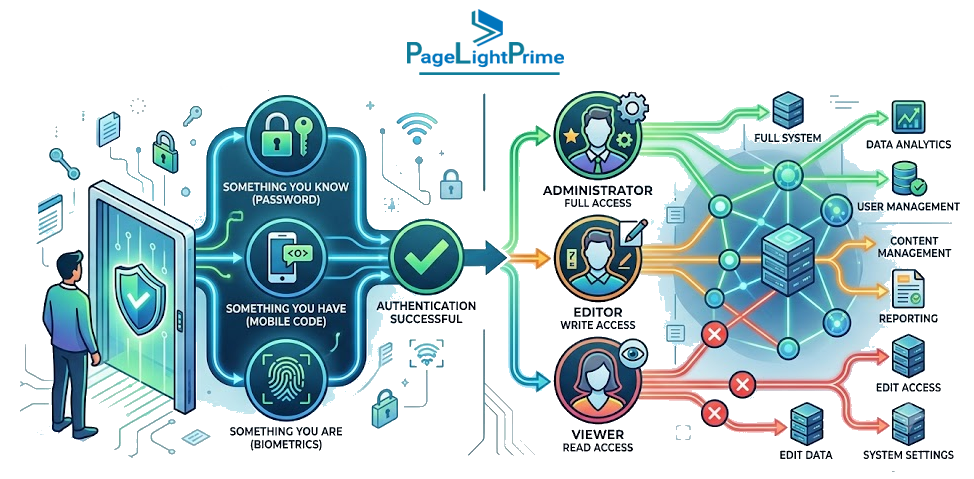
A secure document management system for law firms provides protection through:
- Multi-factor authentication
- Role-based permissions
- Encryption
- Secure sharing
- Audit tracking
Improve Collaboration
Legal teams increasingly work across offices, remote locations, courtrooms, and client sites.
Legal document management enables teams to:
- Review documents together
- Track revisions
- Share files securely
- Access information remotely
Reduce Operational Risk
Poor document management creates risks such as:
- Duplicate files
- Missing documents
- Incorrect versions
- Unauthorized access
A structured Legal DMS creates consistent processes for managing information throughout the document lifecycle.

Best Practices
1. Centralize All Legal Documents in One Secure Repository
Many firms still store documents across multiple locations:
- Local computers
- Email inboxes
- Network drives
- Shared folders
- Personal cloud storage
This approach creates information silos and makes it difficult to determine which document is the correct version.
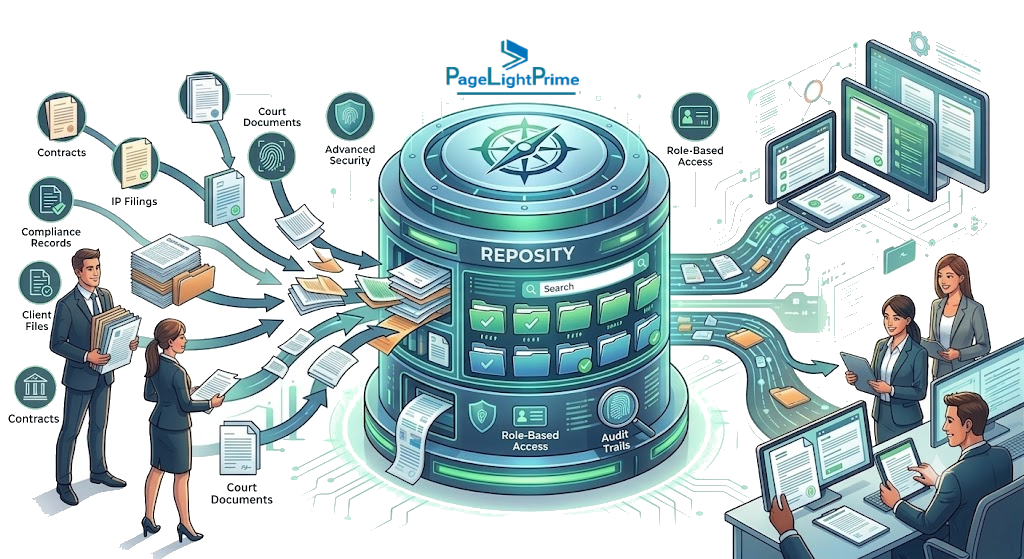
A centralized legal document repository provides:
- One source of truth
- Faster retrieval
- Better collaboration
- Reduced duplication
- Improved security
PageLightPrime provides a centralized legal document management platform built on SharePoint online, allowing firms to securely manage documents while working with familiar Microsoft tools.
2. Organize Documents Using Metadata Instead of Only Folders
Traditional folder structures become difficult to manage as firms grow.
A typical folder system may look like:
Plaintext
Clients
└── ABC Corporation
└── Litigation
└── 2026
└── Contracts
└── Final
As document volumes increase, locating information becomes slower and more complicated.
As law firms grow, document management requirements become more sophisticated. For firms evaluating solutions designed for larger teams and higher document volumes, see our guide to the best document management systems for mid-size law firms in 2026.
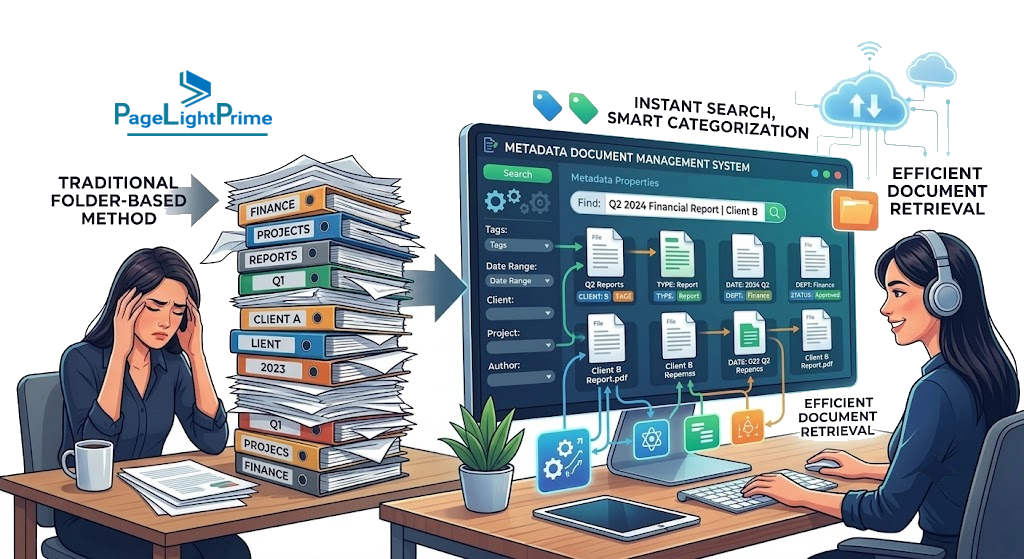
Modern firms use metadata such as:
- Client name
- Matter number
- Practice area
- Document type
- Attorney
- Court
- Jurisdiction
- Status
- Date created
Metadata allows users to quickly locate documents without manually navigating complex folder structures. PageLightPrime uses metadata-driven organization to improve document discovery and search accuracy.
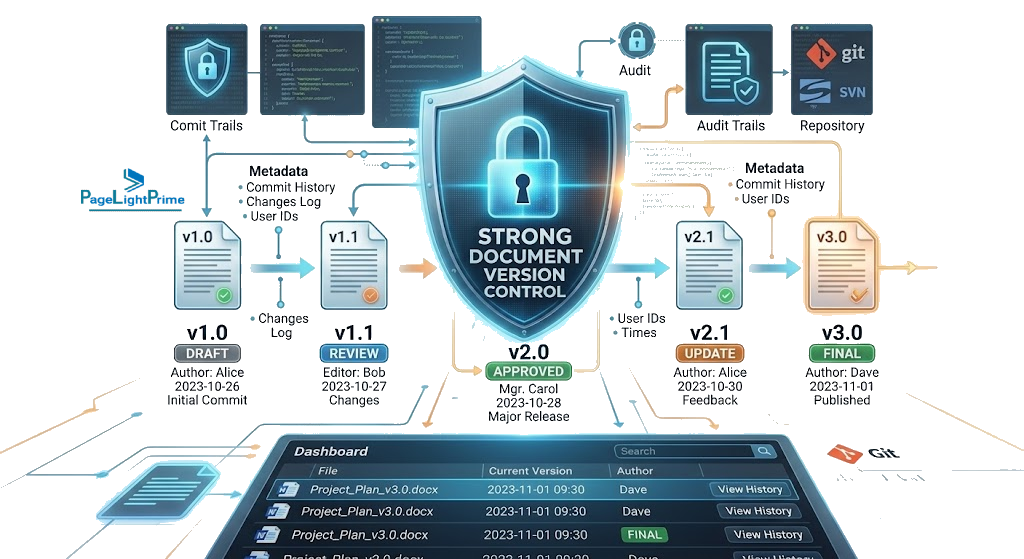
3. Implement Strong Document Version Control
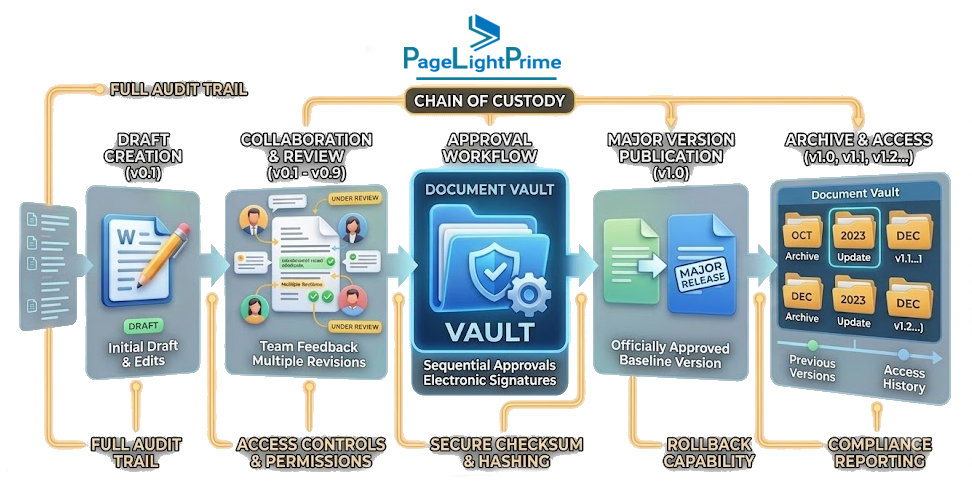
Legal documents often go through multiple revisions before completion. Without proper version management, firms risk:
- Editing outdated documents
- Losing important changes
- Filing incorrect versions
- Confusion between team members
A modern Legal DMS should provide:
- Automatic version history
- Revision tracking
- Document comparison
- Check-in/check-out controls
- Document rollback
Version control ensures attorneys always know which document is current and who made changes.
4. Protect Confidential Client Information
Client confidentiality is one of the most important responsibilities of every law firm. A secure legal document management strategy should include:
- Identity & Access Controls: Multi-factor authentication, single sign-on, and role-based permissions.
- Data Security: End-to-end encryption, permission-based access, secure file sharing, and data loss prevention (DLP).
- Governance & Auditability: Activity logs, access monitoring, and enforceable retention policies.
PageLightPrime leverages Microsoft security technologies to help firms maintain strong access controls and protect sensitive legal information.

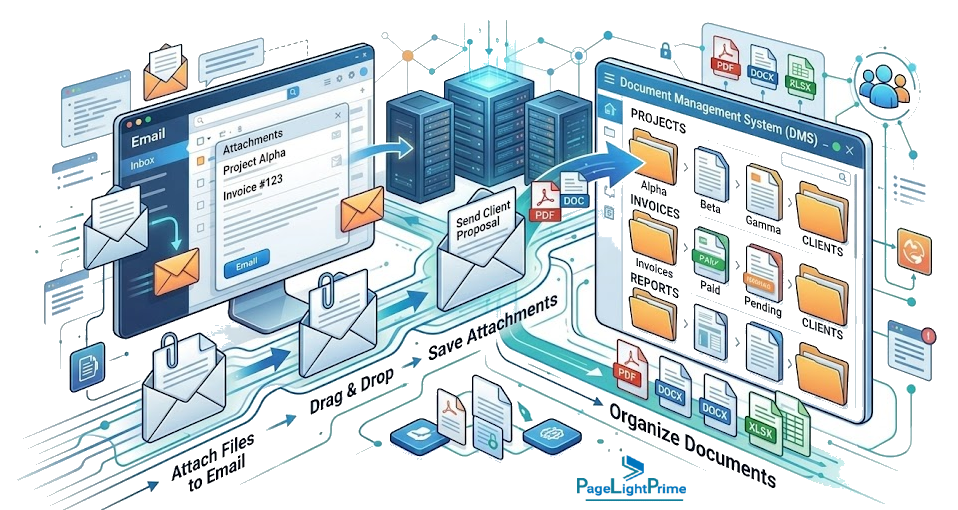
5. Integrate Email With Document Management
Email contains a significant amount of legal information. Important documents and communications often exist within:
- Client emails
- Case discussions
- Contract negotiations
- Attorney correspondence
A modern law firm document management solution should connect email and document workflows. Best practices include:
- Saving emails directly to related matters
- Managing attachments alongside related documents
- Maintaining complete communication history
- Reducing manual filing overhead
PageLightPrime integrates with Microsoft Outlook, enabling firms to manage emails and documents together in a unified environment.
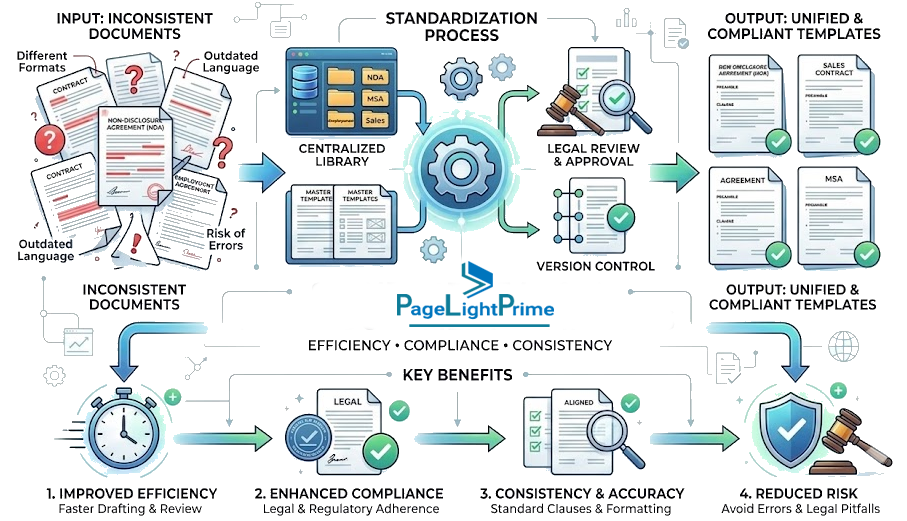
6. Standardize Legal Document Templates
Consistency improves efficiency and reduces drafting errors. Firms should maintain standardized templates for:
- Engagement letters
- Contracts and NDAs
- Pleadings and court filings
- Corporate and transactional documents
- Estate planning documents
Combining templates with legal document automation helps firms reduce repetitive drafting, accelerate document creation, and maintain quality standards. PageLightPrime helps firms streamline document creation using native Microsoft 365 automation capabilities.
7. Automate Repetitive Legal Workflows
Manual administrative tasks consume valuable attorney and staff time. Modern firms automate workflows such as:
- Document approvals
- Internal and client review processes
- Signature routing
- Status notifications
- Document classification
- Retention lifecycle triggers
A modern Legal DMS should help firms automate processes instead of relying on manual document handling.
8. Enable Secure Real-Time Collaboration
Legal work is no longer limited to traditional offices. Attorneys collaborate across multiple offices, remote environments, courtrooms, and client sites.
A modern document management system should support:
- Real-time co-authoring
- In-line comments and Track Changes
- Secure external file sharing
- Granular collaboration permissions
PageLightPrime integrates natively with Microsoft Word and SharePoint to support secure collaboration while maintaining strict document control.

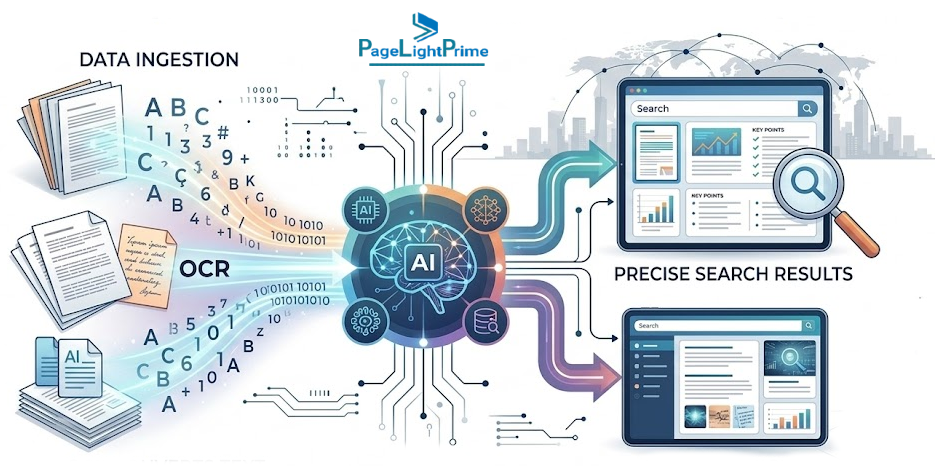
9. Improve Search With AI and OCR
Finding information quickly is one of the biggest advantages of modern legal document management. Traditional filename searching is no longer enough.
Advanced legal search capabilities should include:
- Full-text search across all file types
- Optical Character Recognition (OCR) for scanned documents
- Metadata-driven filtering
- AI-assisted search and query expansion
- Matter-based indexing
OCR for Scanned Legal Documents
Many firms still manage scanned documents, including older case files, signed agreements, court records, and archived files. Without OCR, scanned documents remain unsearchable because information exists only as static images.
OCR converts scanned files into searchable text, allowing firms to:
- Find critical text inside scanned PDFs
- Search historical records rapidly
- Reduce manual review time
- Accelerate legal discovery
Combining OCR with metadata and AI-powered search creates a comprehensive information retrieval system.
10. Maintain Complete Audit Trails
Every document action should be fully traceable. A complete audit trail records:
- Document views and downloads
- Edits and version additions
- Internal and external sharing activity
- Permission adjustments
- Document deletions
Audit trails support compliance requirements, internal governance, client audit reporting, and cybersecurity investigations.
11. Manage Document Retention and Matter Closing Processes
Document management does not end when a matter is completed. Law firms need structured processes for managing closed matters, retention periods, archival requirements, and secure document disposal.
A strong Legal DMS supports retention policies based on:
- Practice area regulations
- Client agreements
- Regulatory and statutory obligations
- Jurisdictional requirements
- Firm governance standards

Matter closing workflows should include:
- Reviewing final document states.
- Confirming required compliance records are preserved.
- Applying appropriate retention classifications.
- Archiving closed matter repositories.
- Securely disposing of records after retention periods expire.
Effective retention management helps firms reduce storage costs, maintain compliance, and minimize legal liability.
12. Support Secure Mobile Access
Legal professionals frequently operate outside the office—whether in courtrooms, client meetings, or while traveling.
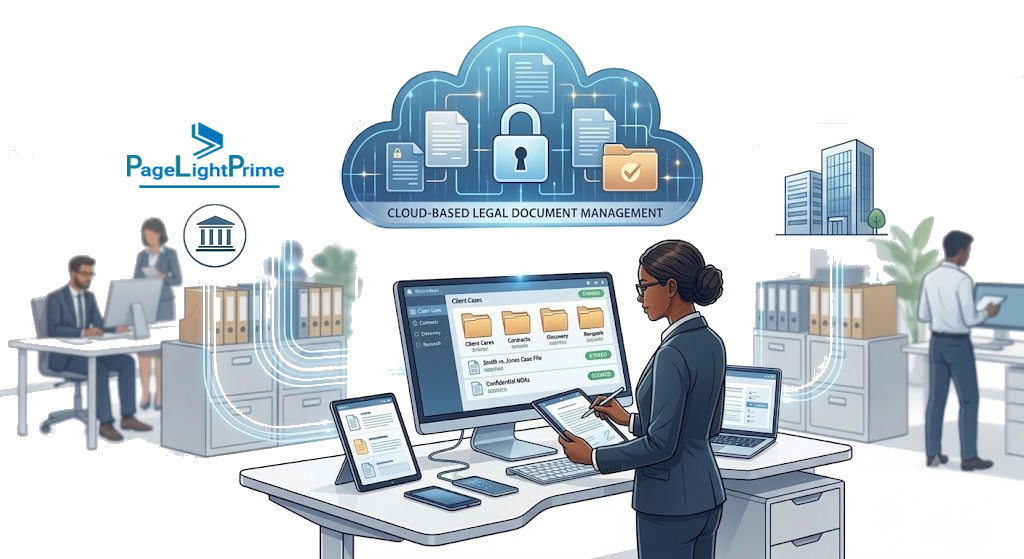
A modern cloud-based legal document management solution enables secure mobile access across smartphones, tablets, and laptops while ensuring data protection and client confidentiality remain uncompromised.
Cloud and Microsoft 365
Why Cloud-Based Legal Document Management Matters
Traditional on-premises file servers were not built for modern legal operations. Today’s firms require infrastructure that inherently supports remote work, high scalability, disaster recovery, and continuous updates.
A cloud-based legal document platform provides:
- Secure anywhere-access
- Automated system updates and security patches
- Built-in redundancy and business continuity
- Elastic scalability as firm data grows
- Enterprise-grade cloud security infrastructure
Why Microsoft 365 Matters for Legal Document Management
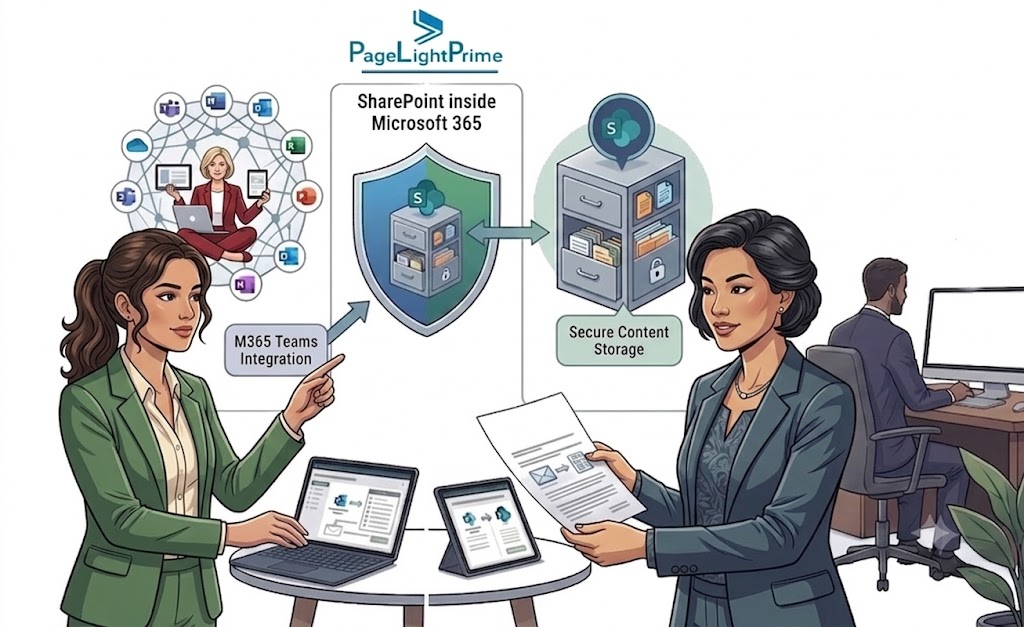
Most law firms already rely on Microsoft 365 tools, including Word, Outlook, Teams, SharePoint, and OneDrive.
A Microsoft 365-native legal document management approach provides:
- Familiar User Experience: Reduces staff resistance and training costs.
- Native Security: Leverages enterprise Microsoft Entra ID (Azure AD), Purview, and security policies.
- Seamless Collaboration: Allows co-authoring directly within Word and Teams without switching applications.
- Seamless Collaboration: Allows co-authoring directly within Word and Teams without switching applications.
PageLightPrime extends Microsoft 365 with legal-specific document management, matter organization, and workflow capabilities designed specifically for law firms.

Why PageLightPrime
PageLightPrime is built for modern law firms and corporate legal departments that require a secure, intelligent, and Microsoft 365-native document management platform.
Key capabilities include:
- Centralized Legal Repository: Purpose-built on top of Microsoft 365 and SharePoint.
- Metadata-Driven Architecture: Eliminates folder sprawl with legal-specific tags (Client, Matter, Document Type, Practice Area).
- Deep Email Integration: File communications and attachments seamlessly directly from Outlook.
- Advanced Legal Search & OCR: Rapidly index full text, metadata, and scanned PDF contents.
- Governance & Automation: Document versioning, audit logging, template automation, retention tracking, and e-signatures.
Unlike generic file storage utilities, PageLightPrime aligns directly with legal workflows, helping firms unify document management, collaboration, security, and compliance.
Document management needs vary significantly by firm size. Small law firms often prioritize simplicity, affordability, ease of implementation, and secure access to matter documents. If you are evaluating solutions for a smaller practice, see our guide to the best document management systems for small law firms in 2026..

“
Conclusion
Legal document management is no longer just about storing files. It is about creating a secure, searchable, and efficient information ecosystem that supports modern legal practice.
By implementing best practices—such as centralized storage, metadata organization, version control, OCR-powered search, retention policies, workflow automation, and native Microsoft 365 integration—law firms can dramatically boost productivity while safeguarding sensitive client information.
PageLightPrime empowers legal teams to move beyond traditional file storage with a powerful legal document management solution engineered for security, collaboration, and efficiency.

“
FAQ: Frequently Asked Questions About Sage Timeslips Alternatives
Why do law firms need specialized Legal Document Management Software?
Generic file storage (like standard cloud drives) lacks legal-specific capabilities such as matter-based metadata, deep Outlook integration, ethical walls, comprehensive audit logging, and legal retention management.
What features should a modern Legal DMS include?
A comprehensive Legal DMS should offer full-text/OCR search, version control, metadata taxonomy, Outlook email filing, granular permission controls, audit trails, workflow automation, retention management, and deep integration with Microsoft 365.
How does AI improve legal document management?
AI enhances document management by accelerating full-text search, automated document classification, metadata extraction, contextual summaries, and routine administrative workflow automation.
Is Microsoft 365 suitable for law firm document management?
Yes. Microsoft 365 provides enterprise security, scalable storage, and powerful collaboration tools. When paired with a legal-specific overlay like PageLightPrime, it functions as a complete Legal DMS.
What is the difference between simple file storage and a Legal DMS?
Standard file storage simply holds files in a folder tree. A Legal DMS adds matter-centric metadata, version management, email integration, security compliance, automated document drafting, OCR searchability, and lifecycle governance.