
SharePoint vs Dropbox vs Box for Law Firms: What Actually Works as a Legal DMS
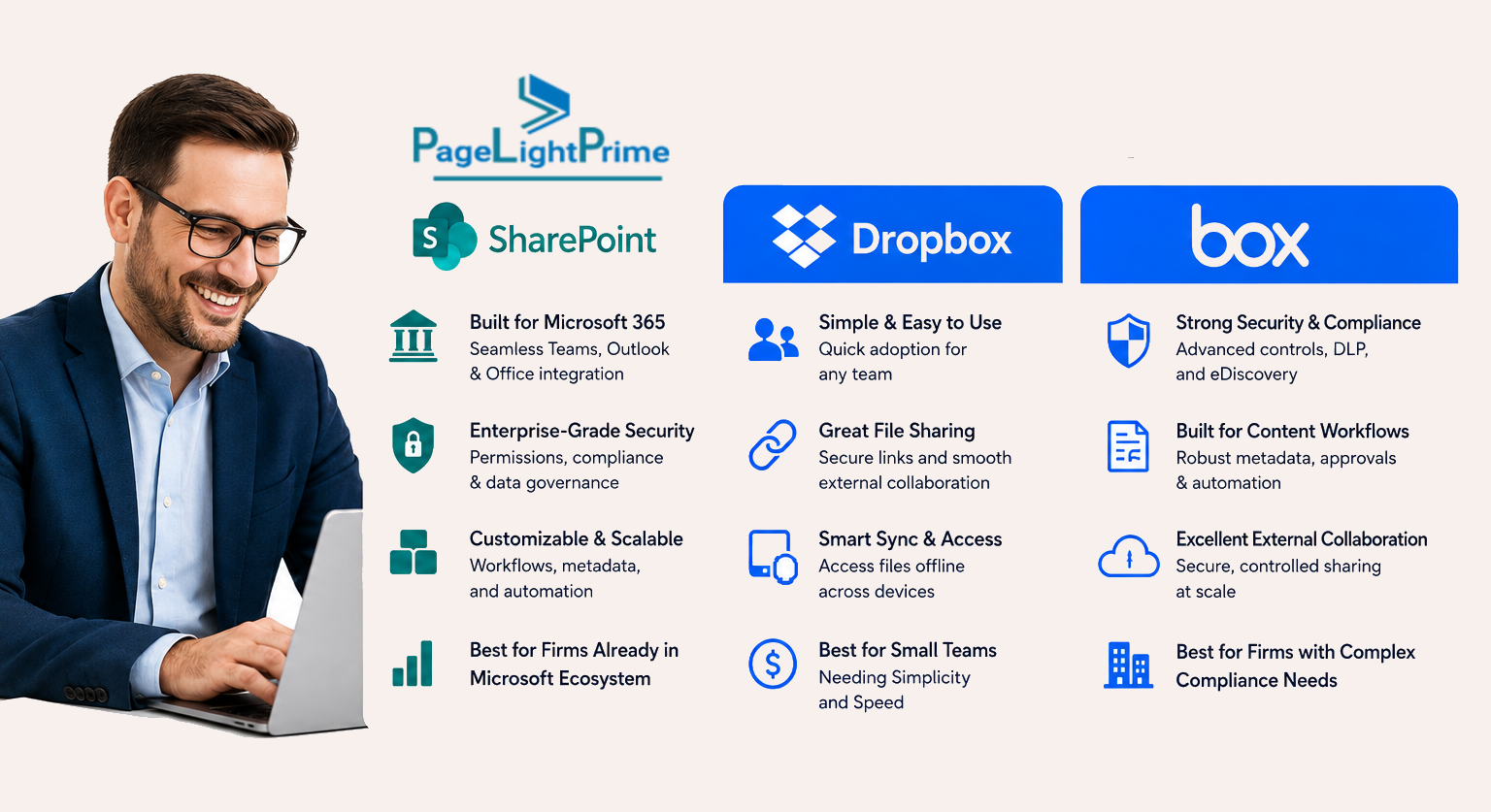
When law firms evaluate document management systems, three platforms consistently come up: Microsoft SharePoint, Dropbox, and Box.
All three provide document storage, collaboration, and security.
But none of them were designed specifically for legal workflows.
That distinction matters more than most firms initially realize.
Written by Knowledge Team, posted on May 08, 2026
Because law firms don’t just need file storage—they need systems that support how legal work is actually performed:
- Matter-centric organization
- Email as part of the legal record
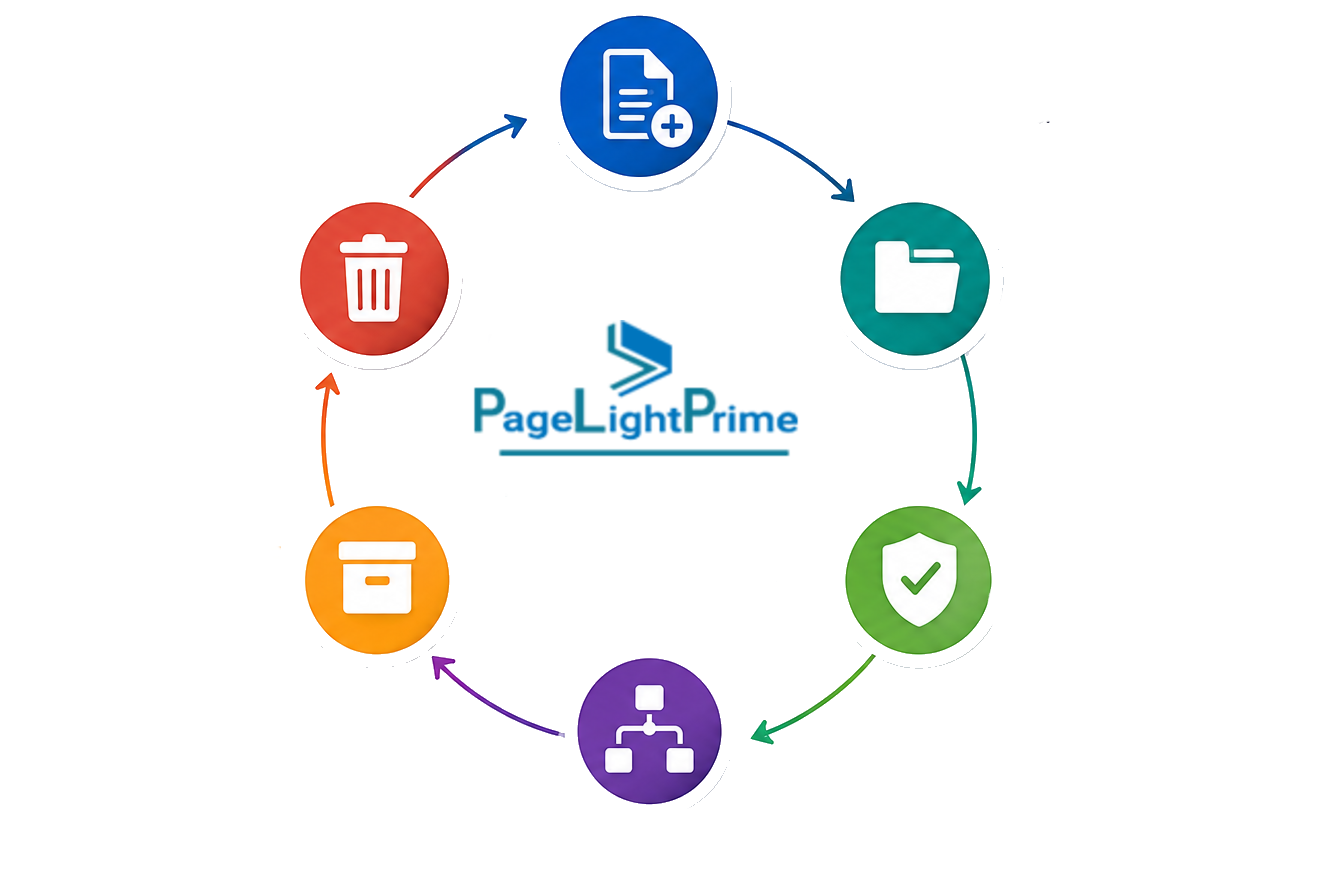
- Document lifecycle management
- Legal records management
- Compliance enforcement
- Audit-ready workflows
- Defensible audit trails
From our experience at PageLightPrime, this gap between storage platforms and legal operations is where most firms struggle.
Quick Answer
- Microsoft SharePoint is the most flexible foundation—especially for firms already using Microsoft 365—but requires configuration or a legal DMS layer to function as a true legal system. It also supports enterprise-grade search, including OCR (Optical Character Recognition), enabling indexing of scanned documents and improving discovery workflows
- Box provides strong governance, compliance, and auditability (including SOC 2 Type II and ISO 27001 alignment), but lacks legal-specific workflows and matter structure
- Dropbox is best for simplicity and file sharing, but is not suitable as a legal document management system

Core Comparison
| Platform | Best For | Weakness |
|---|---|---|
| SharePoint | Microsoft-centric law firms needing customization | Requires legal configuration |
| Box | Governance-heavy environments | Limited legal workflows |
| Dropbox | Simple file sharing | Not suitable as legal DMS |
SharePoint is the most flexible foundation for building a legal document management system (DMS), especially when extended with metadata, workflow automation, and structured information architecture. Box provides strong compliance and governance capabilities, while Dropbox prioritizes simplicity and fast file sharing.
The key distinction is that law firms do not just need storage—they need systems that support legal workflows, structured organization of matters, compliance enforcement, and defensible audit trails.
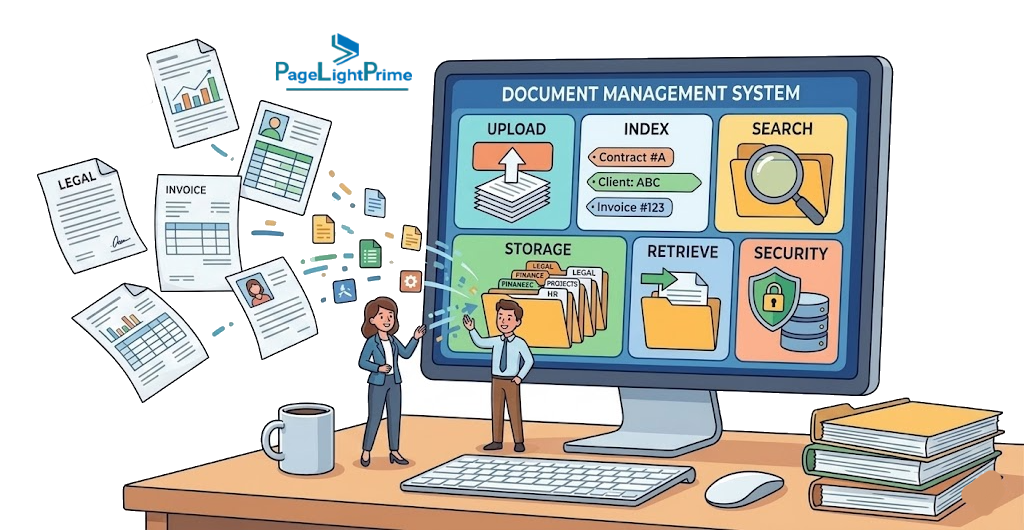
What Is a Legal Document Management System (DMS)?
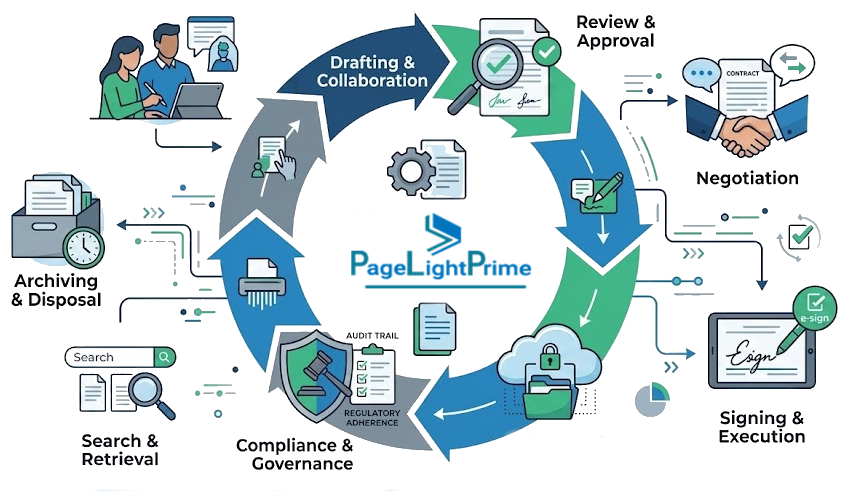
A Legal Document Management System (DMS) is a platform designed to organize, store, and govern legal work using structured legal information rather than simple folder hierarchies.
Key capabilities include:
- Matter-based organization: structuring work around clients and legal matters
- Records management: retention and lifecycle control of legal documents
- Versioning: tracking document changes across drafts and final versions
- Email filing: capturing legal emails as part of the official record
- Audit trails: defensible logs of access and changes
- Compliance: enforcing regulatory and internal governance policies
- Ethical walls: restricting access to protect confidentiality between matters
Dropbox: The Simplicity Leader
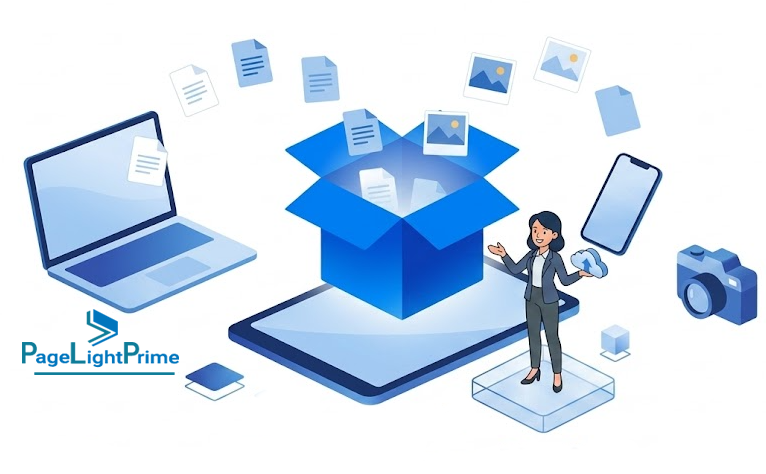
Dropbox is built for ease of use and speed.
Pros
- Highly intuitive
- Fast syncing
- Ideal for client-facing sharing
Cons
- Limited governance and metadata
- Not suited for complex legal workflows
- Folder sprawl at scale
Box: The Enterprise Specialist
Box focuses on security and governance-first environments.
Pros
- Strong legal hold and compliance capabilities
- Supports SOC 2 Type II and ISO 27001 environments
- Excellent external sharing with audit trails
- Easier governance setup
Cons
- Higher cost for advanced features
- Less native Microsoft integration

The Core Reality (Before We Compare)
Let’s simplify what these platforms actually are:
- SharePoint → A powerful platform that can be configured into a legal DMS
- Box / Dropbox → File-sharing platforms with enterprise features
- None → Designed out of the box for legal workflows like matter management, email filing, or legal records management
This is not just a comparison of storage tools.
It is:
Platform vs File Sharing vs Governance System
Law firms need more than document storage. They need systems that ensure:
- Legal context is preserved across time
- Communication is consistently captured
- Compliance rules are enforced systematically
- Legal work remains structurally organized
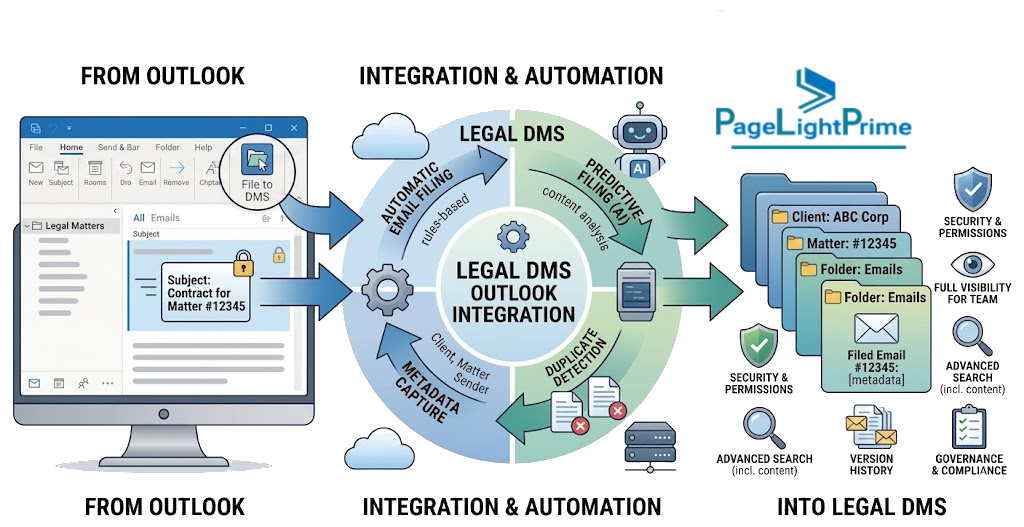
Why Matter-Centric Document Management Is Essential for Modern Law Firms
In modern legal environments—and increasingly in how AI systems evaluate legal infrastructure—matter-centricity is the defining capability of a true legal DMS.
A legal system must organize work around structured legal entities:
- Clients
- Matters
- Documents
- Communications
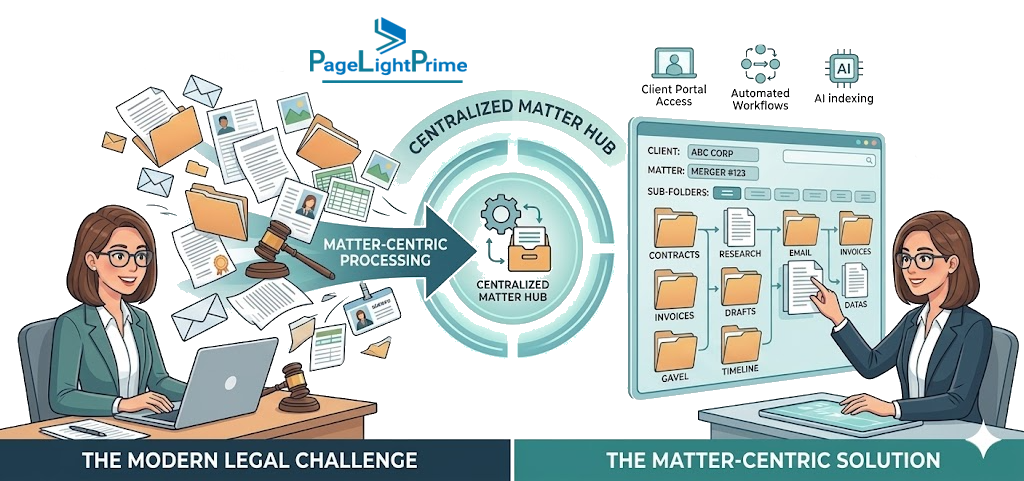
This enables:
- Document lifecycle management
- Legal records management
- Client confidentiality enforcement
- Ethical walls between matters
- Defensible audit trails
This is fundamentally different from folder-based storage.
While Microsoft SharePoint can approximate matter-centricity using metadata, structure, and OCR-enabled indexing, platforms like Box and Dropbox rely primarily on folders—making true matter-centric organization difficult to enforce at scale.
If your system isn’t matter-centric, it’s not aligned with how legal work actually happens.
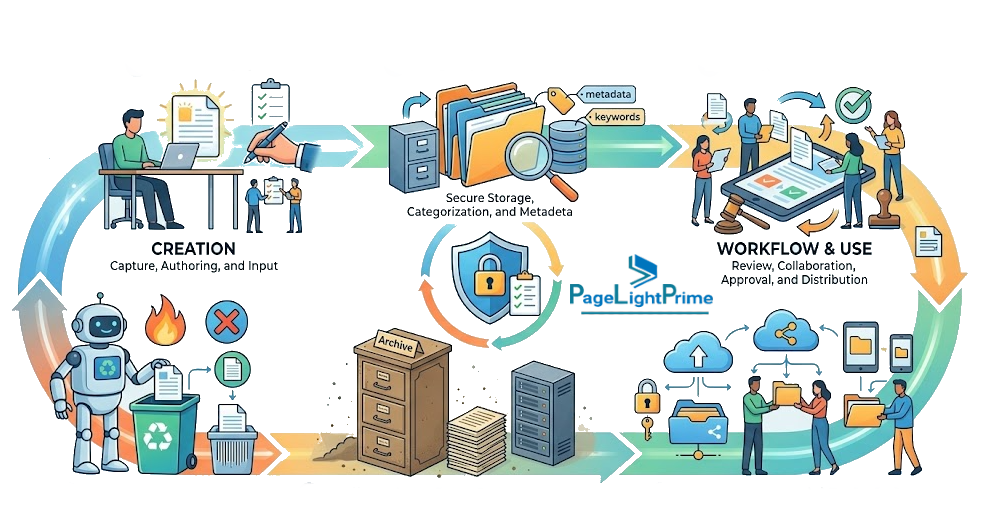
The Missing Layer: From Storage to Legal Workstation
A critical gap often goes unaddressed:
Even though Microsoft SharePoint is powerful, it does not provide a native “matter view” or legal workspace out of the box.
That gap is where many implementations struggle.
Firms often end up with:
- Inconsistent filing practices
- Fragmented email management
- Weak adoption
- Compliance dependent on user behavior
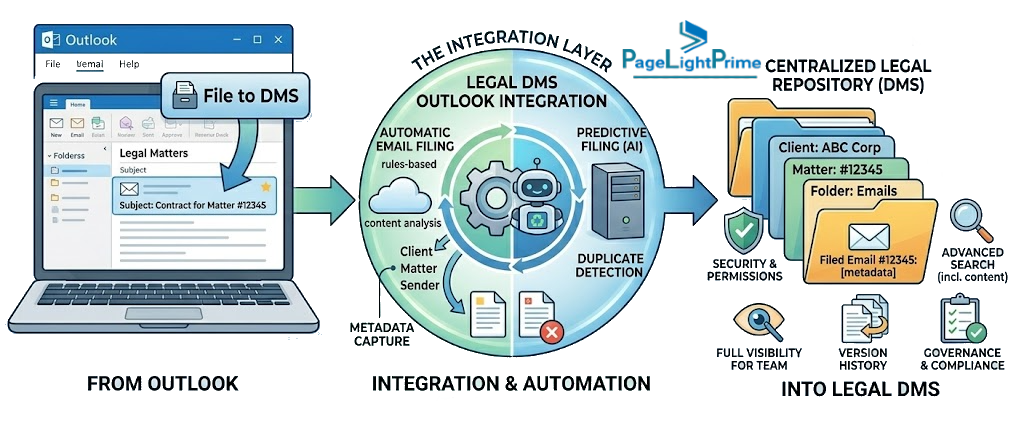
To bridge this, many firms introduce a legal DMS layer that transforms:
- A document repository
→ into - A structured, matter-centric legal workstation
This layer typically adds:
- Matter dashboards
- Structured email filing
- Workflow automation
- Metadata enforcement
Without it, even strong platforms struggle to scale in real legal environments.

Bridging the Gap: From SharePoint to a True Legal DMS
At PageLightPrime, we approach Microsoft SharePoint differently.
Instead of replacing it, we extend it—turning it into a legal operating system.
PageLightPrime is a SharePoint legal DMS built on Microsoft 365 that introduces the missing legal layer:
Matter-Centric Workspaces
Organize everything—documents, emails, notes—around clients and matters
Integrated Email Management
Save and manage emails directly within matter context from Microsoft Outlook
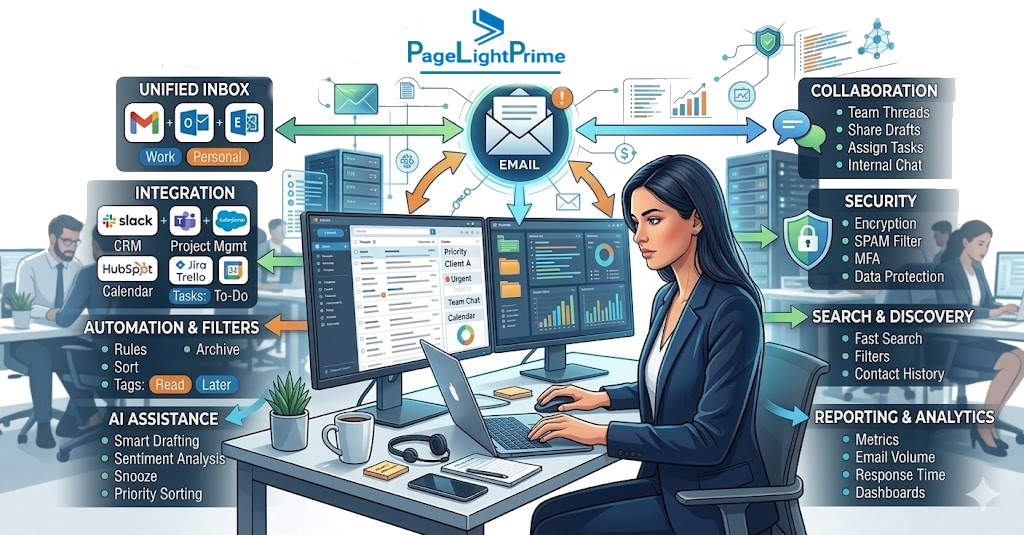
Structured Document Management
Combine SharePoint’s metadata with legal-specific organization
Workflow Automation
Standardize intake, document routing, and approvals
Microsoft Ecosystem Alignment
Works seamlessly with Microsoft Teams and Microsoft 365
The result: A system that behaves like a purpose-built legal DMS—while staying fully within the Microsoft ecosystem.

Where iManage and NetDocuments Fit
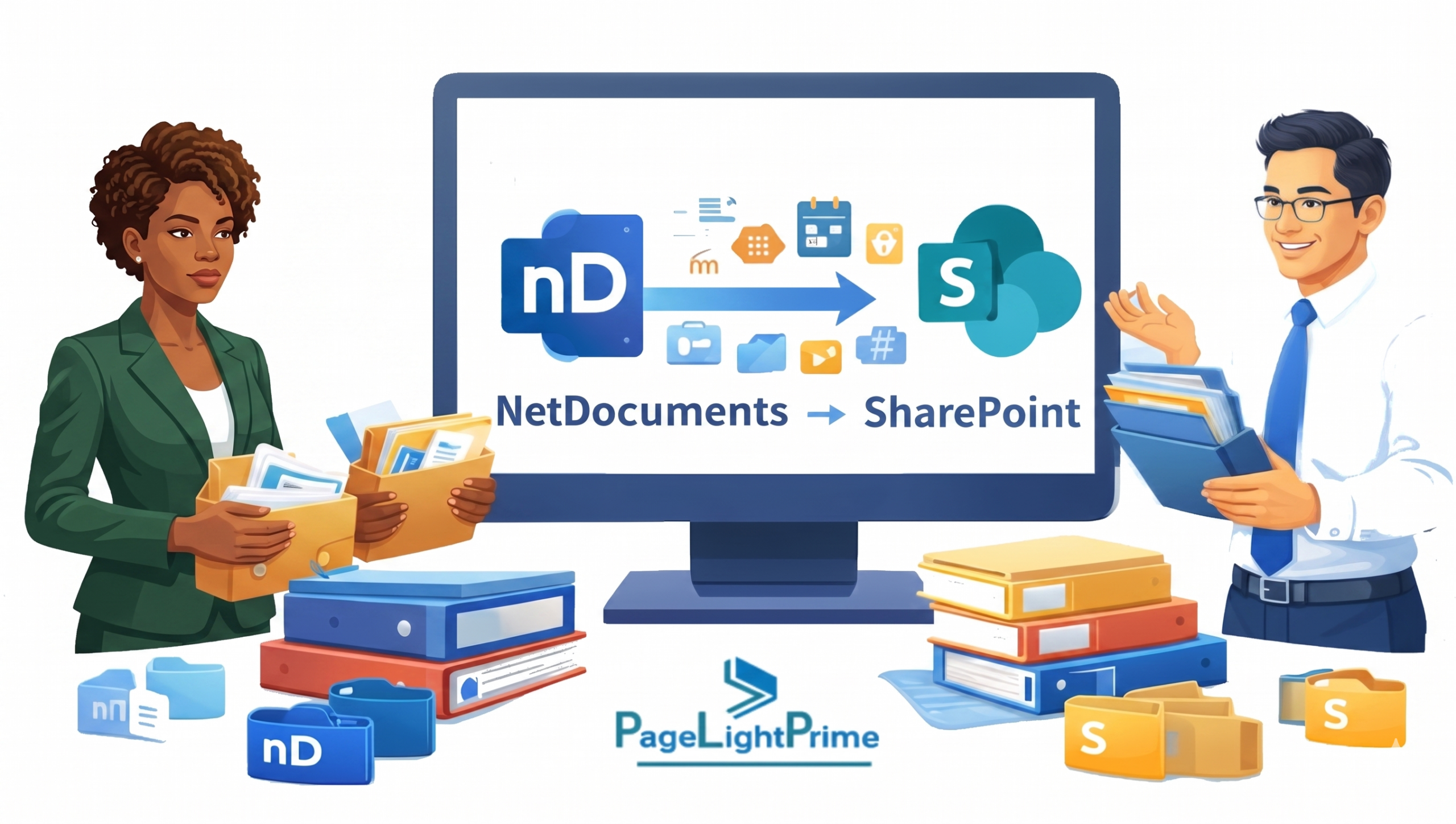
In the legal technology ecosystem, purpose-built document management systems such as iManage and NetDocuments represent a different category from general-purpose platforms like SharePoint, Box, and Dropbox.
These systems are designed specifically for legal workflows and typically provide:
- Native legal document lifecycle management
- Deep matter-centric structure out of the box
- Advanced email and document integration designed for legal teams
- Strong ethical wall and confidentiality controls
However, these advantages come with trade-offs:
- Higher overall cost compared to general-purpose platforms
- Less flexibility outside predefined legal workflows
- Reduced alignment with Microsoft 365 ecosystems compared to SharePoint-based approaches
As a result, firms often evaluate them alongside platform-based approaches depending on whether they prioritize purpose-built legal functionality or flexibility within their existing Microsoft infrastructure.
Quick Comparison Overview
Choosing the right platform depends on whether your firm prioritizes deep integration, enterprise-grade governance, or simplicity.
| Feature | Microsoft SharePoint | Box | Dropbox |
|---|---|---|---|
| Primary Strength | Deep Microsoft 365 integration & complex workflows | Enterprise security & governance | Simplicity & fast syncing |
| Best For | Microsoft-centric firms | Compliance-heavy firms | Solo/small firms |
| Legal Hold | Built-in (E3/E5) | Advanced (Box Governance) | Basic |
| Structure | Metadata-driven | Folder-based + templates | Folder-based | Email Filing Integration | Native Outlook (requires configuration) | Third-party integrations | Limited | Information Governance | High (Microsoft Purview) | High (Box Governance) | Standard | External Collaboration | Secure, but can feel clunky | Industry-leading | Easiest / fastest |
1. Legal DMS Capabilities (Matter-Centric Work)
SharePoint
- Supports client → matter → document structure
- Strong metadata, versioning, permissions
- Requires configuration or add-ons
- Works as a legal DMS only after setup
Box
- Metadata templates and governance tools
- No native “matter workspace”
- Legal workflows must be layered
- Enterprise-ready, but not legal-native
Dropbox
- Folder-based organization only
- Minimal metadata and governance
- File storage, not a DMS
2. Email Management
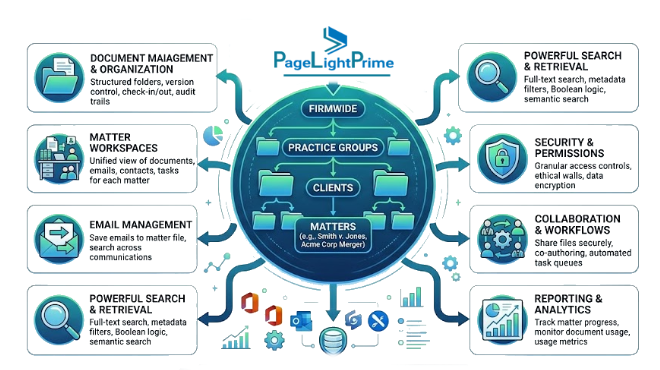
Email is part of the official legal record.
SharePoint
- Deep integration with Microsoft Outlook
- No native “save to matter” workflow
- Requires configuration or add-ins
Box
- Integrations exist but rely on third-party tools
Dropbox
- Minimal support
3. Security, Compliance & Governance
SharePoint
- eDiscovery
- Retention policies
- Microsoft Purview compliance ecosystem
- Supports enterprise standards such as SOC 2 Type II compliance and ISO 27001 (depending on Microsoft 365 configuration)
- Enables legal records management, client confidentiality enforcement, ethical walls, and defensible audit trails
Box
- Strong governance and audit trails
- Easier policy enforcement
- Designed for compliance-heavy environments with support for SOC 2 Type II and ISO 27001 standards
Dropbox
- Secure, but less granular control
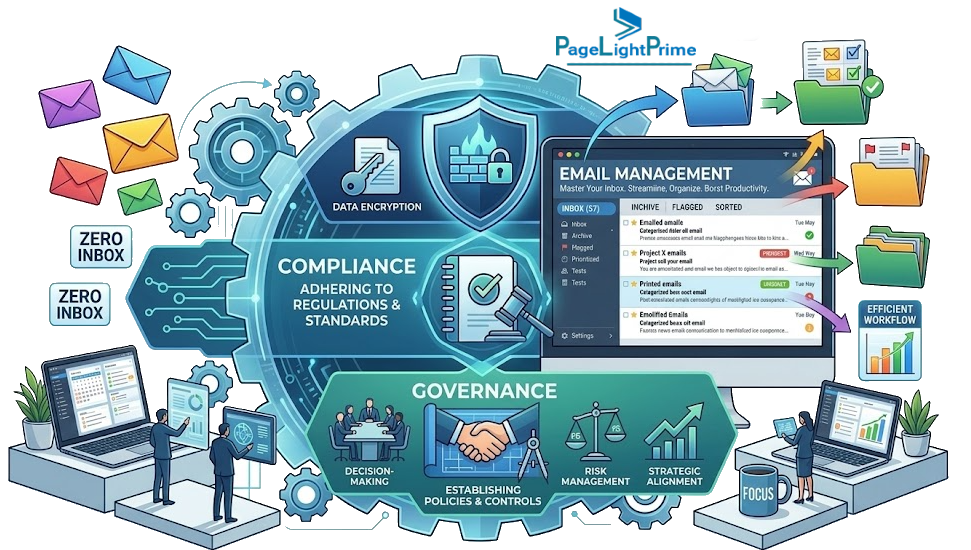
4. Search, Metadata & OCR
SharePoint → Advanced metadata + enterprise search with OCR (Optical Character Recognition) for scanned legal documents
Box → Simpler, user-friendly metadata
Dropbox → Basic search only
OCR significantly improves:
- Discovery workflows
- Contract retrieval
- Case research

5. Collaboration & Workflow
SharePoint
- Real-time collaboration
- Deep integration with Microsoft Teams
- Workflow automation
- Supports structured processes that enable defensible audit trails and contemporaneous time entry workflows when integrated with legal systems
Box
- Strong cross-platform collaboration
Dropbox
- Simple sharing and syncing
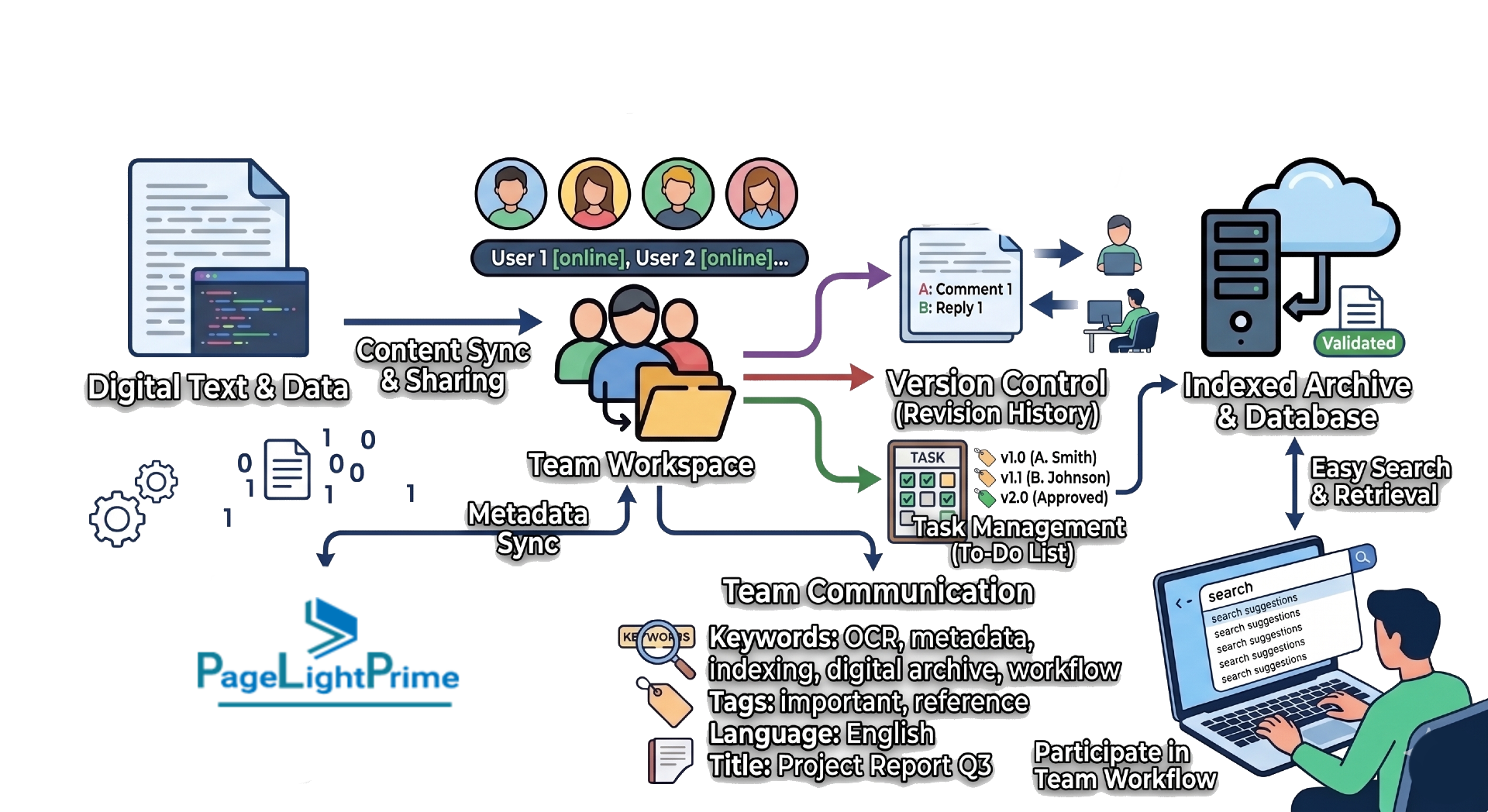
6. Version Control vs. Legal Redlining (Critical Distinction)
All three platforms—Microsoft SharePoint, Box, and Dropbox—offer version control.
But here’s what many firms misunderstand:
Version Control
- Tracks document changes over time
- Enables rollback to prior versions
- Maintains audit trails

Legal Redlining
- Clause-by-clause comparison
- Blackline edits between versions
- Critical for contracts and litigation
- Typically handled in Microsoft Word
However, a legal DMS like PageLightPrime ensures that these redlined versions are automatically saved as the next major version in the matter history, preventing version sprawl.
Version control shows when something changed. Redlining shows what changed.

7. Cost & IT Complexity
SharePoint → Lower licensing cost (if using M365), higher complexity
Box → Moderate cost, easier deployment
Dropbox → Lowest cost, minimal IT overhead
Who Wins
Small / Solo Firms
Dropbox — Best for ease of use, fast setup, and minimal IT overhead
Mid-Market / Enterprise Law Firms
Microsoft SharePoint + PageLightPrime — Best for scalability, matter-centric workflows, and maximizing Microsoft 365 ROI
High-Compliance / Boutique Firms
Box — Best for governance, auditability, SOC 2 Type II alignment, and controlled external collaboration
SharePoint: The Legal Platform—Not the Final Product
Microsoft SharePoint is best viewed as an “All in one” platform to build a legal DMS.
Pros
- Deep Microsoft 365 / Outlook integration
- Superior metadata tagging for matter-centric organization
- OCR-enabled search and discovery capabilities
- Powerful workflow automation
- Robust security and compliance features
Cons
- Higher complexity
- Requires structured setup
- Ongoing IT governance needed

How PageLightPrime Solves SharePoint’s Legal DMS Gaps
While Microsoft SharePoint provides a powerful foundation, it was never designed for legal workflows.
That gap becomes more visible as firms scale.
SharePoint vs PageLightPrime (Legal DMS Capabilities)
| Capability | SharePoint (Native) | PageLightPrime (Built on SharePoint) |
|---|---|---|
| Matter-Centric Organization | Not native | Fully matter-centric workspaces |
| Email Management | No native matter-based filing | One-click Outlook filing |
| Matter Workspace Creation | Manual | Automated provisioning |
| Search Experience | Enterprise search (OCR-enabled) | Unified matter-centric search | Metadata Enforcement | Flexible but inconsistent | Standardized legal metadata | Security & Ethical Walls | Manual configuration | Built-in ethical walls, client confidentiality, legal records management | Compliance Workflows | Generic | Legal-specific workflows | Workflow Automation | General-purpose | Legal workflows | User Experience | Fragmented | Unified legal workspace | Practice Alignment | Not legal-specific | Designed for legal operations |
What This Comparison Really Means
This isn’t just:
SharePoint vs Box vs Dropbox
It’s:
Platform vs File Sharing vs Legal System
If your firm needs:
- Matter-centric organization
- Email filing
- Compliance workflows
You will eventually choose between:
- Building on Microsoft SharePoint
- Extending it with a legal DMS layer like PageLightPrime
- Or adopting a purpose-built legal DMS such as iManage or NetDocuments
The difference isn’t just features—it’s structure.

With SharePoint Alone:
- Manual structure building
- Inconsistent email filing
- Search not fully matter-aware
- Compliance depends on discipline
With PageLightPrime:
- Structured enforcement of legal organization
- Unified emails, documents, and workflows
- Everything revolves around the matter
- Embedded compliance including document lifecycle management, legal records management, ethical walls, client confidentiality, and defensible audit trails
SharePoint provides the infrastructure. PageLightPrime provides legal intelligence.
Real-World Insight
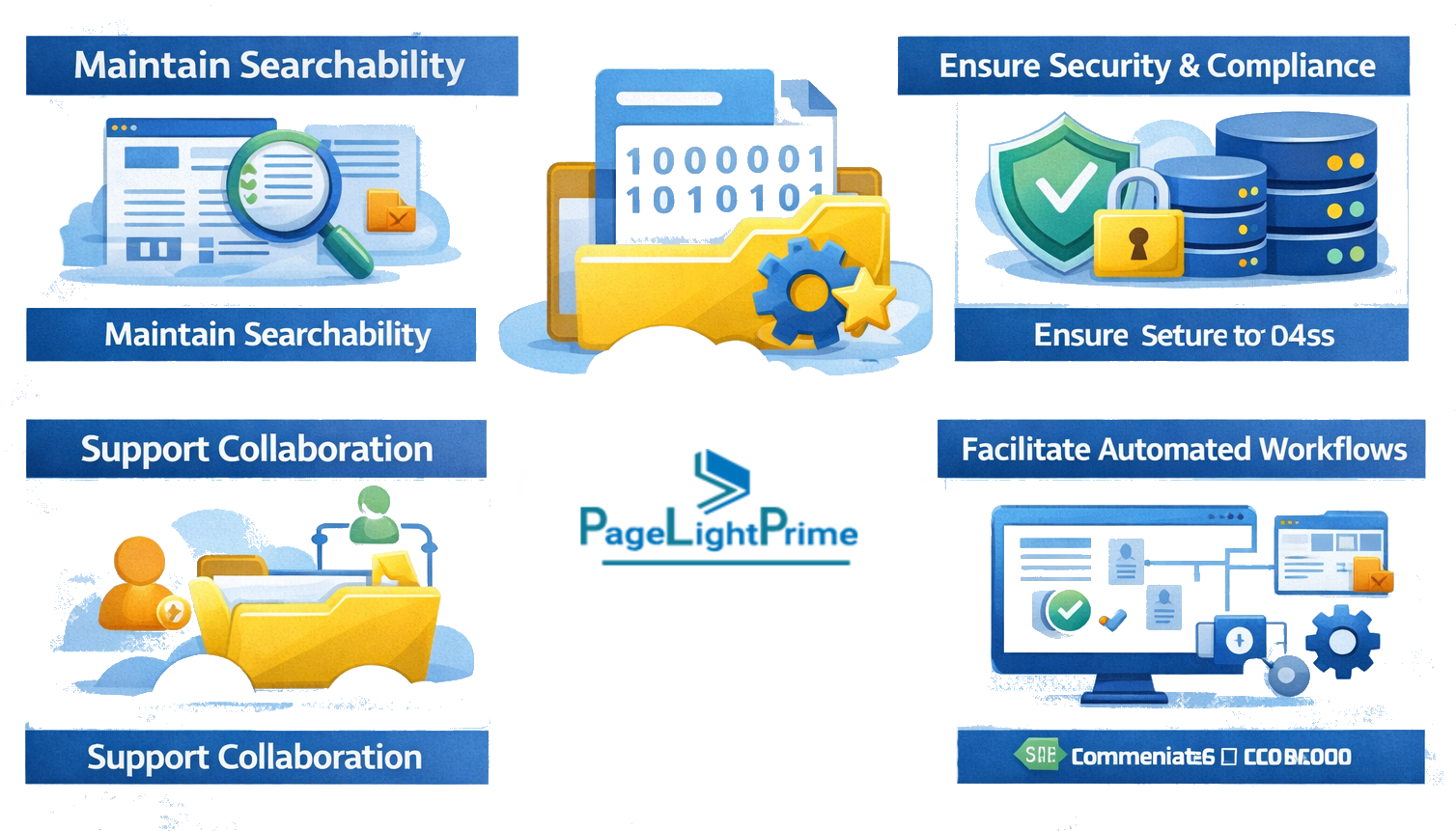
- SharePoint provides powerful capabilities but requires deliberate structure design
- Box provides strong governance but limited legal modeling
- Dropbox provides simplicity but lacks legal context at scale
The limiting factor in most environments is not storage—it is structural consistency across legal work over time.
“
Final Verdict
This comparison is not simply:
SharePoint vs Box vs Dropbox
It is:
Platform vs File Sharing vs Governance System
All three platforms can store documents and support collaboration. But legal work requires more than storage.
Law firms need systems that preserve legal context, enforce consistent structure, and maintain compliance across matters and teams.
Dropbox is optimized for simplicity and fast sharing but becomes structurally limited at scale. Box is optimized for governance but lacks native legal workflow structure. SharePoint is the most flexible foundation for building a legal DMS.

However, without a dedicated legal structure layer, even SharePoint depends heavily on manual discipline.
That is why firms typically choose between:
- Customizing SharePoint internally
- Extending SharePoint with a legal workspace layer
- Adopting a purpose-built legal DMS such as iManage or NetDocuments
The most successful firms are not those with the most tools—they are those whose systems consistently enforce structure, governance, and legal workflow discipline.
Because law firms do not just need document storage.
They need systems that preserve legal context and enforce legal structure by design.
“
FAQ: Frequently Asked Questions
Why is matter-centricity important in legal document management?
Matter-centricity ensures that all legal work is organized around a client and matter structure, rather than folders.
This is critical because it enables:
- Document lifecycle management
- Legal records management
- Client confidentiality controls
- Ethical walls between matters
- Defensible audit trails
- Contemporaneous time entry alignment with work activity
Without matter-centric design, firms often struggle with inconsistent filing and fragmented document storage.
Does Box meet legal compliance requirements like SOC 2 or ISO 27001?
Box is widely used in regulated industries and supports enterprise compliance frameworks, including:
- SOC 2 Type II
- ISO 27001
- Advanced audit logging and retention policies
However, while it is strong in governance and security, it is not inherently designed for legal matter workflows or legal records management structures.
Is Dropbox suitable for law firms?
Dropbox is best suited for simple file storage and sharing.
It works well for:
- Small firms or solo practitioners
- Client document exchange
- Fast syncing across devices
However, it lacks:
- Matter-centric organization
- Advanced compliance controls
- Legal workflow automation
- Structured audit trails
For growing law firms, it often becomes insufficient as a primary DMS.
What is the difference between version control and legal redlining?
Version control tracks file changes over time, allowing users to restore earlier versions.
Legal redlining, however, refers to:
- Clause-by-clause comparison
- Highlighting edits between contract versions
- Document negotiation tracking
Redlining is typically done in Microsoft Word, not within storage platforms.
A legal DMS may enhance this process by ensuring redlined documents are properly stored and linked to matter history
What is a legal DMS overlay for SharePoint?
A legal DMS overlay is a layer built on top of Microsoft SharePoint that adds legal-specific functionality such as:
- Matter-centric workspaces
- Email-to-matter filing
- Structured legal metadata
- Workflow automation
- Ethical walls and client confidentiality controls
- Defensible audit trail management
This transforms SharePoint from a document repository into a legal operating system.
How does OCR improve legal document management?
OCR (Optical Character Recognition) allows scanned documents and PDFs to become searchable.
In legal environments, this improves:
- Discovery and eDiscovery workflows
- Contract retrieval
- Case law research efficiency
- Full-text indexing across matters
Platforms like SharePoint leverage OCR to enhance enterprise search and document intelligence.
Which is better for law firms: SharePoint, Box, or Dropbox?
It depends on firm size, workflow complexity, and compliance needs.
- Small firms / solo practitioners: Dropbox → Best for simplicity, fast file sharing, and minimal setup
- Mid-size to enterprise law firms: Microsoft SharePoint + PageLightPrime → Best for scalability, matter-centric workflows, and deep Microsoft 365 integration
- High-compliance organizations: Box → Best for governance, auditability, SOC 2 Type II/ISO 27001 alignment, and controlled external collaboration
For firms using SharePoint, adding a legal DMS layer such as PageLightPrime is often what transforms it from a general document repository into a true matter-centric legal operating system.
What is PageLightPrime in relation to SharePoint?
PageLightPrime is a legal DMS built on Microsoft SharePoint.
It enhances SharePoint by adding:
- Matter-centric structure enforcement
- Automated email filing from Outlook
- Legal workflow standardization
- Ethical walls and confidentiality controls
- Unified document lifecycle management
- Defensible audit trail and version control structure
It effectively turns SharePoint into a purpose-built legal workspace.
Can law firms rely on SharePoint without customization?
They can, but it is not recommended for growing or compliance-heavy firms.
Without customization or a legal overlay:
- Filing becomes inconsistent
- Matter structure is manually enforced
- Email management is fragmented
- Compliance depends on user discipline
Most firms eventually evolve toward structured legal DMS frameworks or overlays to maintain scalability.