
Best Document Management Systems for Small Law Firms (2026 Guide)
Choosing the best document management system for small law firms is one of the most important technology decisions a modern legal practice can make. In 2026, legal document management systems (DMS) will go far beyond file storage and function as core platforms for matter organization, email management, compliance, collaboration, and workflow automation.
The leading solutions today are cloud-based, matter-centric, OCR-searchable, and integrated with Microsoft 365 and legal practice management tools. Popular platforms include Clio, MyCase, PageLightPrime, LexWorkplac, NetDocuments, and iManage —each designed for different firm sizes and operational needs.
This guide compares the best legal document management systems for 2026 and breaks down which tools are best for simplicity, document control, Microsoft 365 integration, and enterprise compliance.
Written by Knowledge Team, posted on May 13, 2026

Why Small Law Firms Need a Legal DMS
Many small firms begin by storing files in shared folders, email inboxes, Dropbox, or local servers. While those methods may work initially, they often become difficult to manage as the firm grows.
A dedicated legal document management system helps firms:
- Centralize client and matter files
- Organize pleadings, contracts, discovery, and correspondence
- Search documents instantly using OCR and full-text indexing
- Track revisions and document versions
- Securely collaborate with clients and staff
- Maintain audit trails and compliance
- Organize emails and attachments
- Reduce administrative inefficiencies
- Improve remote and hybrid work collaboration
For lean legal teams, usability matters as much as functionality. A system that attorneys and staff actually adopt consistently will deliver significantly more value than one packed with complicated features.

Key Features to Look For in a Legal DMS
Matter-Centric Organization
A legal DMS should allow firms to store documents directly within client and matter folders, making it easy to organize pleadings, contracts, correspondence, discovery files, and evidence by case. Matter-centric organization legal dms improves workflow efficiency and reduces time spent searching for files.
OCR and Advanced Search
Powerful Optical Character Recognition (OCR) technology allows scanned PDFs, court filings, and paper records to become fully searchable. Advanced search functionality helps attorneys quickly locate documents, clauses, emails, and case information across the entire system.
Email Management
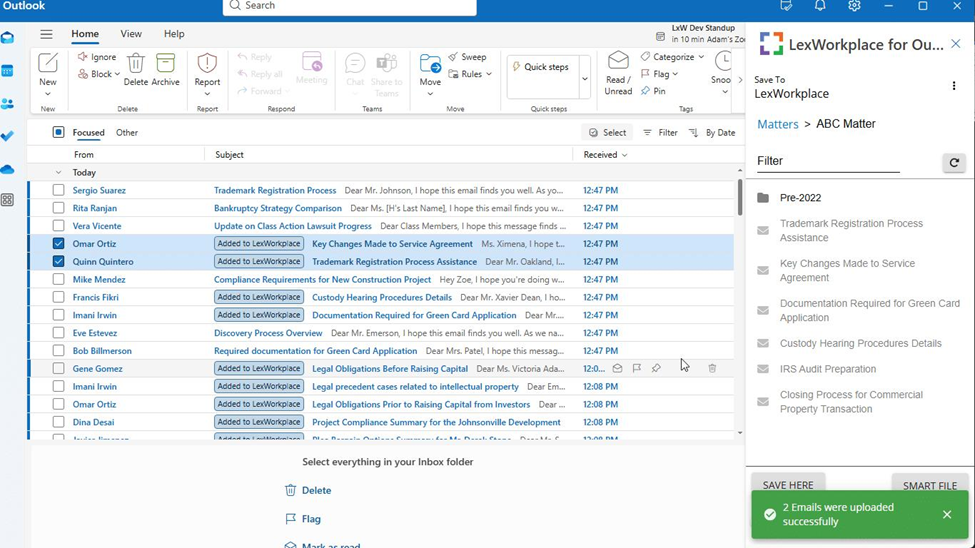
Seamless integration with Outlook or Gmail is essential for modern law firms. The best legal email management systems allow attorneys to save emails and attachments directly into client or matter files, improving organization and reducing inbox clutter.

Security and Compliance
Law firms handle highly confidential information, so security should be a top priority. Look for systems that offer:
- SOC 2 compliance
- End-to-end encryption
- Multi-factor authentication (MFA)
- Role-based permissions
- Audit trails
- Secure client portals
These features help firms maintain compliance while protecting sensitive client data.

Version Control and Audit Trails
Version tracking prevents accidental overwrites and allows firms to maintain a complete history of edits and document activity. Audit trails improve accountability while helping firms meet compliance and governance requirements.
Cloud Access and Collaboration
Cloud-based legal DMS platforms allow attorneys and staff to securely access files from anywhere while enabling real-time collaboration across teams and offices.

Document Management System Categories
All-in-One Practice Management Systems
- Clio
- MyCase
Best for: Firms that want billing + cases + documents in one system
Dedicated Legal Document Management Systems
- LexWorkplace
- NetDocuments
- iManage
Best for: Firms prioritizing document control, compliance, and search
Microsoft 365-Based Legal Platforms
- PageLightPrime
- SharePoint (customized)
Best for: Firms already using Microsoft 365, Outlook, and Teams

Best Document Management Systems (2026 Comparison)
At-a-Glance Comparison
| System | Best For | Category | Microsoft 365 | Ease of Use | Security |
|---|---|---|---|---|---|
| Clio | All-in-one simplicity | Practice + DMS | Medium | Very High | Medium |
| MyCase | Client communication | Practice + DMS | Low–Med | Very High | Medium |
| LexWorkplace | Legal document control | Legal DMS | High | High | High |
| PageLightPrime | Microsoft 365 workflow | M365 Legal DMS | Very High | Med–High | Very High |
| NetDocuments | Compliance firms | Enterprise DMS | High | Medium | Very High |
| iManage | Large firms | Enterprise DMS | High | Medium | Very High |
Microsoft 365-Native vs Standalone Legal DMS Platforms
Choosing a document management system for a small law firm in 2026 often involves deciding between Microsoft 365-native tools that work directly within your existing ecosystem or standalone legal platforms designed specifically for legal workflows and compliance.
Standalone Legal DMS Platforms
These systems are built specifically for legal compliance and often include advanced versioning, matter-centric organization, email management, governance controls, and secure client portals.
NetDocuments
A leading cloud-native legal DMS for firms prioritizing enterprise-grade security and compliance. NetDocuments offers advanced governance, AI-assisted organization features, strong Microsoft 365 integration, and sophisticated document workflows.

Clio Manage
One of the most widely adopted practice management platforms for small law firms. Clio combines document management with billing, client intake, calendaring, and case management, making it attractive for firms wanting an all-in-one solution.
LexWorkplace
Designed specifically for firms transitioning from legacy on-premise systems like Worldox. LexWorkplace offers matter-centric organization, advanced search, version control, and native support for both Windows and Mac environments.

Microsoft 365-Native Legal DMS Solutions
For firms already invested in the Microsoft ecosystem, these platforms allow attorneys to manage matters, emails, and documents directly within Outlook, Word, Teams, and SharePoint.
PageLightPrime
PageLightPrime is purpose-built to transform Microsoft 365 and SharePoint into a modern legal document management and law firm practice-management platform. It provides matter-centric case files, automated templates, attorney time tracking, document workflows, secure collaboration, and integrated email management directly within the Microsoft applications legal teams already use daily.
Its SharePoint Legal DMS allows firms to centralize documents, emails, billing, workflows, and collaboration without leaving the Microsoft ecosystem. Features include OCR search, secure client sharing, workflow automation, role-based permissions, audit logging, version control, electronic signatures, and Microsoft Teams collaboration.

PageLightPrime is especially appealing to small and midsize firms looking for:
- Deep Microsoft 365 integration
- Reduced software sprawl
- Native Outlook and Teams workflows
- Matter-centric organization
- Strong security and governance
- Cloud-based collaboration and mobility
Microsoft SharePoint
Many law firms use SharePoint directly because of its deep Office integration, collaboration tools, and version control capabilities. However, SharePoint often requires customization or legal-specific enhancements to fully support law firm workflows and matter-centric organization.

AI-Driven Legal Analysis Tools
While not traditional storage systems, AI-powered legal assistants and “Legal Copilots” are increasingly being used alongside legal DMS platforms to accelerate document review, contract analysis, legal research, drafting, and matter organization.
As legal technology evolves, AI-assisted workflows are becoming an important consideration for firms evaluating long-term document management strategies.

Detailed System Breakdown
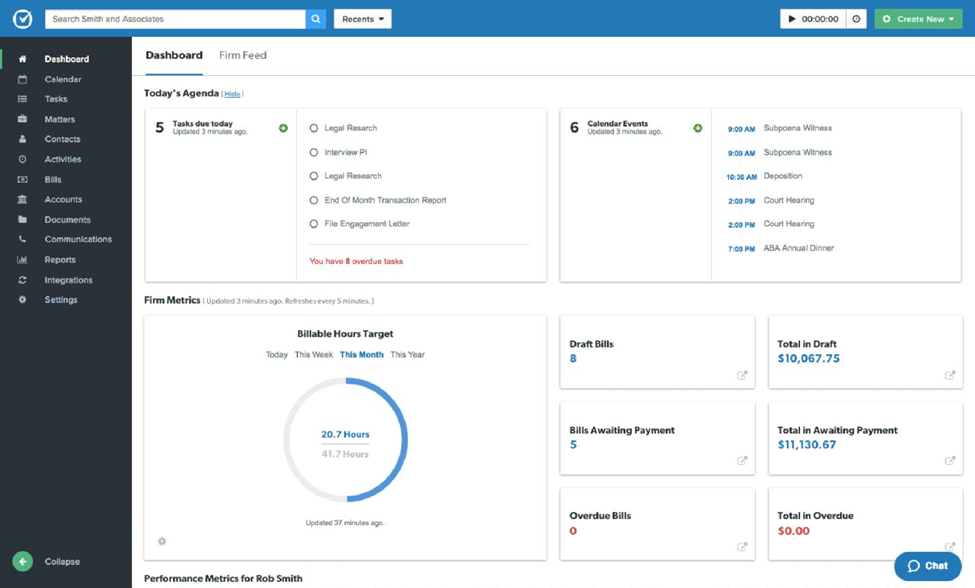
1. Clio — Best for Simplicity and All-in-One Practice Management
Clio is one of the most popular choices for solo attorneys and small firms because it combines case management, billing, client communication, and document storage in one platform.
Best For
- Solo attorneys
- Small firms seeking easy onboarding
- Firms wanting an all-in-one platform
Strengths
- User-friendly interface
- Built-in document management
- Strong Microsoft 365 integrations
- Secure client portal
- Affordable for smaller firms
Limitations
- Less advanced governance than enterprise DMS platforms
- Limited customization for highly complex legal workflows
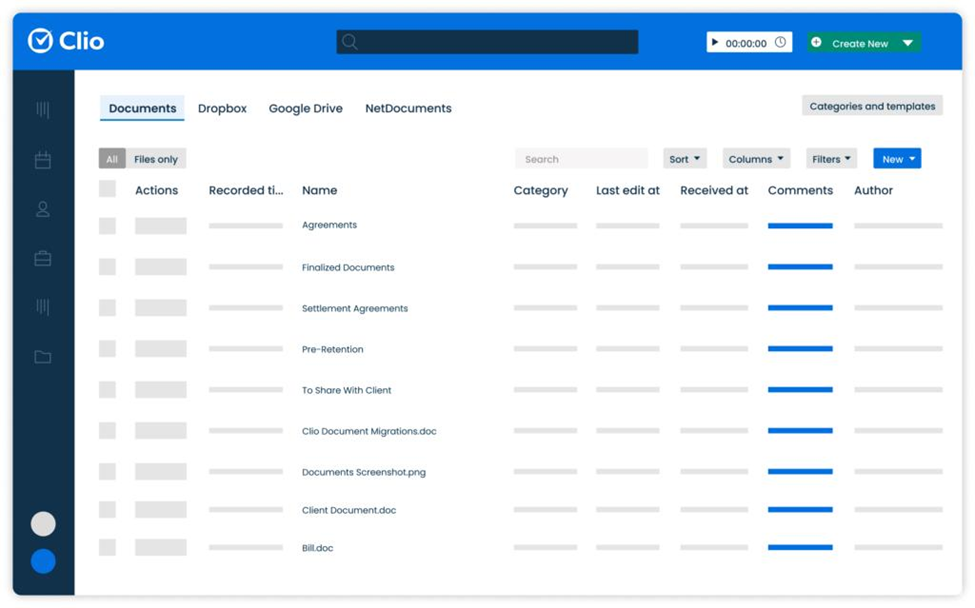

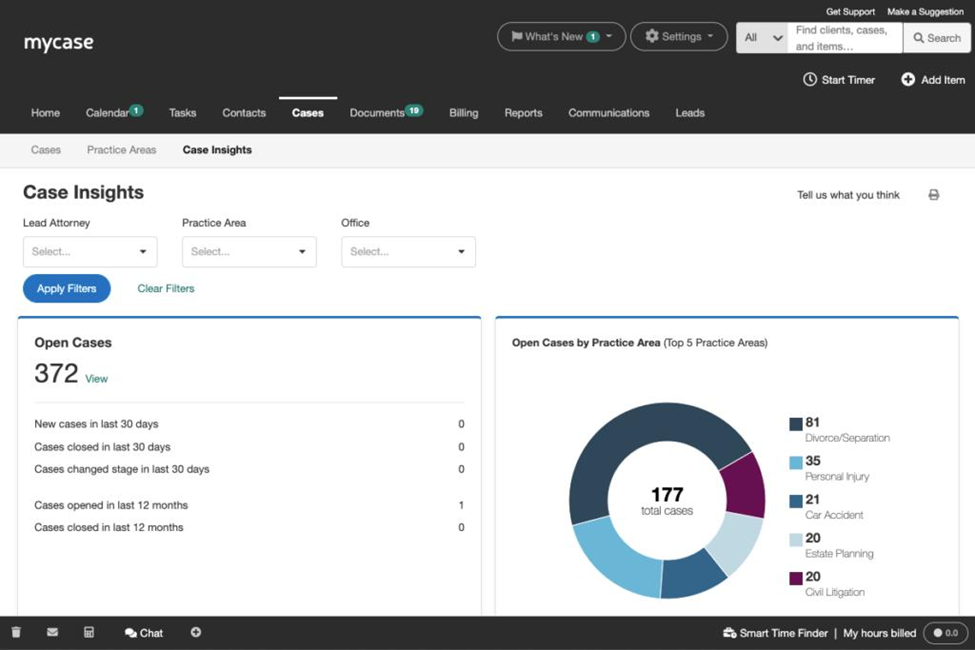
2. MyCase — Best for Client Collaboration
MyCase focuses on simple case-based collaboration and secure client communication.
Best For
- Firms prioritizing client communication
- Smaller teams wanting minimal setup
- Firms needing secure client portals
Strengths
- Easy-to-use interface
- Secure file sharing
- Client communication tools
- Fast implementation
- Matter-based workflows
Limitations
- Fewer advanced DMS capabilities
- Less robust for highly document-intensive firms

3. PageLightPrime — Best Microsoft 365-Based Legal DMS
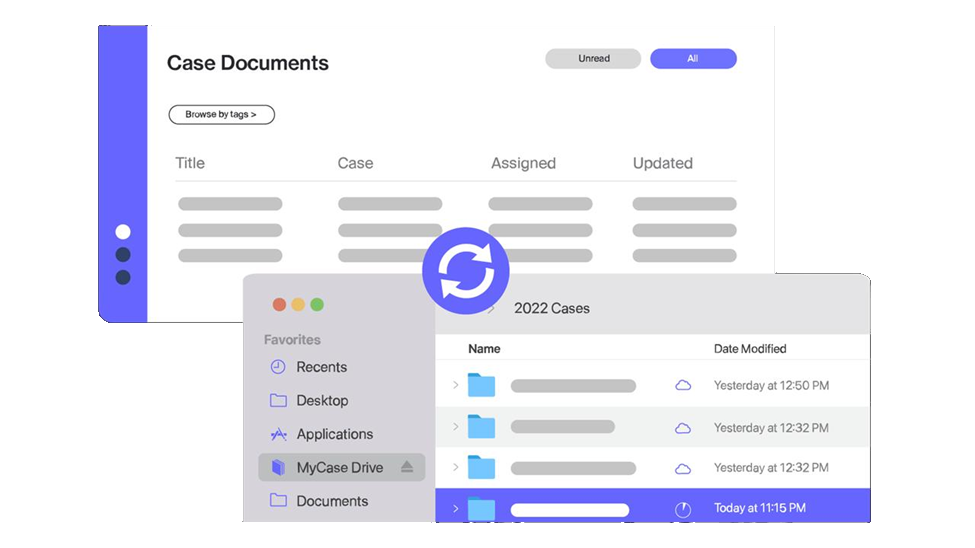
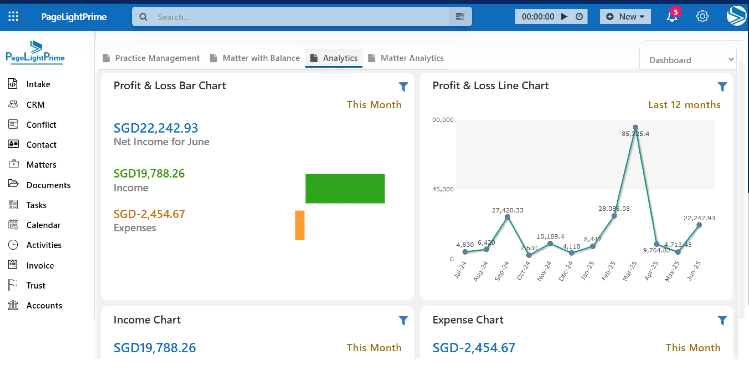
PageLightPrime is a cloud-based legal practice and document management platform built on Microsoft 365 and SharePoint. It combines legal case management, document management, billing, workflow automation, collaboration, and email management into a unified legal operations platform.
Best For
- Firms heavily invested in Microsoft 365
- Small and midsize firms wanting an integrated legal platform
- Firms seeking matter-centric SharePoint-based document management
- Legal teams prioritizing Outlook and Teams workflows
Strengths
- Native Microsoft 365 integration
- Matter-centric case and document organization
- Outlook and Teams integration
- OCR and unified search capabilities
- Workflow automation
- Attorney time tracking
- Secure external collaboration
- Version control and audit logging
- Electronic signatures
- Mobile and remote accessibility
- Real-time collaboration
Security & Compliance Features
- Role-based permissions
- Multi-factor authentication
- Encryption
- Audit trails
- Secure client sharing
- Governance controls

Why Firms Choose PageLightPrime
PageLightPrime allows firms to leverage the Microsoft tools they already use daily while adding legal-specific workflows and document management capabilities on top of SharePoint and Microsoft 365.
For firms wanting to avoid juggling multiple disconnected systems, it provides a centralized environment for:
- Documents
- Emails
- Billing
- Collaboration
- Workflow automation
- Matter management

4. LexWorkplace — Best Specialized Legal DMS for Small Firms
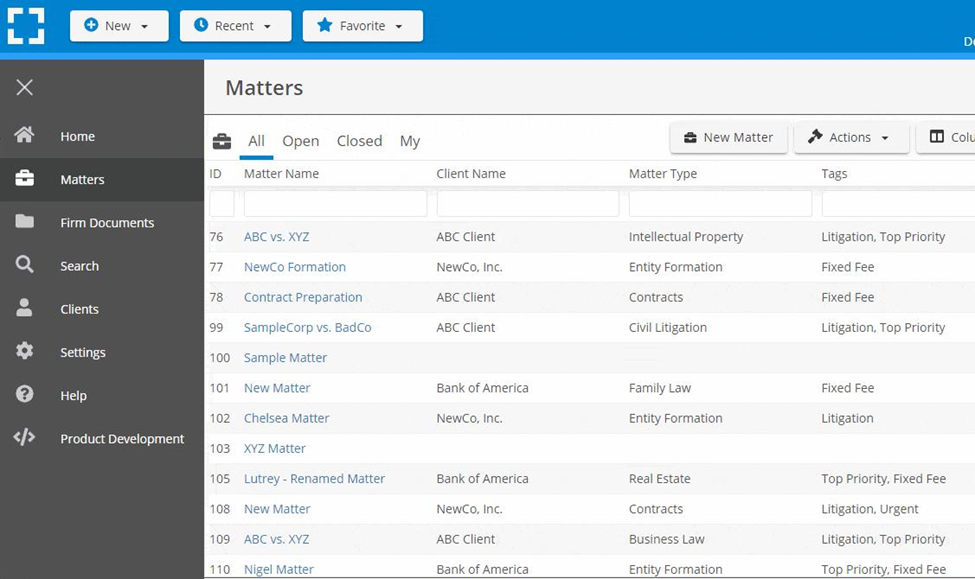
LexWorkplace is purpose-built for legal document and email management with strong matter-centric workflows.
Best For
- Firms handling large document volumes
- Teams needing advanced search and version control
- Firms wanting dedicated legal DMS functionality
Strengths
- Matter-centric organization
- Powerful OCR and search
- Email management integration
- Audit trails and version tracking
- Cloud accessibility
Limitations
- More specialized than all-in-one platforms
- Requires more setup than simpler practice-management tools
5. NetDocuments — Best for Security and Compliance
NetDocuments is widely known for enterprise-grade legal security, governance, and compliance capabilities.
Best For
- Firms with strict compliance requirements
- Growing firms needing scalability
- Firms prioritizing governance and security
Strengths
- Advanced security controls
- Strong Microsoft 365 integration
- Compliance and governance tools
- Sophisticated search functionality
- AI-assisted organization features
Limitations
- Higher cost than many small-firm solutions
- More complexity for smaller teams

6. iManage — Best for Larger or Growing Firms
iManage is one of the most established legal document management systems and is widely used by midsize and enterprise law firms.
Best For
- Firms expecting significant growth
- Firms needing advanced governance
- Larger legal teams with complex workflows
Strengths
- Sophisticated document and email management
- Enterprise-grade governance
- Strong compliance features
- Highly scalable architecture
- Advanced legal workflows
Limitations
- More expensive than small-firm-focused solutions
- Can be excessive for very small firms

Use Case Mapping: Best Legal DMS by Firm Type
Choosing the right document management system depends less on features overall and more on how your firm actually works day to day. Below is a practical breakdown of the best tools based on real-world law firm use cases.
Solo Attorneys & Very Small Firms (1–5 users)
These firms prioritize simplicity, fast setup, and affordability over advanced governance.
- Clio — Best all-in-one option for case management, billing, and documents in one system
- MyCase — Best for client communication and lightweight case + document workflows
Why these work:
- Minimal setup required
- Easy onboarding for non-technical users
- Built-in billing and client portal reduce tool sprawl
- Enough document management for low-to-moderate case volume

Small Litigation-Focused Firms
These firms handle heavier document volumes, discovery files, and email-heavy cases.
- LexWorkplace — Best for structured legal document management and deep search
- PageLightPrime — Best for firms using Microsoft 365 + Outlook + Teams workflows
Why these work:
- Strong OCR and full-text search for large case files
- Better email-to-matter organization
- Version control and audit trails for litigation tracking
- Supports structured discovery and pleadings management

Microsoft 365-Centric Law Firms
These firms already operate inside Outlook, Word, Teams, and SharePoint and want to stay in that ecosystem.
- PageLightPrime — Best native legal layer on top of Microsoft 365
- SharePoint (customized) — Best DIY option for firms with IT support
Why these work:
- Native Outlook and Teams integration
- No need to adopt an entirely new system
- Centralized document + email management inside Microsoft stack
- Strong collaboration across remote teams

Compliance-Heavy & Regulated Practice Areas
Law firm specializing in Insurance defense, corporate law, healthcare law, and financial services.
- NetDocuments — Best for governance, security, and compliance
- iManage — Best for enterprise-grade document control and scalability
Why these work:
- Advanced security controls (MFA, encryption, audit logs)
- Strong regulatory compliance support
- Enterprise-grade versioning and governance
- Designed for high-risk, high-volume legal environments

Growing Firms (5–50+ users scaling quickly)
These firms need systems that can grow with them without replatforming later.
- PageLightPrime — SharePoint DMS integrated with practice management and legal accounting solution
- NetDocuments — Best for scalable governance and long-term growth
- iManage — Best for large-scale document ecosystems and enterprise workflows
- Clio — Best if prioritizing billing + practice management expansion
Why these work:
- Scalable architecture
- Strong permissioning and role-based controls
- Handles increasing document complexity over time
- Supports multi-office and hybrid teams

Firms Prioritizing Client Communication
These firms focus heavily on transparency, client portals, and responsiveness.
- MyCase — Best client-facing collaboration platform
- Clio — Strong client portal + messaging features
Why these work:
- Secure client communication built in
- Easy document sharing with clients
- Reduces email overload
- Improves client experience and visibility

Firms Wanting Full Microsoft 365 Integration (Modern Cloud Firms)
These firms want a single operational layer over Microsoft tools rather than switching platforms.
- PageLightPrime — Best unified Microsoft 365 legal operations platform
Why this works:
- Turns Microsoft 365 into a legal DMS + practice management system
- Keeps all documents, emails, and workflows inside Outlook/Teams
- Reduces software fragmentation
- Strong fit for modern hybrid law firms

Practical Recommendations
Choose Clio or MyCase if:
- You want fast deployment
- Your firm is very small
- Simplicity is your top priority
- You prefer all-in-one practice management
Choose LexWorkplace or PageLightPrime if:
- Document management is central to your workflow
- You need stronger legal DMS functionality
- Email management and collaboration are important
- You want deeper Microsoft 365 integration
- Your firm relies heavily on Outlook, Teams, or SharePoint
Choose NetDocuments or iManage if:
- Security and compliance are critical
- Your firm handles sensitive or high-volume matters
- You expect rapid growth
- You need enterprise-grade governance and scalability

“
Final Thoughts
The best document management system for a small law firm is the one that balances usability, security, workflow efficiency, and long-term scalability.
A simple rule of thumb:
- Choose Clio or MyCase for simplicity and ease of adoption
- Choose LexWorkplace or PageLightPrime for deeper legal document workflows and Microsoft-based collaboration
- Choose NetDocuments or iManage for enterprise-grade governance, compliance, and scalability
As legal technology continues evolving, modern law firms increasingly need platforms that combine document management, collaboration, automation, security, and AI-assisted workflows into a unified environment.
For many small and midsize firms, the future of legal document management will center around cloud-native, Microsoft-integrated systems that reduce operational friction while improving organization, compliance, and productivity.

“
FAQ: Frequently Asked Questions
What is a legal document management system (DMS)?
A legal document management system (DMS) is software designed specifically for law firms to organize, secure, search, version, and manage documents and emails by client and matter.
Unlike generic file storage systems, legal DMS platforms support:
- Matter-centric organization
- OCR and full-text search
- Version control
- Audit trails
- Email management
- Secure collaboration
- Compliance and governance controls
What is the difference between SharePoint and a legal DMS?
Microsoft SharePoint is a general document collaboration platform, while a legal DMS is specifically designed for legal workflows and matter management.
A legal DMS typically adds:
- Matter-centric organization
- Legal email filing
- Advanced governance
- Legal workflow automation
- Compliance-focused audit controls
- Legal search and metadata structures
Platforms like PageLightPrime extend SharePoint with legal-specific functionality for law firms.
Can Microsoft 365 be used as a legal document management system?
Yes. Many law firms use Microsoft 365 as the foundation for legal document management.
With the right configuration or legal platform layer, Microsoft 365 can provide:
- Matter-centric file organization
- Outlook email management
- OCR search
- Teams collaboration
- Version control
- Workflow automation
- Secure document sharing
Solutions like PageLightPrime are designed specifically to transform Microsoft 365 and SharePoint into a legal DMS and legal operations platform.
Which legal DMS has the best OCR and document search?
LexWorkplace, NetDocuments, iManage, and PageLightPrime all provide strong OCR and full-text search capabilities.
Advanced OCR allows firms to:
- Search scanned PDFs
- Find clauses within pleadings
- Search email attachments
- Retrieve historical case files quickly
OCR search is especially important for litigation-heavy firms managing large document volumes.
What is matter-centric document management?
Matter-centric document management organizes files, emails, notes, and workflows around specific legal matters or cases instead of generic folders.
This approach helps firms:
- Improve organization
- Reduce document loss
- Simplify collaboration
- Improve billing and reporting accuracy
- Centralize all case-related information
Matter-centric organization is a core feature of most modern legal DMS platforms.
Is NetDocuments better than iManage?
Both NetDocuments and iManage are enterprise-grade legal DMS solutions, but they are optimized for different use cases.
- NetDocuments is often preferred for cloud-native simplicity and compliance-focused deployments.
- iManage is widely used by larger firms needing highly sophisticated governance and complex enterprise workflows.
The better choice depends on firm size, IT resources, compliance requirements, and workflow complexity.
What is the best legal DMS for Outlook integration?
For firms relying heavily on Outlook and Microsoft 365 workflows, PageLightPrime is one of the strongest Microsoft-native legal DMS options.
Other platforms with strong Outlook integration include:
- NetDocuments
- iManage
- LexWorkplace
These systems allow attorneys to save emails directly into client or matter files while maintaining compliance and audit history.
What is the best alternative to Worldox?
Many firms moving away from legacy on-premise systems like Worldox evaluate:
- LexWorkplace
- NetDocuments
- iManage
- PageLightPrime
The best replacement depends on whether the firm prioritizes:
- Cloud migration
- Microsoft 365 integration
- Advanced governance
- Simplicity
- Litigation document management
- Cost efficiency
Which legal document management systems support AI workflows?
Modern legal DMS platforms increasingly support AI-assisted workflows including:
- Document summarization
- Contract analysis
- OCR extraction
- Smart search
- Matter classification
- Workflow automation
NetDocuments, iManage, and PageLightPrime are all aligning with AI-assisted legal operations and Microsoft Copilot-style workflows.
How much does a legal document management system cost?
Legal DMS pricing varies significantly depending on features, integrations, security requirements, and firm size.
Typical pricing ranges:
- Entry-level small firm platforms: lower monthly per-user pricing
- Mid-market legal DMS solutions: moderate subscription pricing
- Enterprise legal DMS platforms: premium pricing with advanced governance and compliance features
Costs may also include:
- Data migration
- User onboarding
- Workflow customization
- Microsoft 365 licensing
- Training and support
For many firms, long-term efficiency and risk reduction outweigh the initial implementation cost.