
Legal Practice Management Software for Small Law Firms: From Survival Mode to a Scalable Growth System
Small law firms face a unique challenge. They must deliver the same level of client service, compliance, document control, billing accuracy, and trust accounting management as larger firms—often with significantly fewer resources.
Whether you operate a solo practice, a boutique law firm, or a growing firm with 2–15 attorneys, success depends less on working harder and more on building repeatable systems.
This is where legal practice management software for small law firms becomes critical.
The right platform transforms disconnected emails, documents, spreadsheets, and billing processes into a centralized operational framework that helps firms improve efficiency, increase profitability, and scale without adding administrative overhead.
Written by Knowledge Team, posted on July 18, 2026

Why Small Law Firms Struggle with Practice Management
Most small law firms do not have a productivity problem. They have a systems problem.
A typical small practice often relies on:
- Email as the primary matter management tool
- Documents scattered across local drives, SharePoint folders, desktops, and cloud storage
- Manual time tracking completed at the end of the month
- Separate systems for billing, accounting, and trust accounting
- Paper-based or spreadsheet-driven task management
- Limited visibility into matter status and staff workloads

As caseloads increase, these disconnected processes create significant operational risks:
- Missed deadlines
- Delayed billing cycles
- Lost billable time
- Trust accounting errors
- Duplicate work
- Poor client communication
- Difficulty onboarding new staff
Without a structured legal operations framework, firms often remain trapped in survival mode—constantly reacting instead of proactively managing their practice.

What Is Legal Practice Management Software?
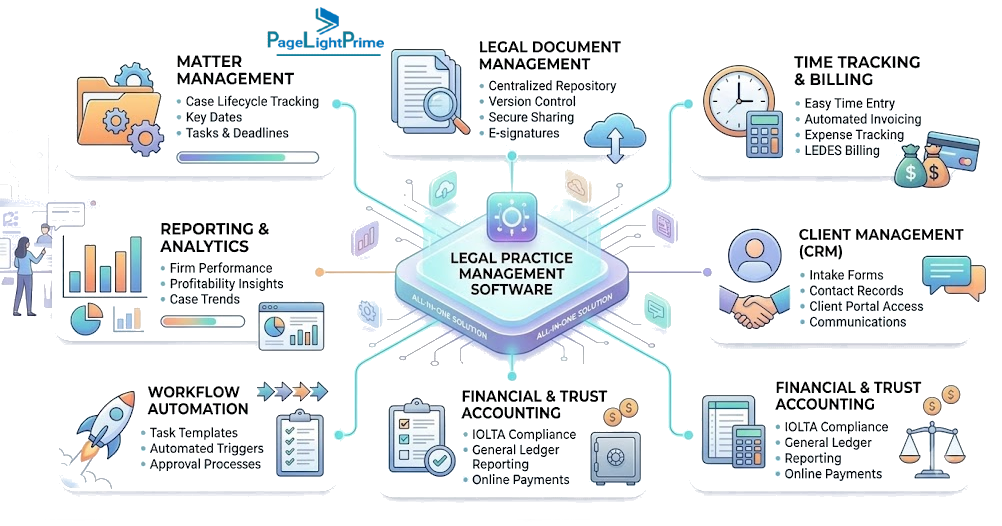
Legal practice management software is a centralized platform that helps law firms manage the business and operational side of legal work.
A modern legal practice management system typically combines:
- Matter management
- Legal document management
- Time tracking
- Legal billing
- Trust accounting
- Workflow automation
- Law firm Client Portal
- Reporting and analytics
Instead of attorneys switching between multiple systems, the platform becomes a single source of truth for every matter.
Core Features Small Law Firms Should Prioritize
Not every platform is designed with small firms in mind. The best legal practice management software for small firms focuses on simplicity, efficiency, and scalability.
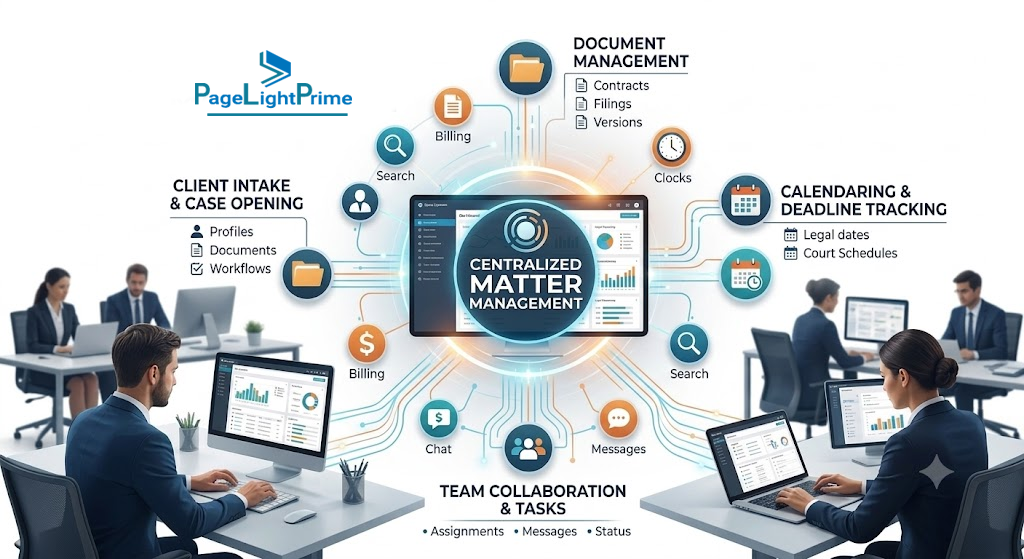
1. Centralized Matter Management
- Client information
- Contact records
- Matter notes
- Tasks and deadlines
- Emails
- Documents
- Billing information
When attorneys can access everything from a single screen, productivity improves dramatically.
Benefits
- Faster matter reviews
- Improved collaboration
- Reduced administrative work
- Better visibility into case progress
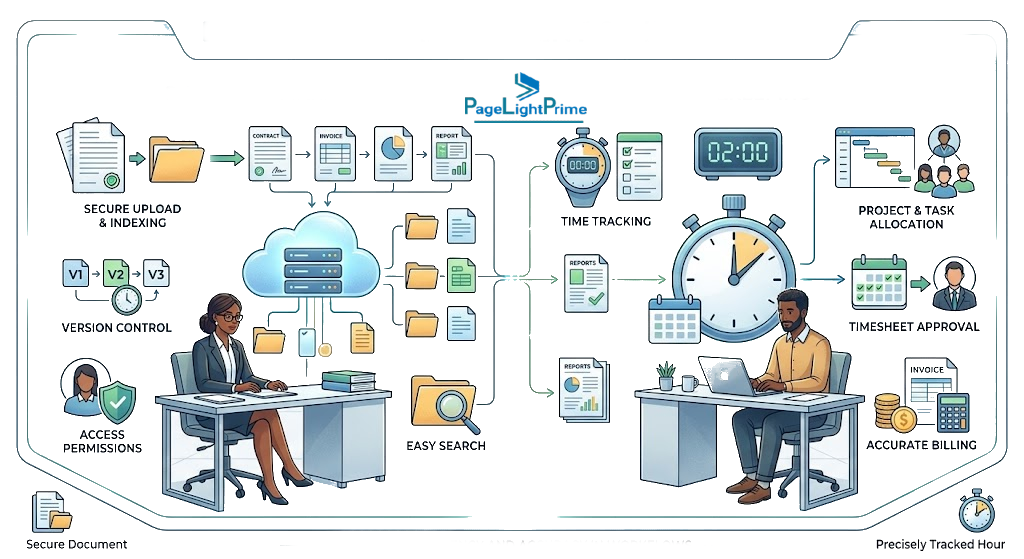
2. Legal Document Management
Documents are the lifeblood of every law firm.
A modern legal document management system should provide:
- Matter-centric organization
- Version control
- Full-text search
- Metadata tagging
- Access controls
- Audit trails
- Integration with Microsoft Word and Outlook
Without proper document management, firms waste valuable time searching for files, recreating documents, and managing multiple versions.
Why This Matters
Industry studies consistently show that knowledge workers spend a significant portion of their day searching for information. For attorneys, every minute spent looking for documents is a minute that cannot be billed.

3. Time Tracking and Legal Billing
Lost time equals lost revenue.
Small firms often lose billable hours because attorneys reconstruct their work days from memory.
Effective legal billing software should support:
- Real-time time capture
- Mobile time entry
- Outlook-based time tracking
- Task-based billing
- LEDES billing support
- Automated invoice generation
- Online payment processing
Business Impact
Firms that capture time contemporaneously typically generate more accurate invoices and improve realization rates compared to firms relying on manual reconstruction.

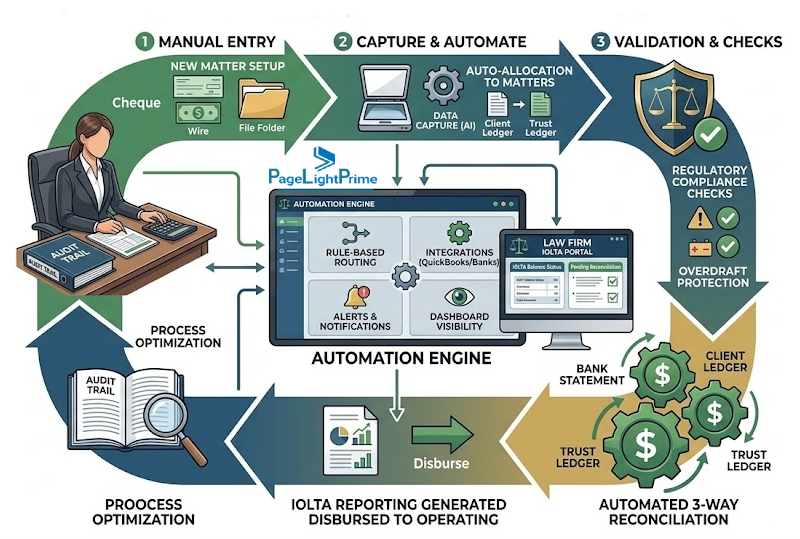
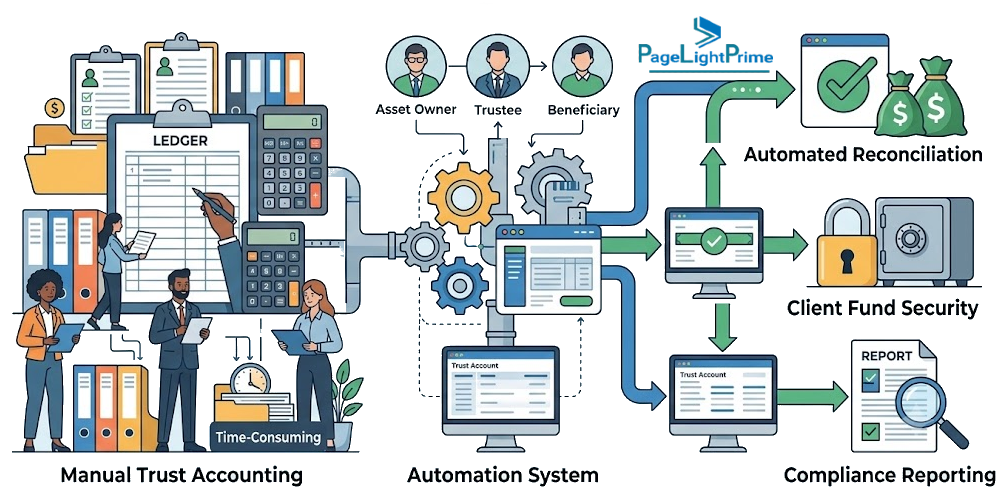
4. Trust Accounting and IOLTA Compliance
For firms handling client funds, trust accounting is non-negotiable.
Legal-specific accounting software should provide:
- IOLTA trust accounting
- Matter-level trust ledgers
- Three-way reconciliation
- Trust deposits and withdrawals
- Compliance reporting
- Audit-ready records
Using generic accounting systems combined with spreadsheets creates unnecessary risk and increases reconciliation effort.

5. Workflow Automation
Many legal processes are highly repetitive.
Examples include:
- Client intake
- Conflict checks
- Matter opening
- Discovery workflows
- Litigation deadlines
- Estate planning processes
- Real estate closings
Workflow automation helps firms standardize procedures and reduce human error.
Typical Benefits
- Consistent service delivery
- Faster matter progression
- Reduced administrative burden
- Improved compliance
6. Secure Client Communication
Clients increasingly expect digital experiences.
Modern legal software often includes:
- Secure client portals
- Document sharing
- Messaging
- Task updates
- Electronic signatures
These capabilities improve transparency while reducing dependence on email.

Cloud-Based Legal Practice Management Software vs Traditional Systems
The legal technology market has shifted dramatically toward cloud-based solutions.
Leading platforms such as PageLightPrime (Microsoft 365-based legal platform), Clio, MyCase, PracticePanther, CARET Legal have become popular because they offer:
- Anywhere access
- Reduced IT overhead
- Automatic updates
- Enhanced security
- Easier collaboration
However, firms should evaluate whether a platform aligns with their existing technology investments.

PageLightPrime vs Clio vs PracticePanther vs MyCase
| Feature | PageLightPrime | Clio | PracticePanther |
|---|---|---|---|
| Microsoft 365 Native | Yes | No | No |
| SharePoint Online Storage | Yes | No | No |
| Built-in Trust Accounting | Yes | Yes | Limited |
| Outlook Native Filing | Yes | Partial | Partial |
| Microsoft Copilot Ready | Yes | No | No |
Why Microsoft 365 Is Becoming the Foundation for Small Law Firms
Most law firms already rely heavily on:
- Microsoft Outlook
- Microsoft Word
- Microsoft Teams
- SharePoint Online
- OneDrive
- Microsoft Copilot
The question is no longer whether firms use Microsoft 365.
The question is whether their legal software works with or against it.
Many traditional legal platforms create a second repository for documents, emails, and matter data.

This duplication introduces:
- Data silos
- Synchronization issues
- Security complexity
- User adoption challenges
Modern Microsoft 365-native legal practice management platforms take a different approach.
Instead of creating another system, they build legal workflows directly around Microsoft technologies. Solutions such as PageLightPrime extend Microsoft 365 with matter management, legal document management, legal accounting, trust accounting, workflow automation, and client relationship management while allowing firms to continue working in Outlook, Word, Teams, and SharePoint Online.
For small firms, this reduces the need to maintain separate document repositories, duplicate security models, and disconnected workflows.

Why Microsoft 365-Native Legal Practice Management Is Gaining Attention
Small law firms increasingly prefer legal platforms that extend technologies they already use rather than introducing another disconnected system.
| Requirement | Traditional Legal Platform | Microsoft 365-Native Platform |
|---|---|---|
| Matter Management | Yes | Yes |
| Document Storage | Separate Repository | SharePoint Online |
| Email Management | Integrated | Outlook Native |
| Security | Vendor Controlled | Microsoft 365 Security |
| User Experience | Separate Application | Microsoft 365 Familiarity |
| Data Ownership | Vendor Platform | Firm-Owned Microsoft Tenant |
| Microsoft Copilot Readiness | Limited | Native |
| Workflow Automation | Yes | Yes |
Benefits of Microsoft 365-Native Legal Practice Management
Matter-Centric Document Management
Documents remain inside SharePoint Online Legal DMS while being organized by client and matter.
Benefits include:
- Microsoft security controls
- Native search capabilities
- Version history
- Data ownership within the firm’s tenant
Outlook-Centric Email Management
Attorneys spend much of their day in Outlook.
Microsoft-native legal platforms can:
- Save emails directly to matters
- Associate communications automatically
- Reduce duplicate filing
- Maintain complete communication histories

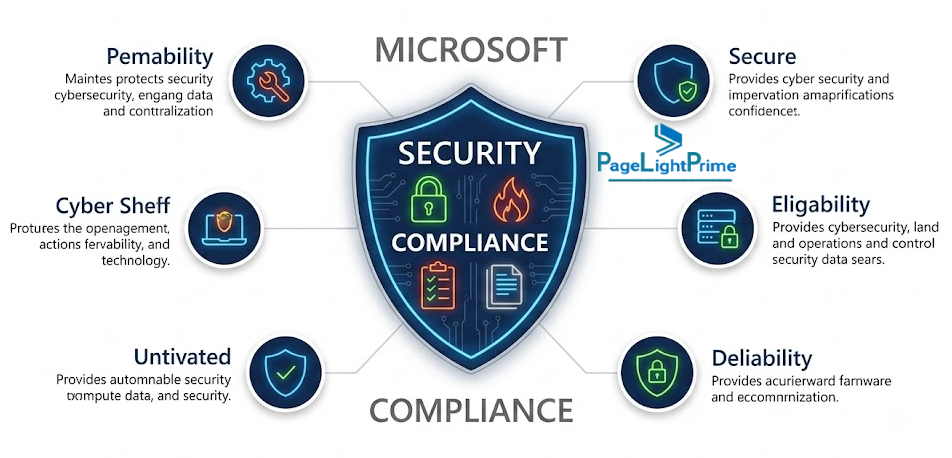
Microsoft Security and Compliance
Small firms gain access to enterprise-grade capabilities such as:
- Microsoft Entra ID
- Multi-factor authentication
- Data loss prevention
- Retention policies
- Audit logging
Without deploying additional security platforms.
How to Choose the Best Legal Practice Management Software for a Small Firm
When evaluating legal software, focus on operational fit rather than feature count.
Evaluate Your Existing Technology Stack
Ask:
- Where do our documents live?
- How do attorneys currently work?
- Which systems are used daily?
Solutions that complement existing workflows typically achieve higher adoption.
Firms that have standardized Microsoft 365 should consider whether a legal practice management platform enhances their existing environment or creates another technology silo. Microsoft-native platforms such as PageLightPrime are designed to leverage the firm’s existing Microsoft infrastructure rather than replacing it.

Prioritize Legal Accounting
Trust accounting, billing, and financial reporting should not be afterthoughts.
Look for:
- Built-in legal accounting
- Trust management
- IOLTA compliance
- Financial reporting
- General ledger functionality
Assess Workflow Support
Map your most important processes:
- Intake
- Matter opening
- Drafting
- Filing
- Billing
- Matter closure
Then evaluate how well each platform supports those workflows.

Consider Ease of Adoption
The best system is the one your attorneys actually use.
Look for:
- Outlook integration
- Word integration
- Minimal training requirements
- Intuitive user experience
Plan for Growth
Your software should support growth from:
- Solo attorney
- Boutique practice
- Multi-attorney firm
- Regional law firm
Without requiring a complete platform replacement.

A Practical Migration Roadmap for Small Firms
Phase 1: Centralize Matters and Documents
Create a single repository for:
- Clients
- Matters
- Documents
- Emails
This establishes the foundation for future automation.
Phase 2: Implement Timekeeping and Billing
Introduce:
- Real-time time capture
- Electronic billing
- Standardized invoice generation
This often produces immediate financial benefits.

Phase 3: Add Trust Accounting and Automation
Deploy:
- Trust accounting
- Automated reminders
- Workflow templates
- Matter checklists
This reduces administrative effort while improving compliance.
Phase 4: Optimize Through Reporting
Use analytics to measure:
- Matter profitability
- Attorney productivity
- Billing realization
- Collection rates
- Workflow bottlenecks
Data-driven firms consistently outperform firms operating on intuition alone.
“
Why Small Law Firms Need a Scalable Practice Management System
The most successful small firms are not necessarily the firms with the largest budgets or the most software features.
They are the firms that establish repeatable systems for:
- Matter management
- Document management
- Timekeeping
- Billing
- Trust accounting
- Client communication
A well-designed legal practice management platform creates the operational backbone that supports growth, profitability, and client service.
As legal technology continues to evolve, small firms now have access to enterprise-grade capabilities without enterprise-level complexity.
Whether a firm chooses a traditional cloud platform or a Microsoft 365-native solution, the objective remains the same: create a single, scalable system that improves visibility, efficiency, compliance, and client service.
For firms already invested in Microsoft 365, solutions such as PageLightPrime offer an alternative approach by combining matter management, legal document management, legal accounting, trust accounting, workflow automation, CRM, and client collaboration within the Microsoft ecosystem rather than requiring a separate operational platform.
Create a single, scalable system where every matter, every document, every time entry, every trust transaction, and every client interaction is managed consistently and efficiently.

“
FAQ: Frequently Asked Questions About Sage Timeslips Alternatives
Do small law firms need legal-specific accounting software?
Yes. Firms managing client trust funds should use legal-specific accounting software that supports trust accounting, IOLTA compliance, matter-level ledgers, and reconciliation workflows.
Can Microsoft 365 replace legal practice management software?
Microsoft 365 provides the foundation for productivity and document storage, but it does not natively manage matters, legal billing, trust accounting, or legal workflows. Most firms require a legal-specific layer built on top of Microsoft 365.
How much can legal practice management software improve efficiency?
Many firms report improvements in document retrieval, billing speed, time capture accuracy, workflow consistency, and overall operational visibility after implementing a centralized practice management system.
Is legal practice management software suitable for solo attorneys?
Absolutely. Solo practitioners often benefit the most because automation and centralized management reduce administrative workload and allow more time for client work, client service, and business development.