
Best LEAP Alternatives for Law Firms in 2026: Comparing Modern Legal Practice Management Software
Law firms evaluating legal technology in 2026 are increasingly looking beyond traditional practice management platforms and comparing LEAP Legal Software alternatives that provide stronger document governance, Microsoft 365 integration, enterprise security, and AI-ready legal workflows.
LEAP Legal Software has become one of the well-known legal practice management platforms used by law firms worldwide. It provides an integrated environment for matter management, document automation, legal billing, accounting, trust accounting, and legal workflows.
Written by Knowledge Team, posted on July 13, 2026

However, as law firms modernize their technology strategy, many organizations are evaluating whether their current legal software architecture can support future requirements around:
- Enterprise document management
- Microsoft 365 collaboration
- Data ownership and governance
- Advanced security controls
- Artificial intelligence
- Scalable legal operations
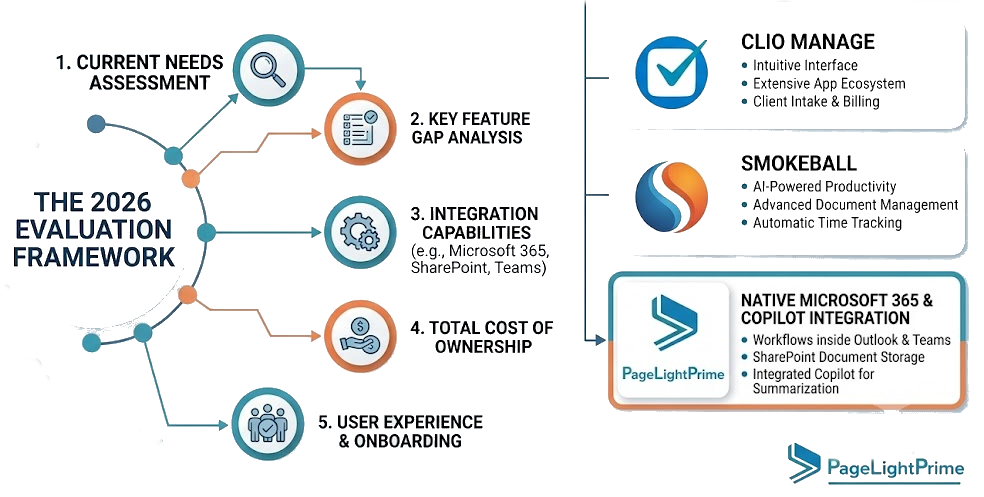
The best LEAP alternatives for law firms in 2026 include PageLightPrime, Clio, Smokeball, PracticePanther, and enterprise document management approaches involving NetDocuments.

The right choice depends on the firm’s priorities:
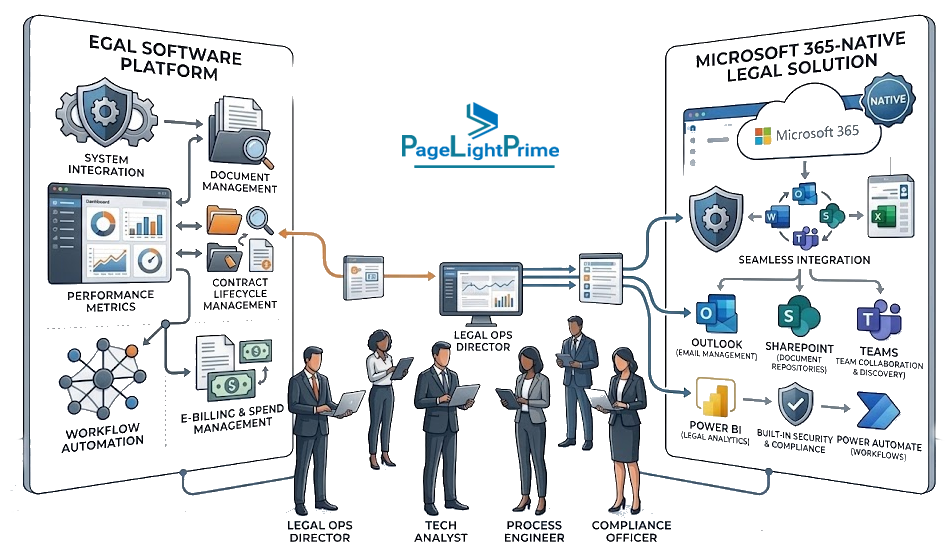
- Does the firm want a dedicated legal software platform or a Microsoft 365-native legal solution?
- Should legal documents remain inside the firm’s own Microsoft tenant?
- Does the firm require advanced billing and trust accounting capabilities?
- Does the firm need enterprise document governance?
- Is the firm preparing for AI-powered legal workflows?
- Does the firm need a platform that can scale beyond traditional practice management?
This guide compares leading LEAP alternatives and explains why law firms are considering modern platforms such as PageLightPrime.

Quick Comparison: LEAP Alternatives for Law Firms in 2026
| Legal Software | Best Fit | Microsoft 365 Integration | Document Management Approach | Billing & Accounting |
|---|---|---|---|---|
| PageLightPrime | Mid-size firms, enterprise legal teams, Microsoft 365 organizations | Native Microsoft 365 architecture | SharePoint Online-based legal document management | trust accounting, LEDS, UTBMS, multi-payor billing |
| LEAP Legal Software | Firms wanting an all-in-one legal practice platform | Integrations available | Platform-managed document environment | Billing, accounting, trust accounting |
| Clio | Small and growing law firms | Integration ecosystem | Cloud-based legal document tools | Billing, payments, reporting |
| Smokeball | Firms focused on workflow automation | Integrations available | Integrated document automation | Billing and productivity tools | PracticePanther | Small firms seeking simplicity | Integrations available | Cloud-based matter documents | Billing, payments, reporting | NetDocuments + Practice Management Integration | Large firms requiring enterprise DMS | Microsoft ecosystem integrations | Enterprise legal document management | Usually paired with separate practice management systems |
Who This Guide Is For
Choosing a replacement for LEAP Legal Software is a strategic decision that affects legal operations, financial management, document governance, security, compliance, and long-term technology planning.
This guide is intended for professionals responsible for evaluating, selecting, implementing, or managing legal practice management software within a law firm or legal department.
Managing Partners
Managing partners evaluating LEAP alternatives often focus on:
- Firm profitability
- Operational efficiency
- Attorney productivity
- Client service delivery
- Firm scalability
- Long-term technology strategy
This guide compares leading legal software platforms from both operational and strategic perspectives to support informed decision-making.

Legal Operations Professionals
Legal operations teams are increasingly responsible for improving efficiency, standardizing workflows, reducing administrative overhead, and preparing firms for AI-driven legal work.
This guide helps legal operations professionals evaluate:
- Matter management capabilities
- Workflow automation
- Document governance
- Reporting and analytics
- AI readiness
- Integration with existing technology investments
IT Directors and Technology Leaders
IT leaders frequently evaluate legal software through the lens of:
- Security
- Compliance
- Identity management
- Data governance
- Infrastructure complexity
- Vendor risk
- Integration requirements
Because many firms already rely on Microsoft technologies, this guide also examines how different LEAP alternatives align with:
- Microsoft 365
- SharePoint Online
- Microsoft Entra ID
- Microsoft Purview
- Microsoft 365 Copilot

Law Firm Administrators
Law firm administrators are often responsible for ensuring that legal software supports the daily operational requirements of attorneys, paralegals, accounting teams, and support staff.
This guide evaluates:
- Billing workflows
- Trust accounting
- User adoption
- Training requirements
- Reporting
- Vendor support
- Implementation complexity
These factors often determine whether a legal software deployment succeeds over the long term.

Practice Managers
Practice managers typically need technology that supports efficient matter management while maintaining visibility into firm performance.
This guide examines:
- Matter-centric workflows
- Document management
- Time tracking
- Billing operations
- Resource utilization
- Workflow automation
- Practice growth and scalability
These considerations are especially important for firms transitioning from legacy legal software to more modern legal technology platforms.

Ideal for Law Firms Evaluating LEAP Alternatives in 2026
Whether your firm is considering a move to a Microsoft 365-native platform, seeking stronger document governance, improving trust accounting processes, implementing LEDES billing, or preparing for AI-powered legal workflows, this guide provides a structured framework for evaluating the leading alternatives to LEAP Legal Software.
By the end of this guide, managing partners, legal operations professionals, IT leaders, administrators, and practice managers should have a clearer understanding of which platform best aligns with their firm’s operational requirements, governance standards, and future technology roadmap.
Why Law Firms Look for LEAP Alternatives
LEAP provides many capabilities expected from modern legal software, including:
- Matter management
- Legal document automation
- Document management
- Time tracking
- Legal billing
- Trust accounting
- Reporting
- Mobile access
- Workflow automation
- AI capabilities
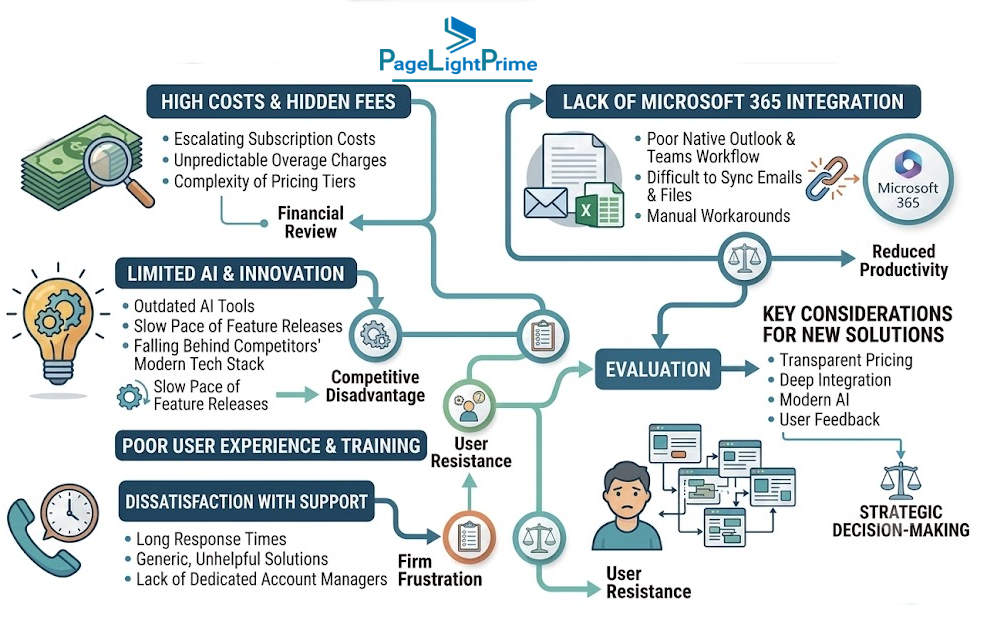
For many law firms, LEAP continues to be a suitable solution. However, technology requirements are changing, and some firms begin evaluating alternatives when they need deeper integration with their existing enterprise technology environment.
Common reasons firms evaluate LEAP competitors include:
1. Microsoft 365 Native Architecture
Many law firms already rely heavily on Microsoft technologies, including:
- Microsoft Outlook
- Microsoft Word
- Microsoft Teams
- SharePoint Online
- Microsoft Entra ID
- Microsoft Purview
- Microsoft 365 Copilot
A legal platform that works within the Microsoft ecosystem can reduce technology complexity by extending investments the firm has already made.
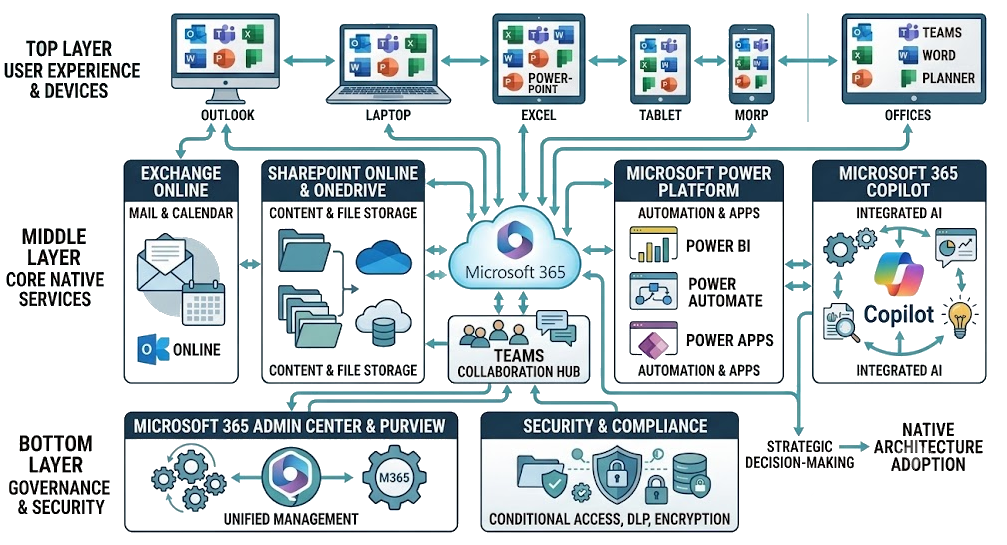
Instead of maintaining separate systems for:
- Identity management
- Document storage
- Collaboration
- Security controls
- Compliance management
firms can use a legal platform designed around their existing Microsoft environment.
PageLightPrime Microsoft 365 Architecture Advantage
PageLightPrime is designed as a Microsoft 365-native legal practice management platform..

Unlike traditional legal platforms that maintain separate proprietary document repositories, PageLightPrime extends Microsoft 365 by using:
- SharePoint Online as the legal document system of record
- Microsoft Entra ID for identity management
- Microsoft Graph integrations
- Microsoft 365 security capabilities
- Microsoft Purview governance capabilities
PageLightPrime operates within the firm’s Microsoft 365 environment, allowing organizations to leverage their existing security, compliance, and collaboration investments.
This architecture provides a foundation for:
- Matter-centric document management
- Secure collaboration
- Enterprise search
- AI-powered legal workflows
- Microsoft Copilot-ready knowledge management

2. Greater Control Over Legal Documents
Documents are the foundation of every law firm.
A legal matter may contain:
- Pleadings
- Contracts
- Discovery documents
- Correspondence
- Research
- Evidence
- Client communications
- Billing records
As firms grow, they increasingly require stronger control over their legal knowledge repository.
Important document management requirements include:
- Ownership of document repositories
- Enterprise permissions
- Version management
- Retention policies
- Compliance controls
- Audit trails
- Advanced search
- AI-ready legal knowledge management

Traditional legal practice management systems often store documents within application-controlled environments.
Modern firms are increasingly evaluating platforms where documents can remain within enterprise-controlled environments.
For Microsoft 365 organizations, SharePoint Online provides capabilities including:
- Document libraries
- Metadata management
- Version history
- Permission management
- Retention policies
- Microsoft Search integration

3. Enterprise Security and Compliance Requirements
Law firms manage highly sensitive information, including:
- Client confidential information
- Litigation documents
- Financial records
- Privileged communications
- Intellectual property
Growing firms increasingly require:
- Enterprise identity management
- Security monitoring
- Audit logging
- Data governance
- Compliance reporting
- Access controls
A legal platform built on Microsoft 365 allows firms to align legal operations with existing enterprise security investments.
PageLightPrime leverages Microsoft security foundations, including:
- Microsoft Entra ID identity management
- Role-based access controls
- Microsoft 365 compliance capabilities
- Microsoft Purview governance features
This approach allows firms to build legal technology on a security foundation already used by many enterprises.

Detailed Comparison of LEAP Alternatives (2026 Buyer’s Guide)
This section breaks down the leading LEAP Legal Software alternatives in a structured, decision-oriented format so law firms can evaluate platforms based on real operational needs: document governance, Microsoft 365 alignment, billing, scalability, and AI readiness.
1. PageLightPrime — Microsoft 365 Native Legal Practice Management Platform
PageLightPrime is designed for law firms that want legal practice management capabilities while fully leveraging their existing Microsoft 365 investment.
Unlike traditional legal platforms that operate in isolated systems, PageLightPrime extends the Microsoft ecosystem directly within the firm’s tenant.
Core Architecture Positioning (Key Differentiator)
PageLightPrime is built on:
- Microsoft 365 (core platform foundation)
- SharePoint Online as the system of record for legal documents
- Microsoft Entra ID for identity and access management
- Microsoft Graph for integration and automation
- Microsoft Purview for governance, retention, and compliance
This architecture ensures that legal data remains inside the firm’s own Microsoft environment.
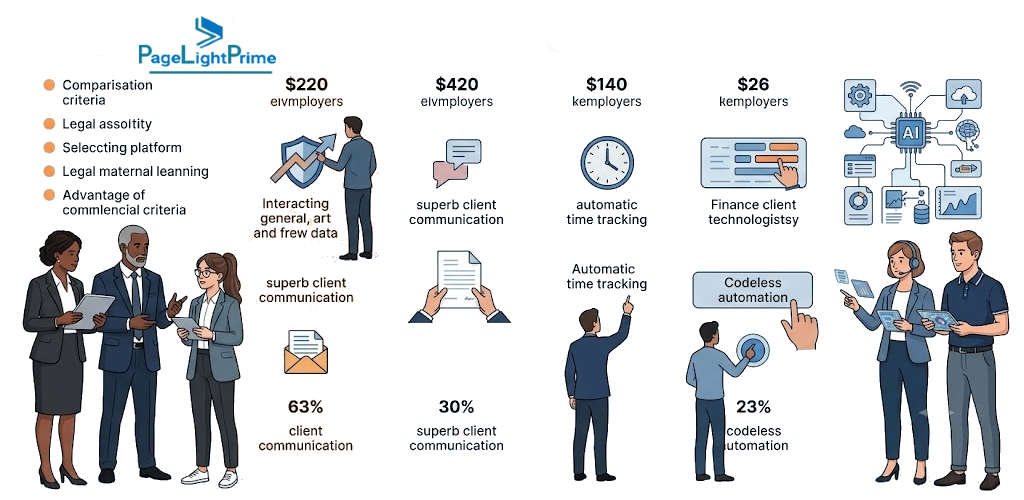
Key Capabilities
Matter-Centric Legal Practice Management
PageLightPrime provides a unified matter workspace to manage:
- Clients
- Matters
- Contacts
- Tasks
- Workflows
- Documents
- Time entries
- Billing data
All matter activity is centralized, reducing fragmentation across systems.

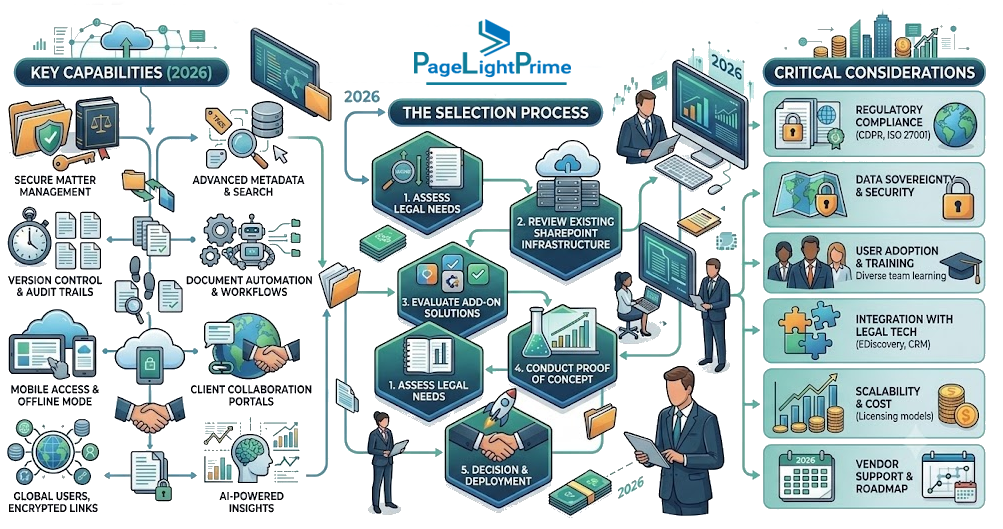
Legal Document Management (SharePoint-Based)
Unlike traditional legal systems that store documents in proprietary repositories, PageLightPrime uses SharePoint Online.
Capabilities include:
- Matter-based document libraries
- Full version control
- Metadata-driven classification
- Secure external sharing controls
- Microsoft Search indexing
- Retention and compliance policies via Microsoft Purview
This approach aligns legal document management with enterprise IT governance standards.
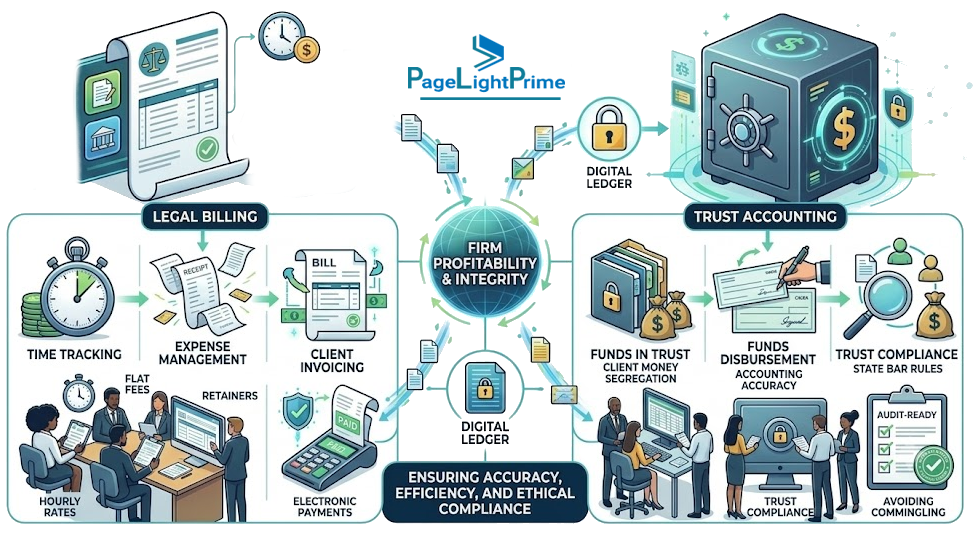
Legal Billing and Trust Accounting
PageLightPrime includes built-in legal financial capabilities:
- Legal time tracking
- Matter-based billing
- LEDES billing support
- UTBMS coding structure
- Trust accounting (IOLTA-aligned workflows)
- Three-way reconciliation
- Multi-payor billing structures
This enables firms to manage both operations and financial compliance within one system.
AI-Ready Legal Knowledge Platform
Because data remains structured inside Microsoft 365, firms can enable AI workflows such as:
- Microsoft Copilot integration
- Retrieval-Augmented Generation (RAG) on matter data
- AI-assisted document search
- Knowledge extraction across matters
- Secure legal assistants grounded in firm-owned data
This is increasingly important as firms evaluate AI-driven legal productivity tools.
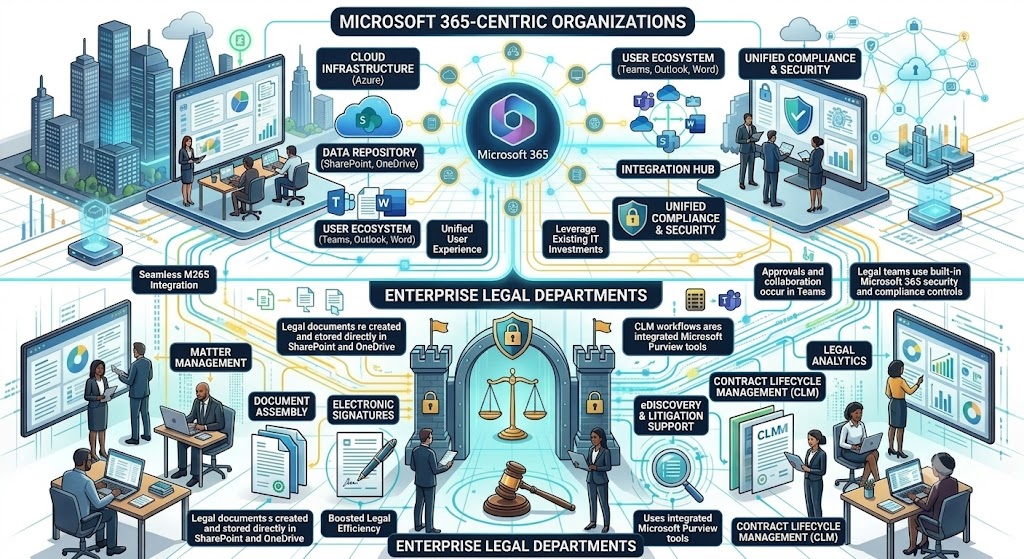
Best Fit For
PageLightPrime is best suited for:
- Mid-size law firms
- Enterprise legal departments
- Microsoft 365-centric organizations
- Firms replacing legacy legal systems
- Firms prioritizing data ownership and governance
- Organizations preparing for AI-first legal workflows
Considerations
- Requires Microsoft 365 environment (not a standalone SaaS system)
- Best value for firms already invested in Microsoft ecosystem
- Designed for governance-heavy and compliance-driven organizations
2. LEAP Legal Software
LEAP Legal Software is a widely used all-in-one legal practice management platform offering a unified environment for law firms.
Overview
LEAP provides an integrated suite covering:
- Matter management
- Document automation
- Legal billing
- Accounting
- Trust accounting
- Legal workflows
- Client communication tools
It is often used by firms looking for a single-vendor solution.

Strengths
- All-in-one legal platform
- Strong document automation tools
- Built-in billing and accounting
- Mobile access capabilities
- Broad feature coverage across practice operations
Best Fit
- Small to mid-size law firms
- Firms wanting a single unified system
- Firms that prefer vendor-managed infrastructure
- Teams seeking rapid deployment without deep IT configuration
Considerations
- Limited alignment with Microsoft 365-native architecture
- Documents typically managed within LEAP’s system rather than firm-owned repositories
- Less flexibility for enterprise-level governance customization

3. Clio
Clio is one of the most widely adopted cloud legal practice management platforms globally.
Overview
Clio provides a modern SaaS platform focused on usability and accessibility for law firms of all sizes.
Key Capabilities
- Matter management
- Time tracking
- Billing and invoicing
- Client communication portal
- Payment processing
- Large integration marketplace

Strengths
- Easy to adopt and deploy
- Strong user interface and user experience
- Large ecosystem of integrations
- Good fit for remote and hybrid law firms
- Strong client communication tools
Best Fit
- Solo attorneys
- Small law firms
- Firms prioritizing simplicity and speed of adoption
Considerations
- Not Microsoft 365-native
- Document management relies on Clio ecosystem
- Enterprise governance and deep compliance customization may be limited compared to Microsoft-based architectures

4. Smokeball
Smokeball focuses heavily on workflow automation and productivity tracking.
Overview
Smokeball emphasizes automatic time tracking and document automation to improve billable efficiency.
Key Capabilities
- Automatic time capture
- Workflow automation
- Document generation
- Matter management
- Billing and reporting

Strengths
- Strong automation for administrative work
- Productivity tracking for billable time
- Built-in document automation templates
- Good for high-volume legal practices
Best Fit
- Small to mid-size law firms
- Firms focused on efficiency and automation
- Practices with repetitive document workflows
Considerations
- Less focused on enterprise architecture or governance frameworks
- Limited Microsoft 365-native integration
- May not scale as well for enterprise legal departments

5. PracticePanther
PracticePanther is a cloud-based legal practice management solution focused on simplicity and ease of use.
Overview
PracticePanther provides core legal practice features in a streamlined interface.
Key Capabilities
- Matter management
- Time tracking
- Billing and invoicing
- Client management
- Workflow automation
- Payment processing

Strengths
- Simple and intuitive interface
- Fast onboarding
- Strong billing workflow support
- Good for growing firms transitioning from spreadsheets
Best Fit
- Small law firms
- Growing practices
- Firms needing quick implementation
Considerations
- Limited enterprise-grade document governance
- Not Microsoft 365-native
- Less suitable for complex compliance-heavy environments

6. NetDocuments + Practice Management Approach
NetDocuments is a leading enterprise-grade document management platform widely used by large law firms.
Overview
NetDocuments focuses on secure, scalable document management rather than full practice management.
Many firms pair it with separate practice management systems.
Key Capabilities
- Enterprise document management
- Advanced security controls
- Matter-based document organization
- Compliance and governance tools
- Audit trails and retention policies

Strengths
- Strong enterprise-grade document governance
- Highly scalable architecture
- Advanced compliance features
- Widely adopted in large law firms
Best Fit
- Large law firms
- Enterprise legal departments
- Firms with dedicated IT and legal operations teams
Considerations
- Requires separate practice management system
- Higher implementation complexity
- More IT involvement required

LEAP vs Leading Legal Software Platforms: Side-by-Side Comparisons
Law firms researching LEAP alternatives often compare platforms directly before making a purchasing decision. The following comparisons highlight key differences in architecture, document management, billing capabilities, Microsoft 365 alignment, and future AI readiness.
LEAP vs PageLightPrime
This comparison is particularly relevant for firms that have standardized on Microsoft 365 and want legal practice management software that extends their existing technology investments rather than introducing a separate technology stack.
| Feature | PageLightPrime | LEAP |
|---|---|---|
| Microsoft 365 Native | Yes | No |
| SharePoint Online DMS | Yes | No |
| Trust Accounting | Yes | Yes |
| LEDES Billing | Yes | Limited |
| UTBMS Support | Yes | Limited |
| Microsoft Teams Integration | Native | Limited |
| Microsoft Purview Governance | Yes | No |
| Copilot Readiness | Yes | Limited |
| Documents Stored In Firm Tenant | Yes | No |
| AI-Ready Knowledge Management | Yes | Limited |
LEAP vs Clio
| Feature | LEAP | Clio |
|---|---|---|
| Matter Management | Yes | Yes |
| Legal Billing | Yes | Yes |
| Trust Accounting | Yes | Yes |
| Document Automation | Strong | Moderate |
| Client Portal | Yes | Yes |
| Mobile Access | Yes | Yes |
| Microsoft Purview Governance | No | No |
| Integration Marketplace | Moderate | Extensive |
| Enterprise Governance | Moderate | Limited |
| AI Readiness | Growing | Growing |
LEAP vs Smokeball
| Feature | LEAP | Smokeball |
|---|---|---|
| Matter Management | Yes | Yes |
| Legal Billing | Yes | Yes |
| Trust Accounting | Yes | Limited |
| Automatic Time Capture | Limited | Strong |
| Workflow Automation | Yes | Strong |
| Document Automation | Strong | Strong |
| Reporting | Strong | Strong |
| Enterprise Governance | Moderate | Limited | AI Readiness | Growing | Growing |
LEAP vs PracticePanther
| Feature | LEAP | PracticePanther |
|---|---|---|
| Matter Management | Yes | Yes |
| Legal Billing | Yes | Yes |
| Trust Accounting | Yes | Limited |
| Workflow Automation | Yes | Yes |
| Document Automation | Strong | Moderate |
| Client Intake | Yes | Yes |
| Enterprise Governance | Moderate | Limited |
| Advanced Accounting | Strong | Moderate |
| Scalability | Strong | Moderate |
| AI Readiness | Growing | Growing |
Which LEAP Alternative Is Best?
| Firm Priority | Recommended Platform |
|---|---|
| Microsoft 365 Native Legal Platform | PageLightPrime |
| Traditional All-in-One Legal Software | LEAP |
| Ease of Adoption | Clio |
| Workflow Automation | Smokeball |
| Simplicity for Small Firms | PracticePanther |
| Enterprise Document Governance | NetDocuments + Practice Management |
| AI-Ready Legal Knowledge Management | PageLightPrime |
| Enterprise Compliance and Data Governance | PageLightPrime |
| High-Volume Billing and Insurance Defense | PageLightPrime |
| Small Firm Cloud Practice Management | Clio or PracticePanther |
LEAP Alternatives by Law Firm Size (2026 Decision Framework)
Selecting the right LEAP Legal Software alternative depends heavily on firm size, IT maturity, governance requirements, and long-term business objectives.
Small Law Firms (1–20 Users)
Typical Priorities
- Ease of use
- Fast onboarding
- Predictable pricing
- Basic billing and time tracking
- Minimal IT overhead
Recommended Options
- Clio
- PracticePanther
- Smokeball
Best-Fit Characteristics
- Cloud-first systems
- Simple document handling
- Built-in billing workflows
- Minimal configuration required
Small firms often prioritize speed of implementation and operational simplicity over advanced governance requirements.

Mid-Size Law Firms (20–200 Users)
Typical Priorities
- Structured matter management
- Strong billing and trust accounting
- Document governance
- Workflow standardization
- Integration with enterprise tools
Recommended Options
- PageLightPrime
- LEAP Legal Software
- Smokeball
Best-Fit Characteristics
- More structured governance needs
- Need for compliance alignment
- Increasing complexity in matters and billing
As firms grow, requirements around reporting, security, compliance, and document management become significantly more important.

Enterprise Law Firms and Legal Departments
Typical Priorities
- Enterprise document governance
- Security and compliance controls
- Identity management integration
- Scalable architecture
- AI readiness and knowledge management
Recommended Options
- PageLightPrime
- NetDocuments + Separate Practice Management Platform
Best-Fit Characteristics
- Deep IT involvement
- Strong governance requirements
- Data residency considerations
- AI-driven legal operations roadmap
Enterprise organizations often evaluate legal software not only as an operational platform but also as part of their broader information governance and digital transformation strategy.

Migrating From LEAP Legal Software
Switching from LEAP Legal Software is not simply a software replacement project. It is a transition involving legal data, documents, workflows, users, financial information, and change management.
Successful migration projects typically focus on four critical areas.
1. Matter and Client Data Migration
Key considerations include:
- Matter structure mapping
- Practice area classification
- Case type mapping
- Status mapping
- Client hierarchy preservation
- Historical matter relationships
- Open versus closed matter segmentation
Critical Success Factor
Maintaining matter structure consistency minimizes disruption and preserves operational workflows after migration.

2. Document Migration
Documents are often the largest and most complex component of a migration project.
Key Requirements
- Folder structure preservation
- Metadata retention
- Matter association preservation
- Version history strategy
- Permission mapping
- Searchability validation
For Microsoft 365-based platforms such as PageLightPrime:
- Documents are migrated into SharePoint Online
- Metadata is mapped into SharePoint columns
- Search indexing is preserved
- Documents become AI-ready for future knowledge management initiatives

3. Billing, Time, and Financial Data
Financial migration commonly includes:
- Time entries
- Invoices
- Trust ledger balances
- Payment history
- Expense records
- Tax information
Common Challenges
- Preserving trust accounting continuity
- Maintaining audit history
- Supporting LEDES billing structures
- Preserving UTBMS coding
Law firms should validate financial reports before and after migration to ensure consistency.
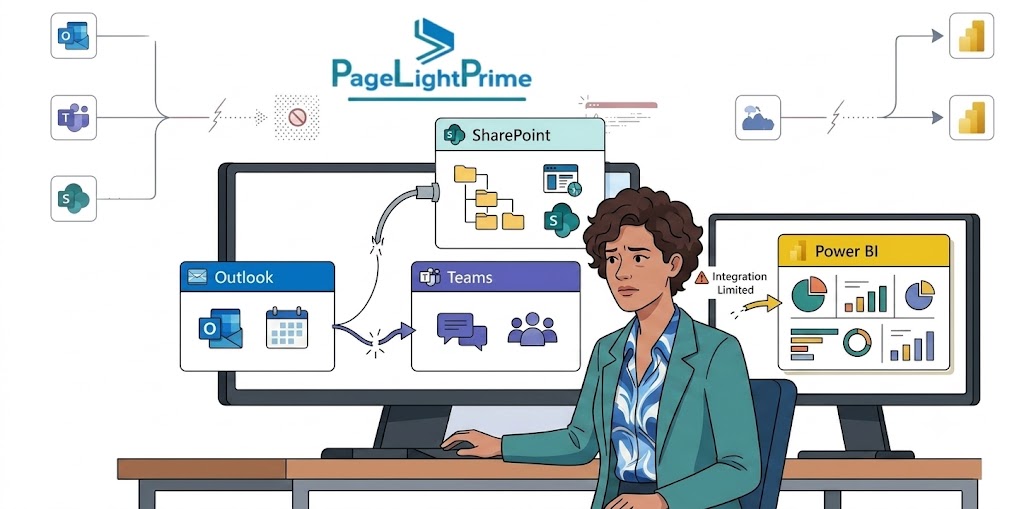
4. Security, Users, and Change Management
Migration projects should also address:
- User role mapping
- Permission restructuring
- Identity provider integration
- Microsoft Entra ID alignment
- Training plans
- Adoption planning
Many legal technology projects fail because organizations underestimate change management requirements.
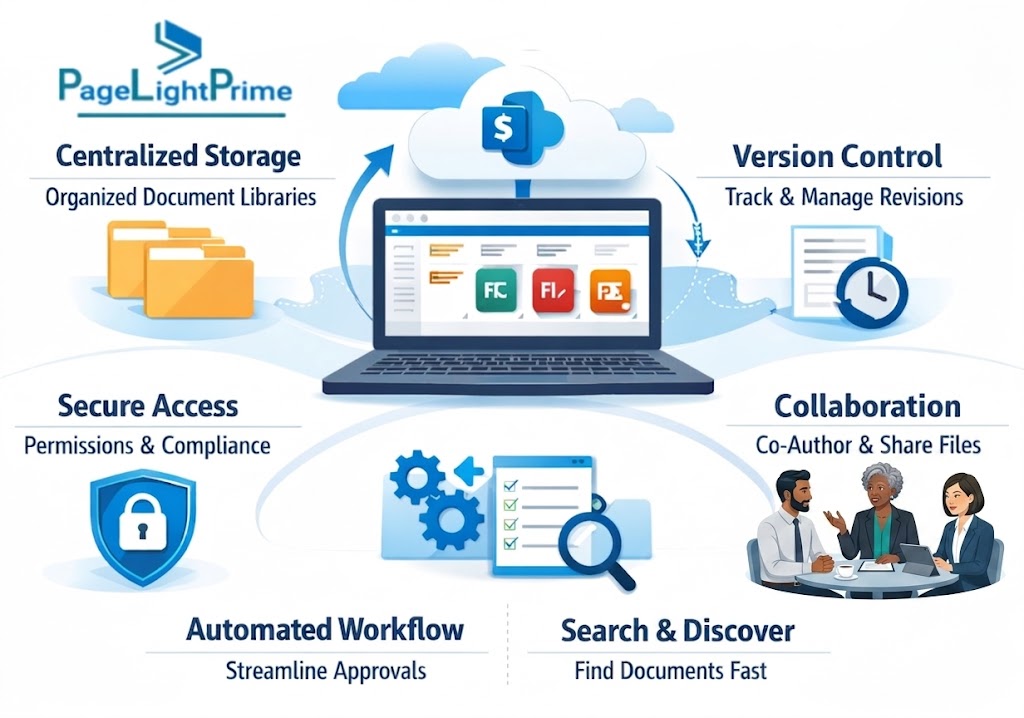
Evaluation Checklist for LEAP Alternatives
Before selecting a replacement platform, law firms should evaluate the following areas.
Document Management Strategy
- Where are documents stored?
- Who owns the repository?
- Is version control preserved?
- Are retention policies configurable?
- Is metadata structured for search and AI?
Security and Compliance
- Does the platform integrate with Microsoft Entra ID?
- Are audit logs available?
- How are permissions managed?
- Does it support compliance initiatives?
- Can governance policies be enforced?

Billing and Trust Accounting
- Does it support trust accounting?
- Does it support LEDES billing?
- Can it handle multi-payor billing?
- Are reconciliation processes automated?
AI and Future Readiness
- Can AI safely access legal data?
- Does it support Retrieval-Augmented Generation (RAG)?
- Can it support secure legal assistants?
- Does it integrate with Microsoft Copilot?
Architecture Alignment
- Is the platform standalone SaaS?
- Does it integrate with enterprise platforms?
- Does it leverage Microsoft 365 investments?
- Will it simplify or increase IT complexity?

How to Choose the Right LEAP Alternative
Selecting a replacement for LEAP Legal Software requires more than comparing features. Firms should evaluate how each platform aligns with operational, financial, compliance, and technology requirements
1. Matter Management
Evaluate:
- Client management
- Matter tracking
- Workflow management
- Calendar integration
- Task management
- Reporting capabilities
Strong matter management improves efficiency and visibility across the firm.

2. Legal Accounting
Evaluate:
- Billing workflows
- Financial reporting
- Accounts receivable
- Budget management
- Multi-payor billing
Legal accounting capabilities directly impact profitability and compliance.
3. Trust Accounting
Evaluate:
- Trust ledgers
- Three-way reconciliation
- Audit trails
- Compliance reporting
- Client fund management
Trust accounting remains a critical requirement for many jurisdictions.

4. Document Management
Evaluate:
- Version control
- Search capabilities
- Metadata management
- Security controls
- Retention policies
- Governance features
Document management often becomes the deciding factor in software selection.
5. Microsoft 365 Integration
Evaluate:
- Outlook integration
- Word integration
- Teams integration
- SharePoint Online integration
- Microsoft Entra ID support
- Microsoft Copilot readiness
Microsoft-native platforms can significantly reduce technology complexity.

6. Security and Compliance
Evaluate:
- Access controls
- Multi-factor authentication
- Audit logging
- Data governance
- Compliance reporting
Security should be evaluated alongside operational functionality.
7. AI Readiness
Evaluate:
- AI search capabilities
- Copilot compatibility
- RAG support
- Knowledge extraction
- Matter intelligence
AI readiness is becoming a strategic requirement rather than an optional feature.

8. Vendor Support
Evaluate:
- Support availability
- Response times
- Training programs
- Customer success services
- Product roadmap transparency
Long-term success depends heavily on vendor partnership quality.
9. Implementation Complexity
Evaluate:
- Migration effort
- Configuration requirements
- Training requirements
- Internal resource needs
- Deployment timeline
Understanding implementation requirements helps reduce project risk.

10. Total Cost of Ownership
Evaluate:
- Subscription costs
- Implementation costs
- Training costs
- Support costs
- Integration costs
- Future scalability costs
The lowest upfront cost is not always the lowest long-term cost.

LEAP Alternative Evaluation Scorecard
| Evaluation Area | Importance |
|---|---|
| Matter Management | Critical |
| Legal Accounting | Critical |
| Trust Accounting | Critical |
| Document Management | Critical |
| Microsoft 365 Integration | High |
| Security and Compliance | Critical |
| AI Readiness | High |
| Vendor Support | High |
| Implementation Complexity | High |
| Total Cost of Ownership | Critical |
“
Final Conclusion: Choosing the Right LEAP Alternative in 2026
LEAP Legal Software remains a respected and widely adopted legal practice management platform that delivers matter management, billing, accounting, trust accounting, and document automation capabilities.
However, law firms evaluating LEAP alternatives in 2026 are increasingly driven by three major strategic trends:
- Moving toward Microsoft 365-native architectures
- Strengthening document governance and data ownership
- Preparing legal operations for AI-driven workflows
Platforms such as PageLightPrime represent this next generation of legal technology by embedding legal workflows directly within Microsoft 365 environments.

This enables firms to unify:
- Legal practice management
- Legal billing
- Trust accounting
- Document intelligence
- Enterprise security
- Compliance and governance
- AI-ready knowledge management
The future of legal technology is increasingly moving away from isolated systems and toward integrated enterprise platforms that combine legal operations with the broader business technology ecosystem.
For law firms already invested in Microsoft 365, this represents a significant strategic advantage. Rather than replacing the technology foundation they already trust, they can extend it with legal-specific capabilities that support growth, governance, compliance, and AI-powered innovation for years to come.

“
FAQ: Frequently Asked Questions
Is PageLightPrime a replacement for LEAP?
Yes. PageLightPrime provides legal practice management, billing, trust accounting, document management, and workflow automation while leveraging Microsoft 365-native architecture.
Can Microsoft 365 replace legal practice management software?
No. Microsoft 365 provides collaboration, document management, identity management, and compliance tools, but it does not include legal-specific capabilities such as matter management, billing, and trust accounting. Platforms such as PageLightPrime extend Microsoft 365 to provide these legal workflows.
What should law firms consider before switching from LEAP?
Law firms should evaluate:
- Document migration complexity
- Billing continuity
- Trust accounting requirements
- User adoption
- Security and compliance
- Integration requirements
Which LEAP alternative is best for enterprise law firms?
Enterprise law firms typically prioritize governance, scalability, and compliance. PageLightPrime and NetDocuments-based architectures are often strong candidates for enterprise environments.
What Is the Best LEAP Alternative for Microsoft 365 Law Firms?
For firms heavily invested in Microsoft 365, PageLightPrime is one of the strongest alternatives available.
Because it is built around:
- Microsoft Outlook
- Microsoft Word
- Microsoft Teams
- SharePoint Online
- Microsoft Entra ID
- Microsoft Purview
- Microsoft Copilot
law firms can extend existing investments rather than maintaining a separate technology stack.
Best LEAP alternative for Microsoft 365 firms: PageLightPrime.
Which LEAP Alternative Offers Built-In Trust Accounting?
Several platforms offer trust accounting capabilities, but the depth of functionality varies.
| Platform | Trust Accounting |
| PageLightPrime | Yes |
| LEAP | Yes |
| Clio | Yes |
| Smokeball | Limited |
| PracticePanther | Limited |
| NetDocuments | No |
For firms requiring integrated trust accounting and legal billing, PageLightPrime and LEAP are often the strongest options.
Can LEAP Documents Be Migrated to SharePoint Online?
Yes.
A typical migration includes:
- Document extraction
- Folder mapping
- Metadata migration
- Permission migration
- Search validation
When migrating into PageLightPrime, documents are typically stored in SharePoint Online where firms can leverage governance, retention policies, Microsoft Search, and Microsoft Copilot.
Which LEAP Alternative Is Best for Insurance Defense Firms?
Insurance defense firms often require:
- LEDES billing
- UTBMS coding
- Multi-payor billing
- Litigation workflow management
- Budget tracking
- Carrier reporting
PageLightPrime is particularly well suited for insurance defense practices because it combines legal practice management with LEDES billing, UTBMS support, trust accounting, SharePoint-based document management, and Microsoft 365 integration.
Which LEAP Alternative Supports LEDES Billing?
LEDES billing remains essential for many insurance defense and corporate legal practices.
| Platform | LEDES Support |
| PageLightPrime | Yes |
| LEAP | Limited |
| Clio | Limited |
| Smokeball | Limited |
| PracticePanther | Limited |
| NetDocuments | No |
PageLightPrime supports:
- LEDES 1998B
- LEDES 1998BI
- LEDES XML formats
- UTBMS coding
- Insurance defense workflows
Which LEAP Alternative Provides the Best Document Governance?
For firms prioritizing governance, compliance, retention management, and AI readiness, PageLightPrime and NetDocuments are among the strongest options.
PageLightPrime leverages:
- SharePoint Online
- Microsoft Purview
- Microsoft Entra ID
- Microsoft Search
- Microsoft Copilot
to create a governance-centric legal platform while retaining integrated practice management functionality.