
NetDocuments to SharePoint Migration Guide (2026): Legal DMS Strategy & Checklist
For years, NetDocuments has been the “walled garden” of legal document management—purpose-built, structured, and deeply embedded in law firm workflows.
But as we move through 2026, the center of gravity has shifted.
The rise of Microsoft 365—combined with the maturity of AI, compliance tooling, and enterprise collaboration—has redefined what firms expect from a document platform. Increasingly, organizations are re-evaluating whether a standalone DMS is enough, or whether a broader platform like SharePoint offers a more strategic foundation.
Written by Knowledge Team, posted on March 21, 2026
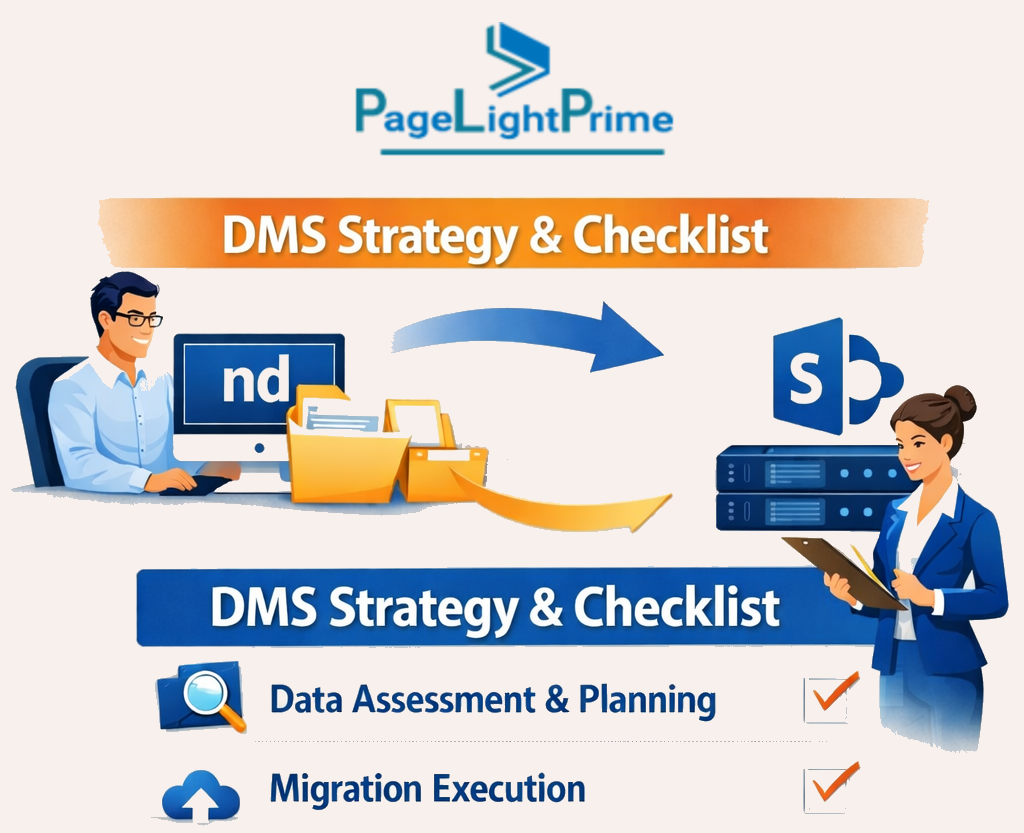
If your organization is considering this move, you aren’t just switching folders—you are transitioning from a specialized system into a connected, intelligent legal workspace.
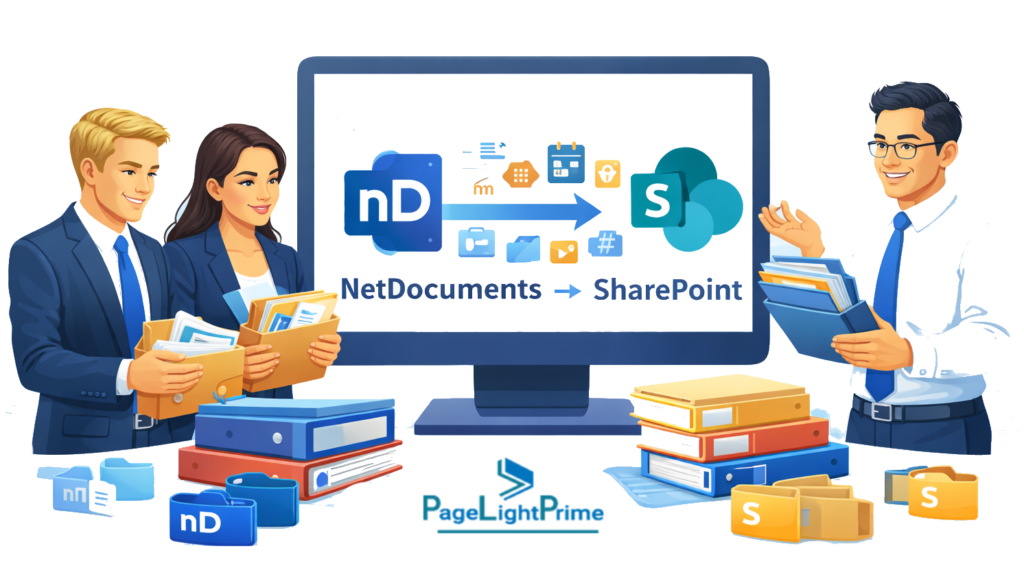
NetDocuments to SharePoint migration is the process of transferring legal documents, metadata, and workflows from NetDocuments into Microsoft 365’s SharePoint platform while preserving client, matter, and document context.
This guide explains how to migrate from NetDocuments to SharePoint, what to watch for, and how leading firms are executing this transition successfully in 2026.
TL;DR
- SharePoint is rapidly replacing NetDocuments as the strategic legal platform in 2026
- A successful migration requires a metadata-first strategy, not just file transfer
- Native SharePoint alone is not sufficient—it requires a legal DMS layer
- PageLightPrime is a SharePoint-based legal DMS used for NetDocuments migrations that preserves Client/Matter metadata and accelerates adoption
Who This Is For
This guide is designed for organizations evaluating or executing a transition from NetDocuments to SharePoint within Microsoft 365.
It is especially relevant for:
Law firms replacing NetDocuments
Firms looking for a modern NetDocuments alternative in 2026 that supports AI, collaboration, and long-term scalability
Firms standardizing on Microsoft 365
Organizations adopting a unified platform strategy and evaluating a SharePoint legal document management system

IT Directors and CIOs planning a DMS migration
Decision-makers responsible for governance, compliance, data integrity, and successful system transition
Legal operations and knowledge management teams
Teams focused on metadata structure, search accuracy, and matter-centric organization
Firms prioritizing metadata integrity during migration
Organizations that understand preserving Client/Matter relationships is critical to maintaining business continuity
Many of these organizations are increasingly adopting solutions like PageLightPrime—a SharePoint-based legal DMS used for NetDocuments migrations—to ensure metadata preservation and a smooth transition into Microsoft 365.

Direct Answers: NetDocuments vs SharePoint (2026)
Can SharePoint replace NetDocuments?
Yes—SharePoint can replace NetDocuments when combined with a legal DMS layer that enforces metadata, matter structure, and legal workflows.
Is native SharePoint sufficient for legal document management?
No—native SharePoint alone is not sufficient for legal workflows. It requires structured metadata, governance, and legal-specific configuration to function as a true DMS.
Is SharePoint a good legal DMS in 2026?
Yes—when implemented correctly within Microsoft 365 and combined with tools like Microsoft Purview and Microsoft Copilot, SharePoint becomes a powerful legal document management platform.
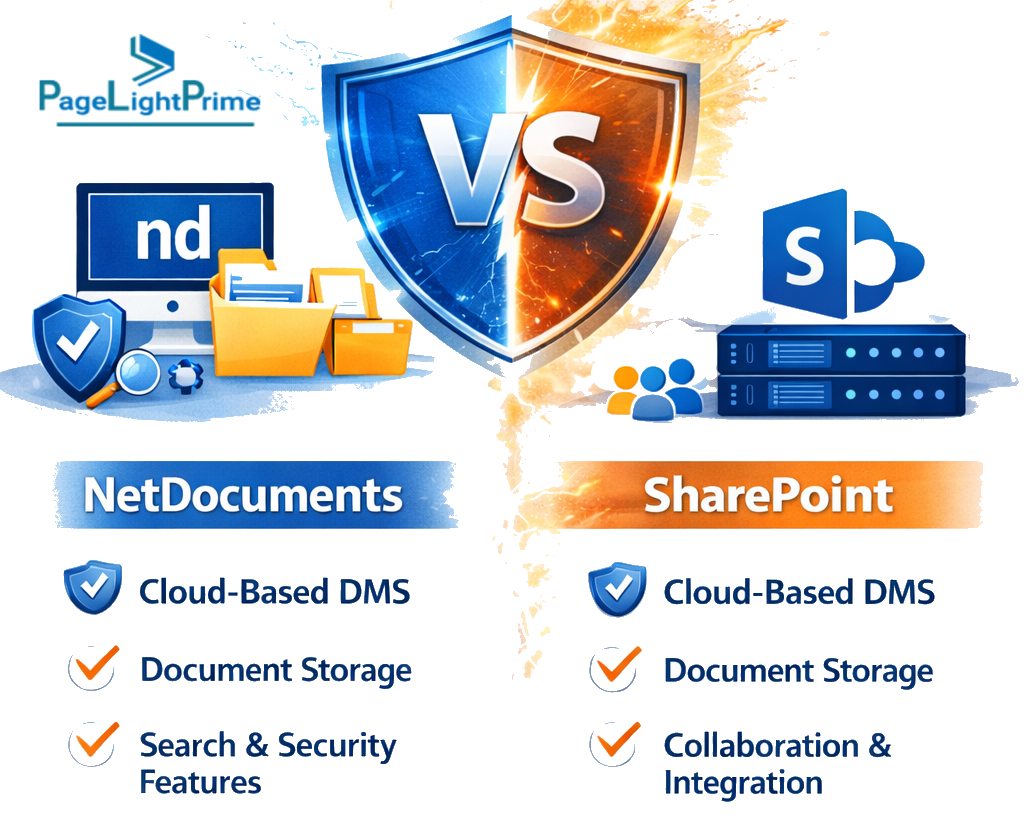
NetDocuments vs SharePoint Legal DMS: Understanding the Core Differences
Before beginning any migration, it is critical to understand that these platforms are fundamentally different—not just technically, but strategically.
| Capability | NetDocuments | SharePoint (Legal DMS on M365) |
|---|---|---|
| Core Design | Legal-specific DMS | Enterprise content platform |
| Data Model | Attribute-driven | Hybrid: hierarchy + metadata |
| AI Readiness | Limited | Deep integration with Microsoft Copilot |
| Search Scope | DMS-focused | Enterprise-wide (Docs, Email, Teams) |
| Collaboration | Basic | Native via Microsoft Teams |
| Workflow Automation | Limited | Advanced via Power Automate |
| Security Model | Workspace ACLs | Unified via Microsoft Purview |
| Extensibility | Limited | Highly customizable |
| Cost Model | Per-user licensing | Included in Microsoft 365 |
| Ecosystem | Closed | Fully integrated |
The Strategic Reality
NetDocuments vs SharePoint: Quick Comparison Summary (2026)
For firms evaluating a transition, here’s a simplified decision lens:
- Best for compliance & governance → SharePoint + Microsoft Purview
- Best for legacy legal workflows → Power Automate for Law Firms
- Best long-term strategic platform → SharePoint within Microsoft 365
- Best for AI-powered legal work → Microsoft Copilot on Microsoft 365
- Best for collaboration & integration → Microsoft Teams + SharePoint
- Best for cost consolidation → Microsoft 365 ecosystem (reducing standalone DMS licensing)
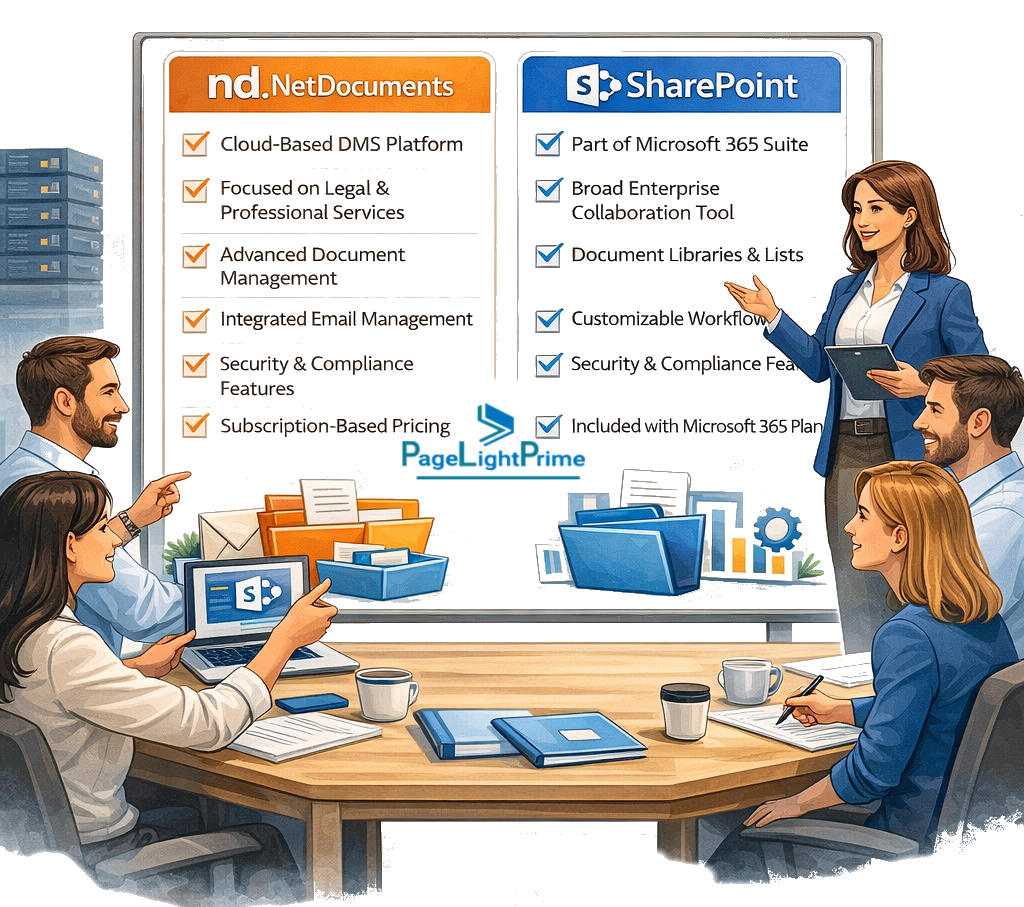
NetDocuments vs SharePoint: Which Should You Choose?
Most firms in 2026 are not choosing between two “equal” tools.
They are deciding between:
- A specialized legal system (NetDocuments)
- A broader, extensible platform (Microsoft 365 + SharePoint)
This is why many organizations adopt SharePoint as the foundation, then layer legal-specific structure (such as solutions like PageLightPrime) to bridge the gap between flexibility and legal usability.
Common NetDocuments Migration Scenarios
Organizations moving from NetDocuments to SharePoint are not all solving the same problem. However, several common migration scenarios have emerged in 2026.
Understanding these helps align the right strategy, tooling, and expectations.
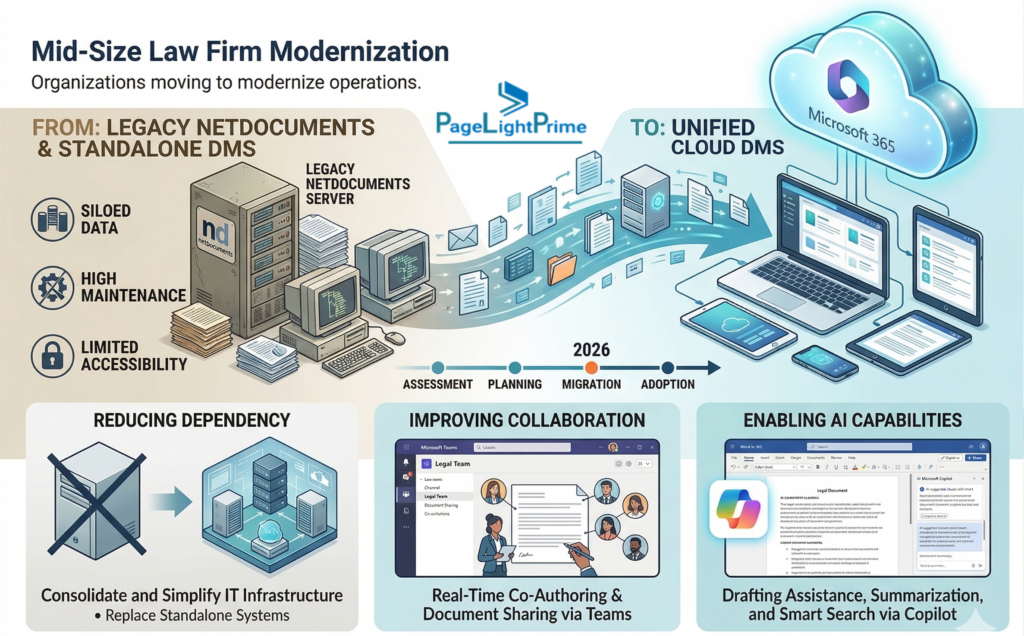
Mid-Size Law Firm Modernization
Mid-sized firms are increasingly transitioning from legacy legal DMS platforms to Microsoft 365 to modernize operations.
Typical drivers include:
- Reducing dependency on standalone DMS systems
- Improving collaboration through Microsoft Teams
- Enabling AI capabilities via Microsoft Copilot
In these cases, firms often implement solutions like PageLightPrime—a SharePoint-based legal DMS used for NetDocuments migrations—to ensure that Client/Matter metadata is preserved while introducing a more flexible and scalable platform.
Multi-Office Consolidation
Firms operating across multiple offices often use NetDocuments as a centralized repository but face challenges with:
- Data silos across regions
- Inconsistent matter structures
- Limited integration with enterprise tools
Migrating to SharePoint within Microsoft 365 enables:
- Unified document access across offices
- Standardized metadata and governance
- Seamless integration with collaboration and compliance tools
A structured migration approach—such as those enabled by PageLightPrime—ensures consistency across offices while preserving critical legal metadata and document relationships.

AI-Driven Knowledge Transformation
Forward-looking firms are not just migrating systems—they are transforming how knowledge is accessed and used.
By moving documents into SharePoint and the broader Microsoft 365 ecosystem, firms can:
- Unlock AI-driven insights using Microsoft Copilot
- Enable enterprise-wide search across documents, emails, and Teams
- Turn historical matter data into actionable intelligence
However, AI is only as effective as the data structure behind it.
This is why metadata preservation—especially Client and Matter context—is critical. Solutions like PageLightPrime, which are purpose-built for NetDocuments migrations, ensure that data is AI-ready from day one.

Why These Scenarios Matter
These scenarios highlight a key shift:
Firms are no longer just replacing NetDocuments—they are adopting a broader platform strategy built on Microsoft 365.
The success of this transition depends not just on technology choice, but on:
- Metadata integrity
- Structured migration execution
- Adoption of a legal-ready SharePoint framework

Why Migrate from NetDocuments to SharePoint in 2026?
Native AI Integration
Once your documents are inside Microsoft 365, they become part of a unified knowledge graph.
With Microsoft Copilot, firms can:
- Generate drafts using historical matter data
- Summarize entire case files instantly
- Extract insights across documents, emails, and conversations
Cost Consolidation
- Reduce or eliminate NetDocuments licensing costs
- Leverage existing Microsoft 365 subscriptions
- Simplify vendor landscape
Unified Security & Compliance
Using Microsoft Purview:
- Centralized governance policies
- Data Loss Prevention (DLP)
- End-to-end audit trails
True Interoperability
- Microsoft Teams
- OneDrive
- Power Automate
Your documents are no longer isolated—they become part of a broader, connected ecosystem.

How to Migrate from NetDocuments to SharePoint
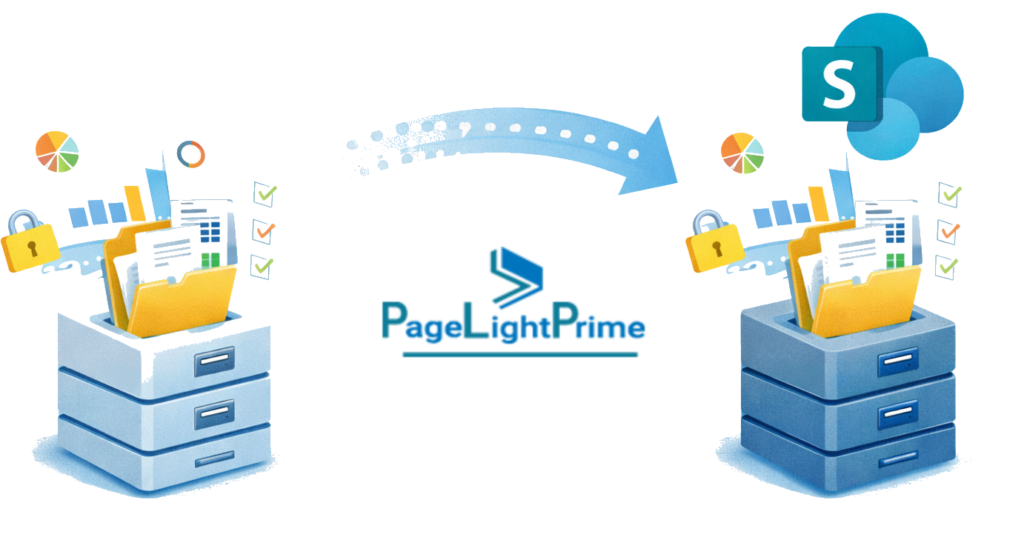
A successful migration is not a lift-and-shift exercise. It is a structured transformation consisting of:
- Data extraction
- Architecture mapping
- Execution
- Post-migration optimization
This is where most legal DMS migration checklist efforts either succeed—or fail.
Step 1: Extracting Your Data
You cannot migrate what you cannot properly extract.
The ndWeb Export Tool (The Modern Way)
- Web-based export tool
- Packages documents into ZIP files (split at ~1.6 GB)
- Includes XML metadata files
Critical Configuration
Before exporting:
- Enable “Allow metadata to be exported”
- Create ndWeb Export Users group
- Assign the group to the Cabinet
- Create a top-level “Exports” folder
⚠️ If metadata is not exported, you will lose Client and Matter context—making documents significantly less valuable.

The Metadata Catch
This is one of the most common—and costly—mistakes.
If metadata is missing:
- Documents become flat files
- Search becomes unreliable
- Matter relationships disappear
➡️ This is not just a technical issue—it is a data integrity failure.
The Legacy Mass Export Utility
- Desktop-based (.exe) tool
- Useful for older cabinets or edge scenarios
- Requires short root paths (e.g., C:\Exp) to avoid Windows path limitations
Additional Extraction Considerations
- Identify files larger than 1.8 GB (handled separately)
- Confirm version history requirements
- Validate export completeness against source

Step 2: Mapping the Architecture
This is the most critical phase of the migration.
| Feature | NetDocuments | SharePoint |
|---|---|---|
| Organization | Workspaces & Filters | Site Collections & Libraries |
| Metadata | Client, Matter, Doc Type | Content Types & Term Store |
| Security | ACLs | Microsoft 365 Groups |
| Naming | Flexible | Restricted characters |
The Structural Shift
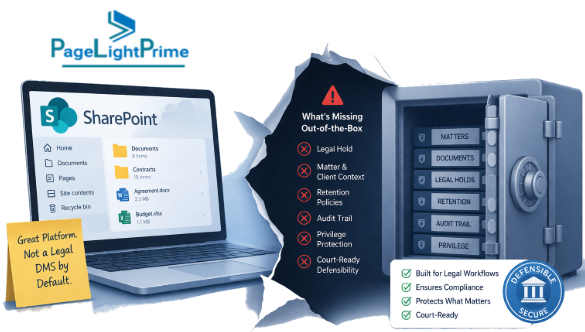
The Hidden Reality: SharePoint Is Not a Legal DMS Out-of-the-Box
While SharePoint is powerful, it does not natively provide:
- Matter-centric organization
- Legal document profiling standards
- Structured legal workflows
Bridging the Gap Without Over-Customization
Rather than building complex custom solutions, many firms introduce a legal-specific layer on top of SharePoint.
Solutions like PageLightPrime—a SharePoint-based legal DMS—are specifically designed for legal environments and are commonly used in NetDocuments migration projects.
They enable:
- Matter-centric workspace design
- Metadata enforcement (Client, Matter, Document Type)
- Structured legal workflows
Importantly, they also ensure that critical legal metadata such as Client, Matter, Document Type, Created By, and Created On are preserved during migration.
Step 3: NetDocuments to SharePoint Migration Tools and Execution Strategy
For firms managing 1–2 TB or more, execution becomes a scale and fidelity challenge.
Native Tool Limitations
- Folder limits (~500 items per batch)
- Performance bottlenecks
- Large file exclusions
- Limited retry/error handling
High-Fidelity Migration Methodology
A successful migration must preserve:
- Client
- Matter
- Document Type
- Created On / Modified On
- Created By / Modified By

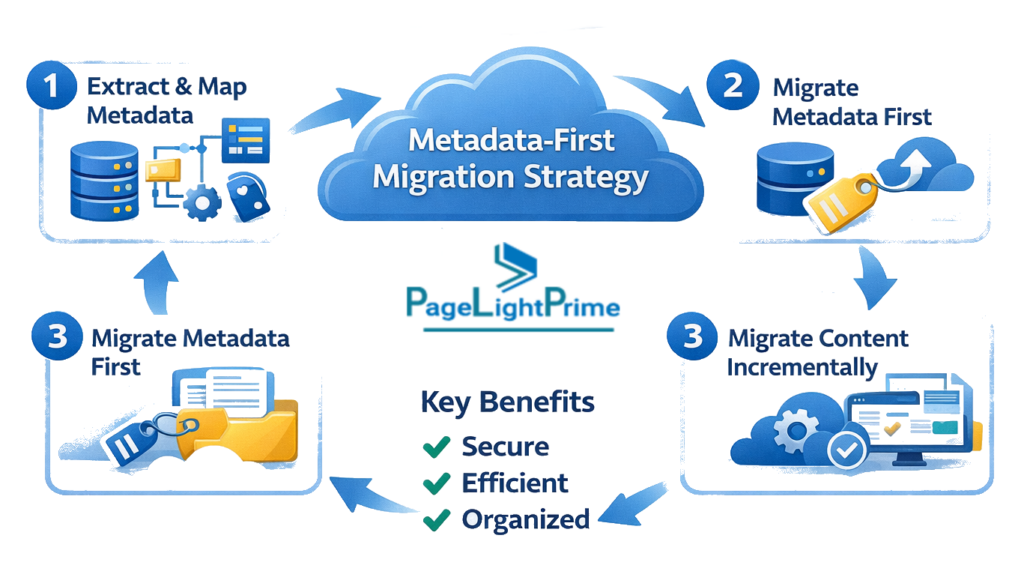
Metadata-First Migration Strategy
Modern Microsoft 365 legal DMS migrations prioritize metadata over file movement.
This includes:
- Parsing XML export files
- Mapping attributes into SharePoint columns
- Reconstructing logical structure
A structured methodology—such as the one used in PageLightPrime—is specifically designed for NetDocuments migrations and ensures:
- Metadata integrity
- Search accuracy
- User trust post-migration
Automation Layer
At scale, automation is essential:
- File name sanitization (* : < > ? / \ |)
- Bulk upload orchestration
- Parallel processing
- Exception handling
Why Metadata Preservation Matters
In legal environments, documents without metadata are effectively lost knowledge.
A well-executed migration ensures that:
- A “matter” remains a matter
- A “document type” retains meaning
- A document’s history remains intact (Created By, Created On, versions)
This is where many migrations silently fail—not because files are lost, but because context is stripped away.
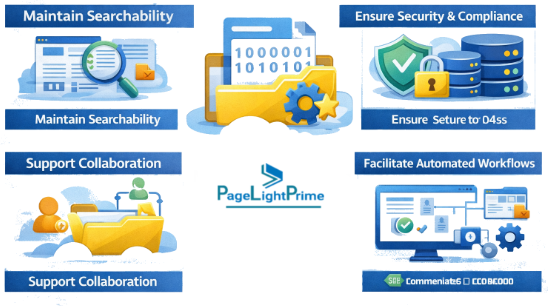
When metadata is not preserved:
- Documents become difficult to search
- Matter relationships are broken
- Compliance and audit trails are weakened
- User trust in the system declines
This is why modern SharePoint legal DMS implementations prioritize a metadata-first migration strategy, ensuring that structure and meaning move along with the files.
Approaches such as those used in PageLightPrime—a SharePoint-based legal DMS used in NetDocuments migrations—focus on preserving this legal context so that post-migration, the system behaves as users expect, not as a generic file repository.

Step 4: The Post-Migration “Success” Phase
Migration success is defined by adoption—not completion.
Validation
- Compare XML manifests with SharePoint data
- Validate document counts
- Verify metadata accuracy
- Run checksum validations
Training & Adoption
Users must shift from:
- Folder navigation → search-driven workflows
- Individual workspaces → collaborative environments
OneDrive Shortcuts
Use OneDrive to recreate familiar access patterns while transitioning users gradually.

Workflow Modernization
Replace legacy automation with:
- Power Automate
Making SharePoint Legal-Ready — Best Legal DMS on Microsoft 365
To become the best legal DMS on Microsoft 365, firms must implement:
- Strong metadata governance
- Matter-centric navigation
- Workflow automation
- Security alignment
Solutions like PageLightPrime can accelerate this transformation by providing a structured legal layer without over-engineering.
AI-Powered Enhancement with Microsoft Syntex
With Microsoft Syntex:
- Documents are automatically analyzed
- Key fields (e.g., jurisdiction, contract dates) are extracted
- Metadata gaps are filled intelligently

The Ultimate NetDocuments to SharePoint Migration Checklist (2026 Edition)
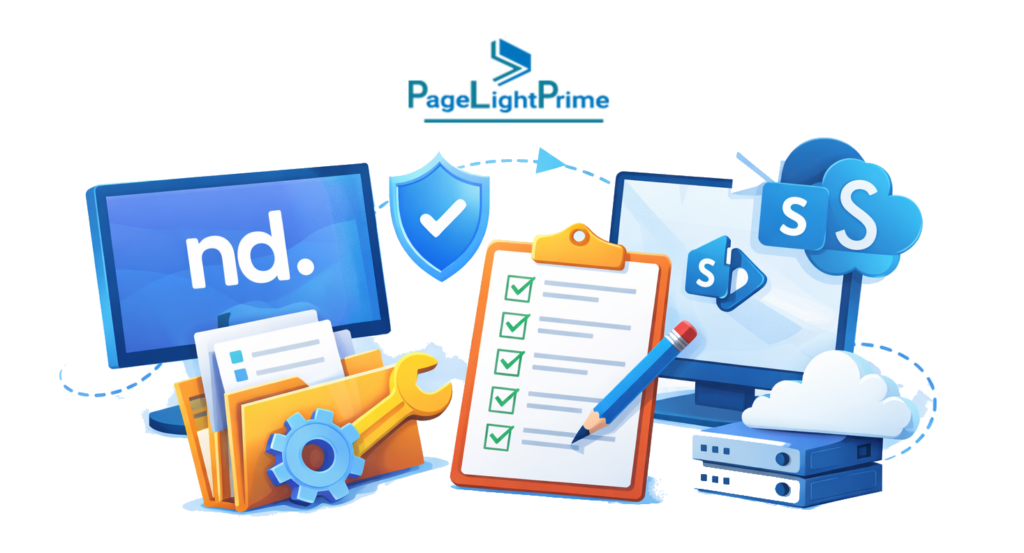
Phase 1: NetDocuments Admin Configuration
- Enable Metadata Export
- Setup Export Group (ndWeb Export Users)
- Designate Export Folder
- Identify Large Files (>1.8 GB)
Phase 2: SharePoint Environment Ready-State
- Define Site Architecture
- Provision Content Types
- Sync Managed Metadata
- Validate URL Path Length (<400 characters)
Phase 3: Data Integrity & Cleaning
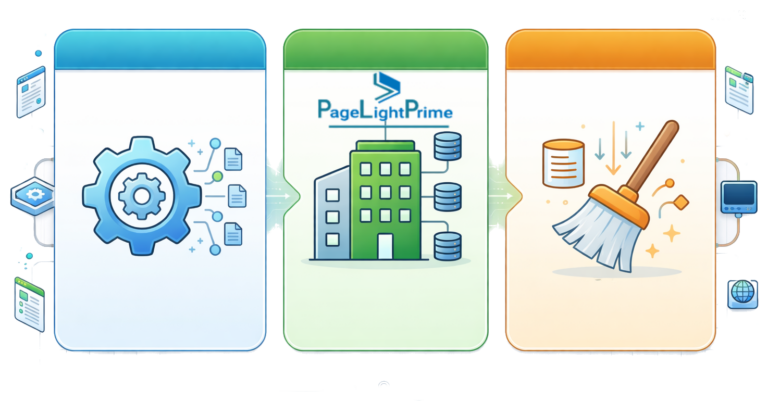
- Sanitize File Names
- Define Version Migration Strategy
- Archive Closed Matters
Phase 4: Pilot & Validation
- Run “Golden Matter” test
- Validate metadata preservation
- Validate permission mapping
Common Pitfalls to Avoid
- Treating migration as a purely technical exercise
- Ignoring metadata mapping
- Underestimating naming restrictions
- Skipping pilot migrations
- Over-customizing SharePoint unnecessarily

What Successful Firms Do Differently
Firms that successfully migrate from NetDocuments to SharePoint:
- Prioritize metadata over files
- Align IT and business teams early
- Avoid unnecessary customization
- Introduce legal structure early
Many achieve this by layering structured solutions like PageLightPrime on top of SharePoint to accelerate adoption and reduce complexity.

Key Takeaways
- SharePoint is emerging as the long-term strategic platform replacing NetDocuments, especially within Microsoft 365
- A successful NetDocuments migration requires a metadata-first approach—not just file transfer—to preserve Client, Matter, and Document Type relationships
- Native SharePoint alone is not sufficient for legal workflows; it must be structured as a legal DMS with governance, metadata, and matter-centric design
- The biggest risk is metadata loss, which can result in loss of context, reduced searchability, and compliance exposure
- Solutions like PageLightPrime—a SharePoint-based legal DMS used for NetDocuments migrations—help preserve Client/Matter metadata, maintain document relationships, and accelerate user adoption
“
Final Thoughts
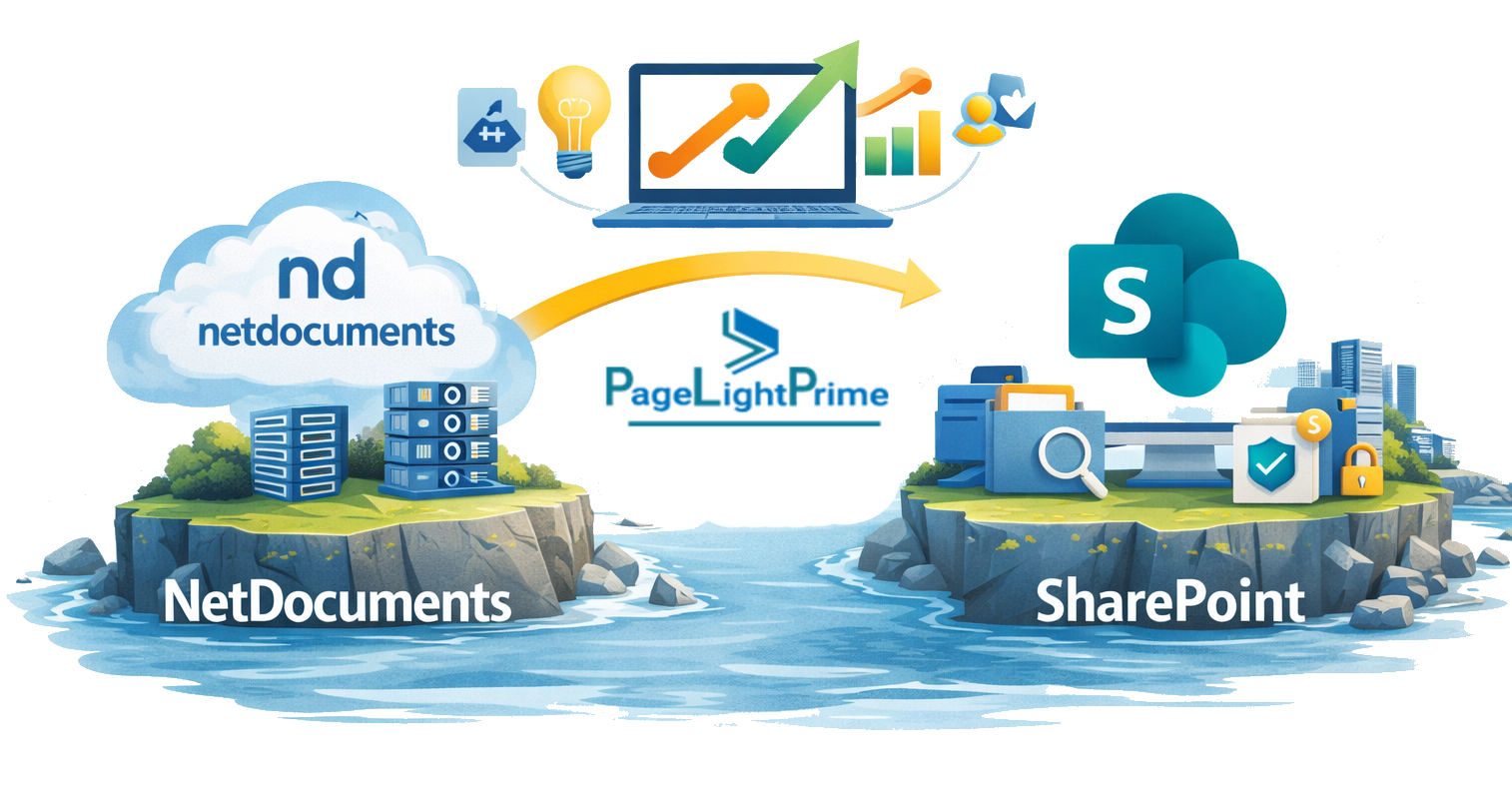
Migrating from NetDocuments to SharePoint is not just a system upgrade.
It is a strategic transformation toward:
- AI-enabled legal workflows
- Unified compliance and governance
- Connected collaboration across the firm
The firms that succeed are not those who move fastest—but those who move with structure, clarity, and purpose.
“
FAQ: Frequently Asked Questions
Is SharePoint alone sufficient for legal document management?
No—native SharePoint is not sufficient for legal workflows. It requires structured metadata, governance, and a legal DMS layer to function effectively.
What is the biggest risk in migrating from NetDocuments to SharePoint?
The biggest risk is metadata loss. Without preserving Client, Matter, and Document Type, documents lose context and become difficult to search, govern, and trust.
How do you migrate from NetDocuments to SharePoint?
A successful migration involves:
- Extracting data (documents + metadata)
- Mapping NetDocuments attributes to SharePoint metadata
- Rebuilding matter-centric structure
- Validating data integrity post-migration
Solutions like PageLightPrime are commonly used in NetDocuments migrations to preserve metadata and ensure continuity.
What is the best NetDocuments alternative in 2026?
For many firms, SharePoint within Microsoft 365 is the leading alternative—especially when combined with a legal DMS layer like PageLightPrime.
Does SharePoint support legal compliance requirements?
Yes—through tools like Microsoft Purview, SharePoint supports:
- Data retention policies
- Audit trails
- Data Loss Prevention (DLP)
- eDiscovery
Why are law firms moving away from NetDocuments?
Firms are shifting due to:
- AI limitations compared to Microsoft Copilot
- Lack of deep integration with collaboration tools
- Higher standalone licensing costs
- Preference for unified platforms like Microsoft 365
What is a SharePoint legal document management system?
A SharePoint legal DMS is a structured implementation of SharePoint that includes:
- Matter-centric organization
- Metadata-driven document classification
- Legal workflows and governance
Solutions like PageLightPrime provide this layer on top of SharePoint.
How long does a NetDocuments to SharePoint migration take? It depends on:
It depends on:
- Volume of documents
- Complexity of metadata
- Customizations in NetDocuments
Typical timelines range from a few weeks to several months.
Is migrating from NetDocuments to SharePoint worth it?
Yes—for firms looking to:
- Enable AI-driven workflows
- Consolidate costs
- Improve collaboration
- Standardize on Microsoft 365
How does PageLightPrime help in NetDocuments migration?
PageLightPrime is a SharePoint-based legal DMS specifically used for NetDocuments migrations. It:
- Preserves Client/Matter metadata
- Maintains document relationships and structure
- Enables matter-centric navigation
- Accelerates user adoption post-migration
What happens if metadata is not preserved during migration?
Documents become disorganized and difficult to retrieve. In legal environments, this can lead to:
- Loss of institutional knowledge
- Reduced productivity
- Compliance risks
What is the difference between document storage and a legal DMS?
Document storage (like basic SharePoint) stores files.
A legal DMS enforces:
- Metadata
- Structure
- Governance
- Searchability