
Microsoft 365 Copilot for Law Firms: How to Prepare SharePoint
Artificial intelligence is changing how law firms search, analyze, summarize, and work with information. With Microsoft 365 Copilot, legal professionals can interact with information across the Microsoft 365 environment using natural language instead of relying entirely on traditional searches, folders, and manual document review.
For law firms already using Microsoft 365 and SharePoint, this creates a significant opportunity.
Law firms exploring Microsoft 365 Copilot should first understand the broader role of AI in legal document management. Our guide to AI-powered legal document management with SharePoint explains how matter-centric document management, metadata, permissions, workflows, and AI can work together in a modern legal environment.
But there is an important question firms should answer before rolling out AI.
Written by Knowledge Team, posted on September 09, 2026

Who Is This Guide For
This guide is intended for:
- Law firm managing partners
- CIOs and IT leaders
- Knowledge-management teams
- Legal operations teams
- Records and information-governance professionals
- Microsoft 365 administrators
- Attorneys evaluating AI adoption

Is Your SharePoint Environment Ready for Copilot?
Microsoft 365 Copilot does not magically transform poorly organized legal data into reliable answers. The quality, structure, permissions, and governance of the underlying content matter. Microsoft recommends organizations review SharePoint sharing settings, site ownership, inactive sites, potentially overshared content, and access controls as part of Copilot readiness.
For a law firm, this becomes even more important.
Legal teams manage confidential client documents, privileged communications, contracts, pleadings, discovery materials, research, correspondence, internal work product, and matter-specific information. A document that is incorrectly permissioned or stored in the wrong location can create both operational and security concerns.
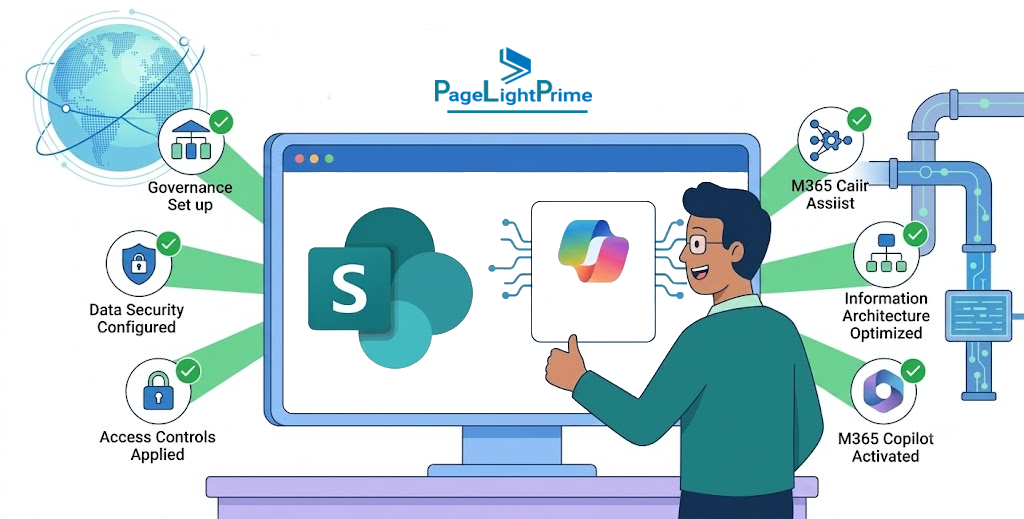
Law firms should prepare SharePoint for Microsoft 365 Copilot by auditing content, reviewing permissions, organizing documents around matters, standardizing metadata, removing outdated content, establishing ownership, protecting sensitive information, reviewing external sharing, and piloting Copilot with controlled use cases.
This guide explains how law firms can prepare SharePoint for Microsoft 365 Copilot and build a stronger foundation for AI-powered legal document management.

Identify the Right AI Opportunities for Law Firms
Preparing SharePoint is an important step, but it is only part of an effective legal AI strategy. Law firms should also determine which workflows are worth prioritizing for AI and automation.
PageLightPrime’s PASS (PageLightPrime AI Scoring System) provides a structured framework for evaluating legal workflows based on factors such as:
- Time intensity
- Manual effort
- Frequency
- Standardization
- AI/automation fit
- Business impact
The framework then adds risk assessment, economic analysis, technical feasibility, piloting, and measurement to the decision process.
For law firms evaluating Microsoft 365 Copilot, this provides a useful starting point to identify the highest-value AI opportunities first, then prepare SharePoint to support them.
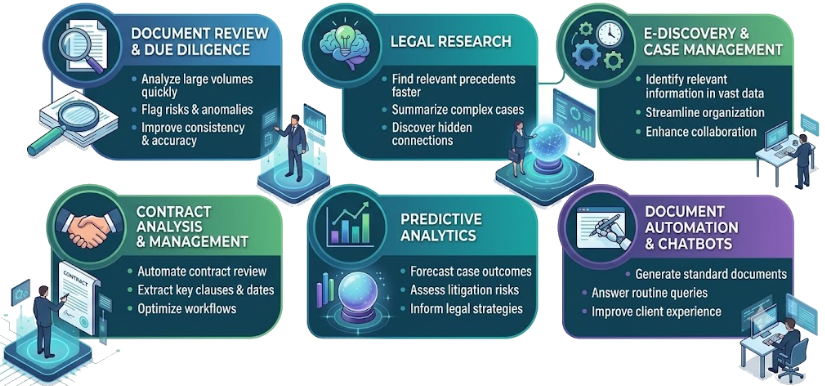
What Is Microsoft 365 Copilot?
Microsoft 365 Copilot is Microsoft’s AI assistant integrated across Microsoft 365 experiences. It can help users work with organizational information and perform tasks using natural-language interaction.
For example, users may ask questions about documents, summarize content, compare files, or generate information based on content they are authorized to access.
Copilot can work with information from Microsoft 365 services such as SharePoint, OneDrive, Teams, Outlook, Word, and other connected experiences, subject to applicable permissions, security, and compliance controls.
This is particularly relevant for law firms because so much legal work revolves around information.

An attorney might need to:
- Find a specific agreement from a large collection of matter documents
- Summarize a lengthy legal document
- Compare two versions of a contract
- Identify information across multiple documents
- Locate previous work product
- Review matter-related information
- Draft content based on existing information
- Quickly understand a collection of documents
Copilot can make these interactions more natural.
Microsoft’s SharePoint Copilot capabilities include asking questions about pages and document libraries, summarizing selected files, comparing files, creating FAQs, and supporting document-library workflows (Source: Microsoft Support).
However, there is a critical principle law firms need to understand: Copilot works with the information and access controls that already exist.
That means preparing your SharePoint environment should be considered an essential part of an AI strategy.

What Does Microsoft 365 Copilot Readiness Mean for a Law Firm?
Microsoft 365 Copilot readiness for a law firm means ensuring that SharePoint content is properly organized, permissioned, classified, governed, and maintained before AI is deployed at scale. This includes reviewing permissions, eliminating unnecessary or outdated content, standardizing metadata, establishing site ownership, protecting confidential information, and validating high-value legal workflows.
Microsoft 365 Copilot Readiness Checklist for Law Firms
| Area | What to Review | Why It Matters |
|---|---|---|
| Content | Outdated, duplicate, inactive content | Improves information quality |
| Permissions | Users, groups, guests, sharing | Prevents inappropriate discovery |
| Matter Structure | Client/matter organization | Adds legal context |
| Metadata | Document type, status, matter ID | Improves classification |
| Ownership | Site and content owners | Supports governance |
| Security | Labels, DLP, sensitive content | Protects confidential information |
| Lifecycle | Retention and archiving | Controls historical content |
| AI Governance | Training, policies, human review | Supports responsible adoption |
Before vs. After Copilot Readiness Comparison
| Before Copilot (High Risk) | AI-Ready SharePoint (Optimized) |
|---|---|
| Unclear permissions | Validated permissions |
| Duplicate documents | Structured matter information |
| Inconsistent metadata | Standardized metadata |
| Inactive sites | Governed lifecycle |
| Unclear ownership | Clear ownership |
| Fragmented matter information | Controlled AI rollout |
Microsoft 365 Copilot Readiness Scorecard
| Category | Not Ready | Partially Ready | Ready |
|---|---|---|---|
| Permissions | Unknown/broad | Under review | Validated |
| Content | Large unmanaged corpus | Cleanup underway | Governed |
| Metadata | Inconsistent | Partially standardized | Standardized |
| Ownership | Ownerless sites | Owners being assigned | Accountable owners |
| Security | Limited classification | Controls being implemented | Validated controls |
| Lifecycle | No defined process | Partially defined | Documented lifecycle |
| AI Governance | No policy | Pilot policy | Firm-wide framework |
Why SharePoint Matters for AI in Law Firms
SharePoint for law firms is often at the center of the Microsoft 365 information environment.
For law firms, it can provide a centralized location for documents, collaboration, matter information, policies, templates, knowledge resources, and other business content.
When SharePoint is well structured, AI has a stronger foundation from which to retrieve relevant information.

When SharePoint is poorly governed, however, the organization may have:
- Duplicate documents
- Outdated files
- Inconsistent naming conventions
- Incorrect permissions
- Excessive access
- Abandoned sites
- Unclear document ownership
- Inconsistent metadata
- Multiple versions of the same document
- Unstructured matter information
These problems existed before AI. Copilot simply makes the importance of solving them much more visible.
Microsoft’s current guidance emphasizes that Copilot and agents work best when organizational content is current and well governed. Its SharePoint readiness guidance specifically addresses content assessment, lifecycle management, oversharing prevention, and access controls.
For law firms, the goal should therefore not be simply to “turn on Copilot.” The goal should be to create an AI-ready legal information environment.

What Does AI-Ready SharePoint Mean for a Law Firm?
An AI-ready SharePoint environment is not necessarily one with thousands of perfectly organized files. It is an environment where important information is:
- Accessible to the right people
- Protected from unauthorized users
- Organized in a logical structure
- Identifiable through useful metadata
- Current and relevant
- Managed throughout its lifecycle
- Governed according to the firm’s policies
- Connected to appropriate legal workflows
This is particularly important for firms managing information by client, matter, practice area, document type, confidentiality level, and responsible attorney.
Before deploying Microsoft 365 Copilot broadly, firms should review these areas systematically.

12 Actionable Steps to Prepare SharePoint for Copilot
1. Audit Your SharePoint Content
The first step is understanding what you actually have. Many law firms have accumulated years of information in SharePoint, OneDrive, Teams, file shares, and other repositories.
- Some of that content may be essential.
- Some may be obsolete.
- Some may be duplicated.
- Some may no longer have a clear owner.
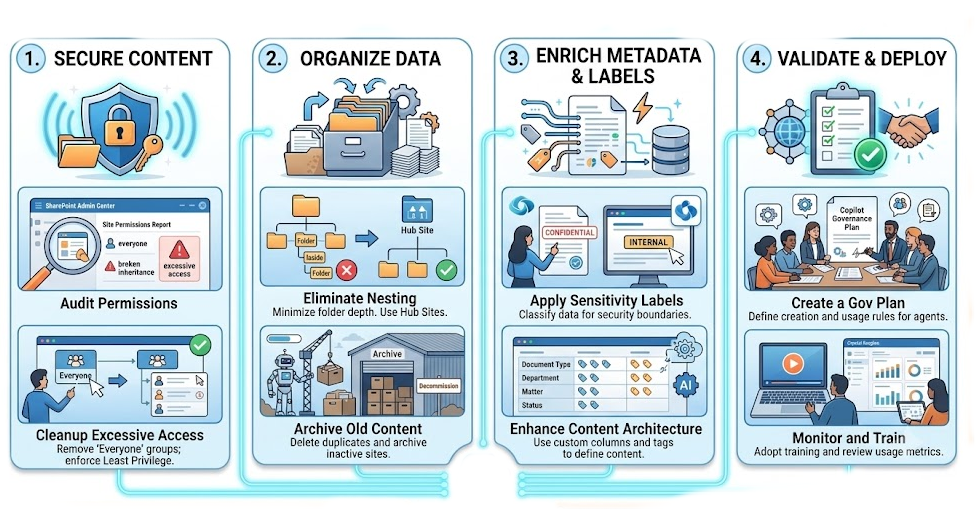
Start by identifying:
- Active matter sites
- Closed matter sites
- Department sites
- Practice-area sites
- Internal knowledge sites
- Client collaboration sites
- Document libraries
- Legacy content
- Inactive sites
- Sites without clear ownership
- Frequently accessed documents
- Sensitive or confidential content
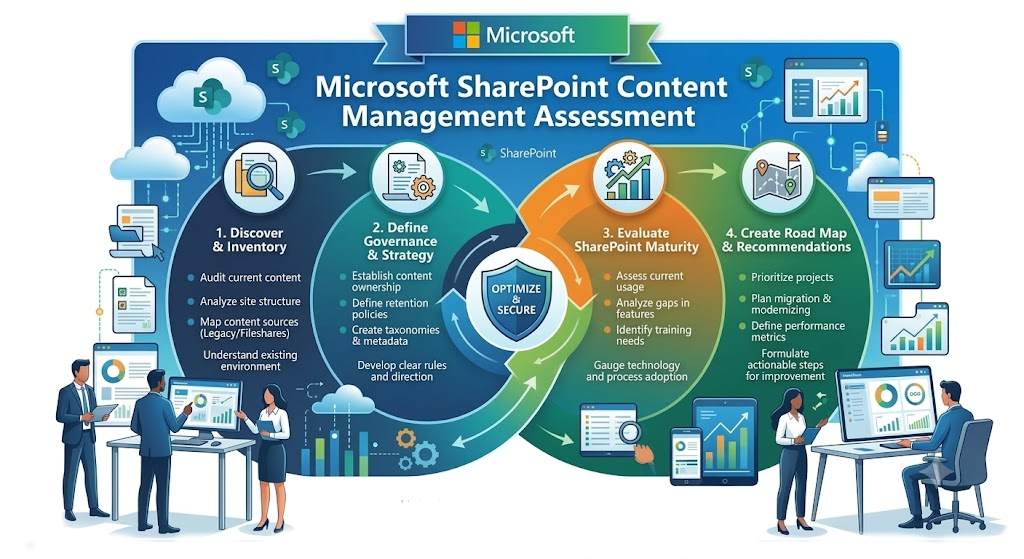
Microsoft’s SharePoint Content Management Assessment is designed to help administrators identify potentially overshared content, inactive or ownerless sites, and other governance issues that can affect Copilot readiness.
For a law firm, this assessment should be viewed as more than an IT exercise. It is an information-governance exercise. The firm should understand where its legal information lives before allowing AI tools to interact with that information at scale.
2. Review SharePoint Permissions
Permissions are one of the most important areas to address before implementing AI.
Microsoft 365 Copilot respects existing permissions. In other words, Copilot does not simply give every employee access to every document in SharePoint. But that does not mean existing permissions are automatically correct.
If an employee already has inappropriate access to a document, poor permission design can become a problem when AI makes information easier to discover.
For example, imagine a law firm has a folder containing confidential documents for Client A. Over time, someone may have granted access to a broad group such as an entire department. The files may have remained relatively difficult to discover through conventional browsing. An AI-powered search experience can make information retrieval much easier.
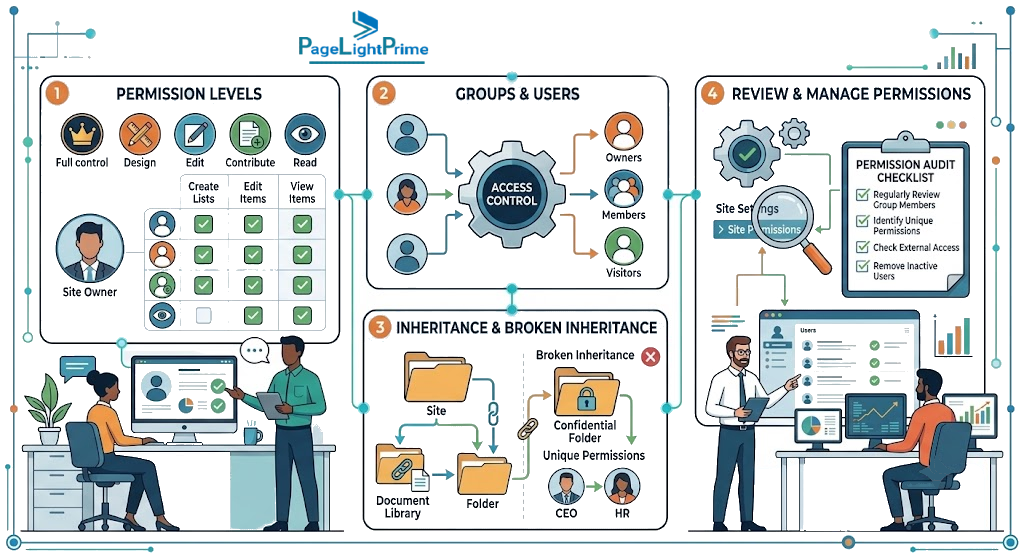
That makes permission hygiene essential. Law firms should review:
- Site-level permissions
- Library permissions
- Folder permissions
- File-level permissions
- Microsoft 365 group membership
- External sharing
- Anonymous or broadly accessible links
- Former employee access
- Guest access
- Broken permission inheritance
- Overshared sites
Microsoft specifically recommends identifying and remediating oversharing risks as part of preparing a secure foundation for Microsoft 365 Copilot.
The Guiding Principle: AI should make authorized information easier to find—not make unauthorized information easier to discover.

3. Organize Documents Around Legal Matters
Legal information should be organized according to how attorneys actually work.
A generic document repository may organize files primarily by department or year. A legal document management environment should usually consider concepts such as:
- Client
- Matter
- Matter number
- Practice area
- Document type
- Responsible attorney
- Document status
- Confidentiality
- Date
- Jurisdiction
- Retention category
For example, instead of relying on unstructured filenames such as:
Final Agreement New Version.docx
A structured environment associates explicit context with the document:
- Client: ABC Corporation
- Matter: Employment Litigation
- Matter ID: 2026-0145
- Document Type: Settlement Agreement
- Responsible Attorney: Assigned attorney
- Status: Final
This additional context makes information easier to manage and retrieve. It also creates a stronger foundation for legal workflows and AI-assisted information retrieval.

4. Standardize Metadata
Metadata is one of the most valuable components of an organized SharePoint environment. For law firms, metadata can help distinguish documents that might otherwise appear similar.
Consider two ambiguous files:
- Settlement Agreement
- Settlement Agreement – Draft
Or:
- Client Contract
- Client Contract – Previous Matter

Without context, identifying the correct document can be difficult. Useful legal metadata may include:
- Client name
- Matter name
- Matter number
- Practice area
- Document category
- Document status
- Attorney
- Legal team
- Confidentiality level
- Creation date
- Modification date
- Retention category
Standardized metadata also improves filtering, views, reporting, workflows, and document management. Microsoft’s SharePoint Copilot capabilities can use document-library information and columns to support tasks such as creating views and automating workflows.
The objective isn’t to add metadata simply because AI exists. The objective is to create meaningful structure that both people and AI can use.

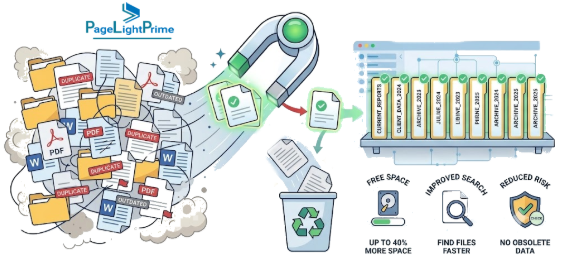
5. Clean Up Duplicate and Outdated Documents
Law firms often retain enormous amounts of historical information. Not all of it should be treated equally. A repository may contain:
- Draft documents
- Final documents
- Old templates
- Duplicate files
- Superseded policies
- Closed matter information
- Temporary working documents
- Outdated research
- Archived client material
AI systems can potentially retrieve information from available organizational content. That means firms should distinguish between information that should remain actively discoverable and information that should be archived, retained, restricted, or disposed of according to applicable policies.
Microsoft recommends lifecycle management and archiving as part of preparing SharePoint for Copilot and agents (Source: Microsoft Learn). For law firms, content lifecycle management should align with the firm’s records management, retention, and matter-closing processes.
6. Establish Clear Site Ownership
Every important SharePoint site should have accountable ownership. Ownerless or abandoned sites can create problems for both governance and security.
Firms must clearly define:
- Who owns this site?
- Which department is responsible?
- Which matters does it support?
- Who should have access?
- Is the site still active?
- What happens when the matter closes?
- Who reviews permissions?
- What is the retention requirement?
Microsoft specifically identifies valid site ownership as one of the areas organizations should address when preparing SharePoint for Copilot (Source: Microsoft Learn). A clear ownership model also makes ongoing governance easier.

7. Protect Sensitive Legal Information
Law firms cannot treat all information equally. A public marketing document and a privileged client communication have completely different risk profiles.
Sensitive legal information may include:
- Attorney-client communications
- Work product
- Litigation strategy
- M&A documents
- Employment investigations
- Client financial information
- Personal information
- Regulatory investigations
- Confidential settlement information
- Internal firm information
Microsoft 365 provides security and compliance capabilities that can be used with Copilot, including sensitivity labels and Microsoft Purview controls. Microsoft states that Copilot honors applicable security and data-protection controls (Source: Microsoft Learn).
Law firms should therefore consider how sensitive information is classified and protected before expanding AI usage.

8. Use Sensitivity Labels and DLP Where Appropriate
Sensitivity labels can help organizations classify and protect information based on its sensitivity. Data Loss Prevention (DLP) policies can provide additional controls around sensitive content.
Microsoft’s guidance for protecting Copilot grounding data includes using sensitivity labels, retention policies, and DLP controls to reduce the risk of inappropriate exposure or processing of sensitive information (Source: Microsoft Learn).
For a law firm, an information classification strategy could distinguish between categories such as:
- Public
- Internal
- Confidential
- Client Confidential
- Highly Sensitive
- Privileged
The exact classification model should be designed around the firm’s policies and applicable legal and regulatory requirements. The important point is that AI readiness should be connected to the firm’s broader information-protection strategy.

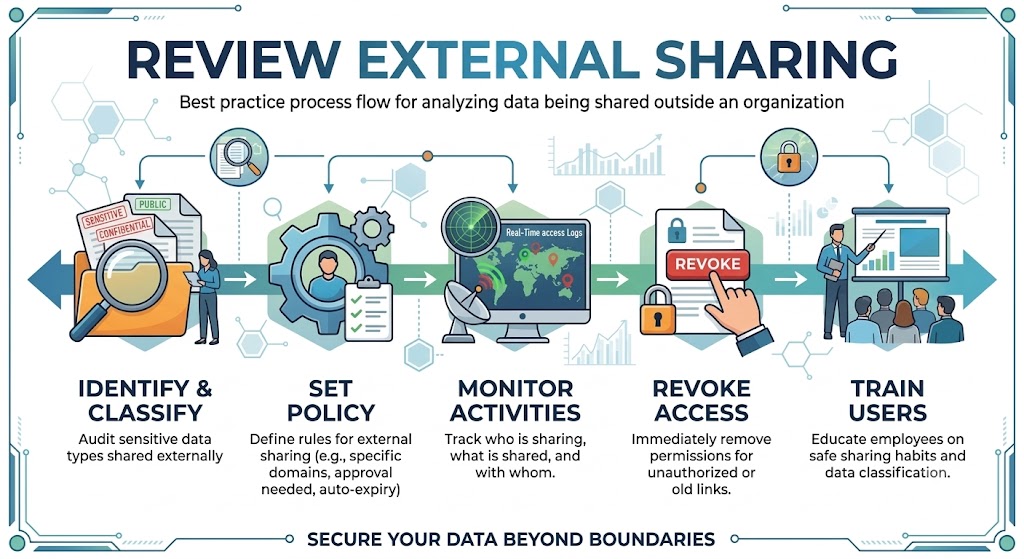
9. Review External Sharing
External sharing deserves special attention in legal environments. Law firms frequently collaborate with:
- Clients
- Co-counsel
- Experts
- Consultants
- Vendors
- Opposing counsel
- Third-party service providers
SharePoint and Microsoft 365 sharing settings can influence the accessibility of content. Microsoft recommends reviewing sharing settings and identifying potentially overshared content before and during Copilot deployment (Source: Microsoft Learn).
SharePoint and Microsoft 365 sharing settings can influence the accessibility of content. Microsoft recommends reviewing sharing settings and identifying potentially overshared content before and during Copilot deployment (Source: Microsoft Learn).
A firm should establish clear rules for:
- Who can share documents externally
- Which sites permit external sharing
- Which content categories prohibit external sharing
- How guest access is reviewed
- When external access expires
- How collaboration sites are governed
AI readiness and external-sharing governance should be treated as connected activities.

10. Control High-Risk Content During Copilot Deployment
Law firms may not want every SharePoint site to become broadly discoverable through AI experiences immediately.
Microsoft provides governance capabilities such as Restricted Content Discovery and Restricted Access Control to help organizations manage discovery and access while they review their environments (Source: Microsoft Learn).
Restricted Content Discovery can be used as a temporary measure for sites that need additional review before wider discovery through organization-wide search and Copilot experiences. However, Microsoft notes that Restricted Content Discovery does not change existing permissions. It is therefore not a substitute for properly fixing access controls (Source: Microsoft Learn).
For law firms, this supports a phased approach:
Identify ──> Assess ──> Restrict where necessary ──> Remediate ──> Validate ──> Expand

11. Build Legal Workflows Around SharePoint
Preparing SharePoint for AI shouldn’t stop with documents. Law firms should also examine how legal work moves through the system:
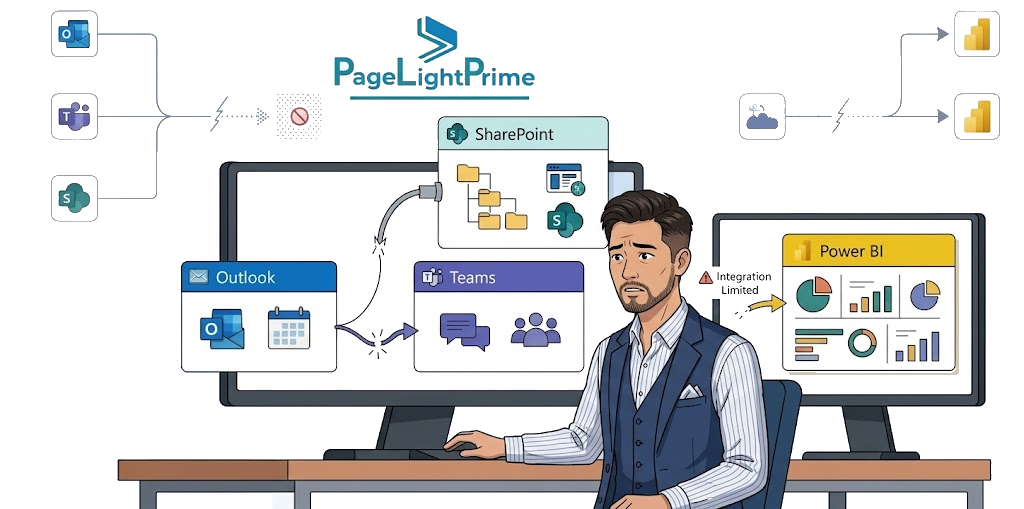
A well-designed legal document management platform can connect these steps rather than treating SharePoint as simply a file-storage location. This is where legal-specific solutions built on Microsoft 365 can provide significant value.

12. Prepare Attorneys and Staff for Copilot
Technology alone won’t determine whether a Copilot implementation succeeds. Lawyers and staff need guidance on how to use AI responsibly.
Training should cover:
- What Copilot can and cannot do
- How to ask effective questions
- How to verify AI-generated information
- How to handle confidential information
- How permissions affect results
- When human review is required
- How to identify inaccurate or incomplete outputs
- Appropriate use of AI for legal work
Note: AI should support professional judgment—not replace it.
For example, an attorney might use Copilot to summarize a set of documents, but the attorney remains responsible for reviewing the underlying materials and determining whether the summary is accurate and sufficient for the legal task.

Practical Examples of Microsoft Copilot for Law Firms
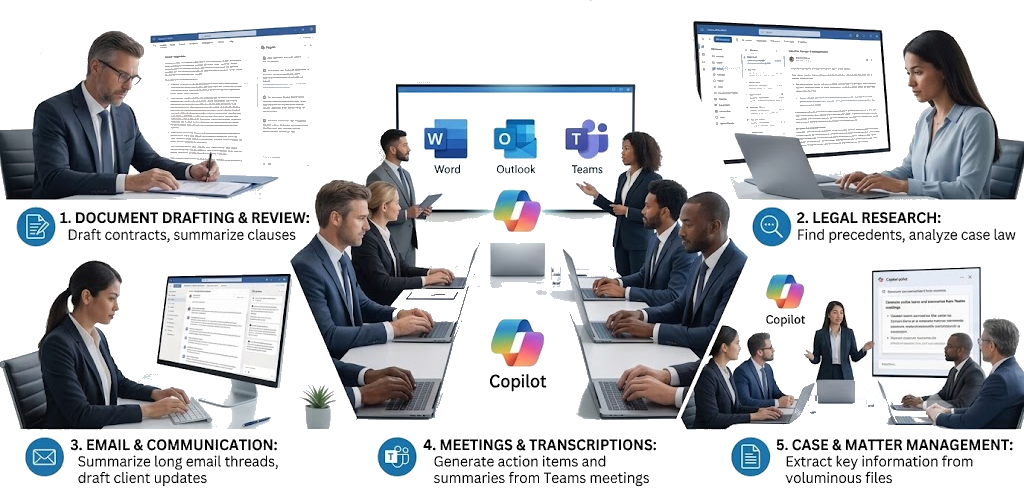
Once SharePoint is properly organized and governed, there are many potential applications for Copilot:
- Finding Matter Information: Instead of navigating multiple folders, an attorney could use natural-language queries to locate relevant information from accessible content.
- Summarizing Documents: A lawyer reviewing a lengthy document could use AI capabilities to create an initial summary before conducting a detailed review. Microsoft’s SharePoint Copilot documentation includes capabilities for summarizing selected files and asking questions about documents (Source: Microsoft Support).
- Comparing Documents: AI can help users identify differences between selected documents, which can be useful when reviewing contract versions or related materials.
- Creating FAQs: A collection of documents can potentially be used to generate questions and answers that help users understand the available content.
- Supporting Legal Workflows: AI can also become part of broader document-management workflows, helping teams automate repetitive information-management tasks.
The greatest value comes when these capabilities are connected to a well-governed legal information environment.
SharePoint + Microsoft Copilot + Legal Document Managem
Microsoft 365 provides the technology foundation. SharePoint provides content management and collaboration capabilities. Copilot adds an AI interaction layer.
But law firms need something more: Legal context.
A general-purpose SharePoint environment may not automatically understand concepts such as:
- Matters
- Clients
- Responsible attorneys
- Legal document types
- Matter status
- Conflicts
- Ethical walls
- Legal retention requirements
- Practice areas
- Legal workflows
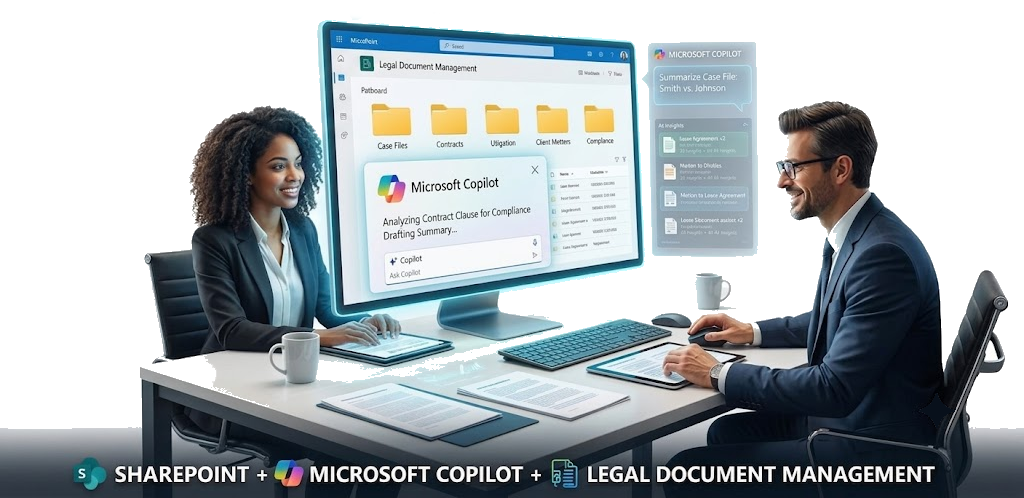
This is why SharePoint legal document management should be considered as an application layer around the Microsoft ecosystem.
PageLightPrime combines Microsoft 365 and SharePoint Online with legal-specific document management, matter management, workflow automation, and practice-management capabilities (Source: Legal Case Management Software).
Instead of asking a law firm to abandon the Microsoft tools its lawyers already use, the approach can be to build legal processes around the existing Microsoft 365 environment.

Microsoft 365 Copilot Readiness Checklist for Law Firms
Before expanding Copilot usage, law firms can use this comprehensive checklist:
Content
- Identify important SharePoint sites
- Identify inactive sites
- Identify ownerless sites
- Review duplicate content
- Remove or archive obsolete information according to policy
- Establish content ownership
Permissions
- Review SharePoint site permissions
- Review Microsoft 365 group membership
- Review external users
- Identify overshared content
- Review broken permission inheritance
- Remove unnecessary access
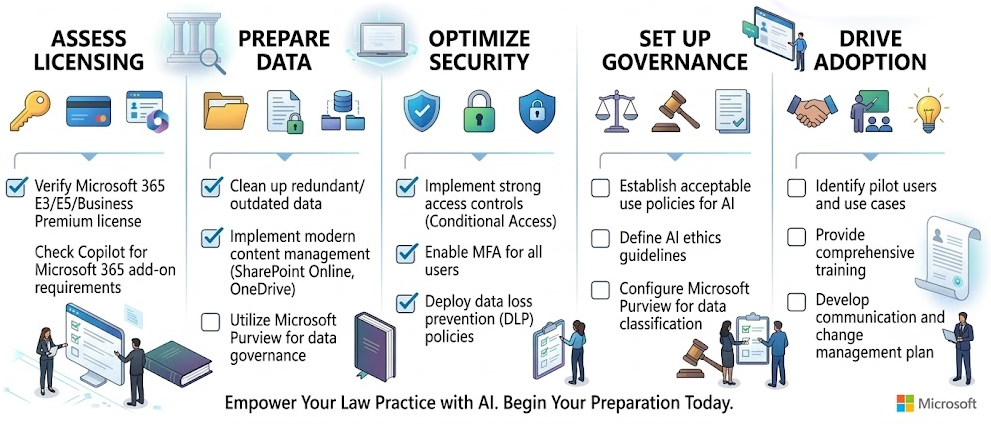
Legal Structure
- Organize content around clients and matters
- Standardize matter identifiers
- Define document categories
- Establish metadata standards
- Define document lifecycle processes
Security
- Review sensitive information
- Implement appropriate sensitivity labels
- Review DLP policies
- Review external sharing
- Establish governance for confidential content
- Validate access before AI rollout
AI Readiness
- Identify priority Copilot use cases
- Start with a controlled pilot
- Train attorneys and staff
- Establish AI usage policies
- Define human-review requirements
- Monitor adoption and governance

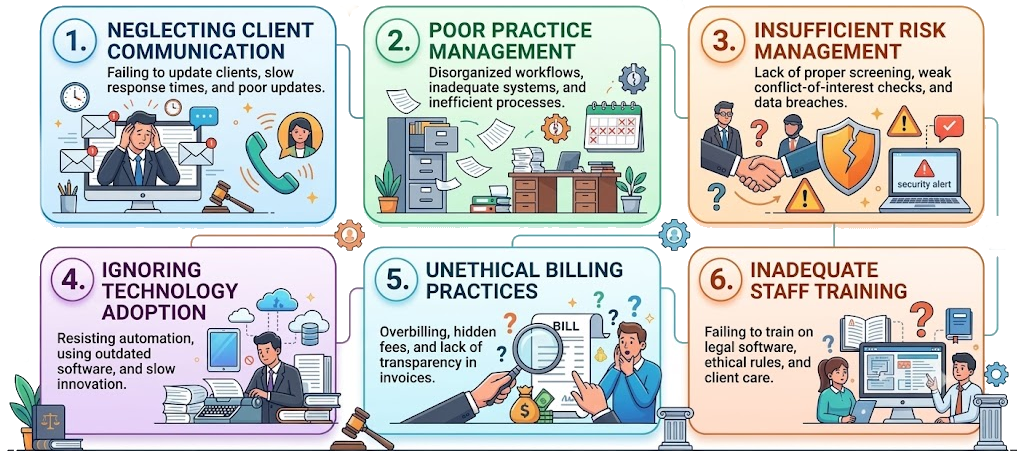
Common Mistakes Law Firms Should Avoid
Mistake 1: Turning on AI Before Fixing Permissions
AI cannot compensate for poorly managed access. Review permissions first.
Mistake 2: Treating SharePoint as Just File Storage
SharePoint can be much more valuable when documents, metadata, workflows, permissions, and matter structures are designed together.
Mistake 3: Migrating Everything Without Cleanup
Moving years of unmanaged content into a new environment doesn’t solve the underlying governance problem.
Mistake 4: Ignoring Metadata
Without meaningful metadata, legal teams may struggle to distinguish similar documents and information.
Mistake 5: Assuming AI Is Always Correct
Copilot can accelerate information work, but attorneys should verify important information and exercise professional judgment.
Mistake 6: Treating Security as an IT-Only Problem
Legal information governance requires participation from IT, attorneys, records teams, compliance, security, and firm leadership.

A Better Strategy: Make SharePoint AI-Ready Before Making AI Firm-Wide
The most effective Copilot strategy for a law firm is not necessarily to deploy AI everywhere at once. A phased approach is often more practical:
- Phase 1: Assess — Understand where documents live, who has access, and which sites contain sensitive information.
- Phase 2: Clean — Remove unnecessary content, identify outdated information, establish ownership, and address content sprawl.
- Phase 3: Structure — Organize information around clients, matters, document types, metadata, and workflows.
- Phase 4: Secure — Review permissions, external sharing, sensitivity labels, DLP, and other applicable security controls.
- Phase 5: Pilot — Select a small group of attorneys and a limited number of well-governed use cases.
- Phase 6: Measure — Evaluate whether Copilot is helping attorneys find information faster, reduce repetitive work, and improve productivity.
- Phase 7: Scale — Expand the program once governance, training, and workflows have been validated.
This approach allows the firm to treat AI deployment as an information-management transformation rather than simply a software rollout.

The Future of AI-Powered Legal Document Management
The next generation of legal document management will be increasingly intelligent. Attorneys will expect to interact with information using natural language.
Instead of asking:
“Which folder contains the final agreement?”
They may expect to ask:
“Find the latest executed agreement for this matter and summarize the key obligations.”
Instead of manually comparing multiple documents, they may ask:
“Compare these two versions and identify the substantive changes.”
Instead of spending significant time navigating repositories, attorneys will increasingly expect information to come to them.
But these capabilities depend on a strong information foundation. AI does not eliminate the need for document management. AI makes good document management more important.

How PageLightPrime Helps Law Firms Prepare for AI
For law firms already invested in Microsoft 365, the path to AI does not necessarily require replacing the tools attorneys use every day. The opportunity is to create a more structured legal environment around them.
PageLightPrime extends the Microsoft 365 and SharePoint ecosystem with legal-specific capabilities for document management, matter management, workflows, and practice management (Source: Legal Case Management Software).
This can help law firms move toward a more connected environment where:
- Legal documents are organized around matters
- Access can be aligned with legal teams
- Workflows are standardized
- Information is easier to manage
- Microsoft 365 remains the underlying productivity ecosystem
- AI can be introduced on top of a better-governed information foundation
The result is not simply a SharePoint implementation or an AI deployment. It is a legal information environment designed for the AI era.

“
Conclusion
Microsoft 365 Copilot creates exciting possibilities for law firms. It can help legal professionals interact with documents and organizational information in more natural and efficient ways. But successful AI adoption depends on more than purchasing licenses or enabling an AI assistant.
The quality of the underlying information environment matters.
For law firms, that means preparing SharePoint before scaling Copilot. Review permissions. Clean up outdated content. Organize information around matters. Standardize metadata. Establish ownership. Protect confidential information. Govern external sharing. Implement appropriate security and compliance controls. Then introduce AI through carefully selected use cases.
Microsoft’s own Copilot readiness guidance places significant emphasis on SharePoint governance, content quality, permissions, oversharing prevention, lifecycle management, and data protection (Source: Microsoft Learn).
The firms that approach AI this way will be better positioned to use Copilot not simply as a productivity tool, but as part of a broader transformation in how legal information is managed and accessed.
The future of legal AI starts with the quality of the data behind it. And for law firms already using Microsoft 365, SharePoint can be an important foundation for that future.

“
FAQ: Frequently Asked Questions
Does Microsoft 365 Copilot respect SharePoint permissions?
Yes. Microsoft 365 Copilot is designed to work within the user's existing Microsoft 365 access permissions. It does not give a user access to documents they could not otherwise access. However, this makes SharePoint permission hygiene especially important: if sensitive documents are already overshared, Copilot can make that accessible information easier to discover.
How should law firms prepare SharePoint for Copilot?
Law firms should begin by auditing SharePoint content, reviewing permissions and external sharing, removing or archiving outdated content, establishing clear site ownership, and standardizing document organization and metadata. Firms should also identify high-risk or overshared content and establish appropriate governance controls before expanding Copilot access.
Can Copilot access confidential legal documents?
Copilot can work with confidential legal documents when the user already has permission to access those documents. This makes matter-level access controls and information governance critical for law firms. Confidential documents should be stored in appropriately secured locations with carefully managed permissions, sharing settings, sensitivity controls, and retention policies.
What SharePoint permissions should law firms review before deploying Copilot?
Law firms should review permissions on matter sites, document libraries, folders, and individual files, particularly where confidential client or matter information is involved. They should also identify broad Microsoft 365 groups, inherited permissions, guest access, external sharing, inactive sites, and other configurations that may unintentionally provide users with access to sensitive information.
Does a law firm need legal document management before using Copilot?
Not necessarily. A firm can use Microsoft 365 Copilot with SharePoint without a dedicated legal document management application. However, a legal document management layer can provide matter-centric organization, legal workflows, document intelligence, email filing, and other capabilities that make Microsoft 365 more useful for legal work. The right approach depends on the firm's requirements and existing Microsoft 365 environment.
How can law firms prevent Copilot from exposing overshared content?
The best approach is to address oversharing before broad Copilot deployment. Firms should audit SharePoint permissions, identify sites and content with excessive access, review external sharing, remove unnecessary permissions, establish appropriate governance, and restrict discovery of high-risk content where necessary while remediation is underway.
What metadata should law firms use in SharePoint?
Legal teams should use metadata that supports how they actually organize and retrieve information. Common examples include matter or case number, client, practice area, document type, confidentiality level, responsible attorney, document status, date, jurisdiction, legal team, and retention category. Standardized metadata helps both users and AI systems find, filter, and understand legal documents more effectively.